
§ Reference · Viewer
The sections of the viewer
What each section of the viewer shows and how to read it: Inventory, Plans, Discovery, Policies with the studio, Traces, Secrets and State, part by part, with the filter columns and the tabs of the inspector.
On this page
The viewer that pravo serve starts is one page with seven sections. The bar at the top switches between them, and each keeps its own view in the address, so that a link reproduces it. The viewer explains how to read the graph; this page says what each part of the page holds.
| Section | Shows | Key | Link |
|---|---|---|---|
| Inventory | Every resource, data source, ephemeral resource, call and output of the specification and of the state, as a graph or a list, with an inspector for the selection. | g switches the graph and the list |
view=graph, view=list |
| Plans | The plans stored in the state: who made each, where it stands, what it changes, and the command that applies it. | p |
view=plans |
| Discovery | What the discoveries of the specification found, and which objects nothing manages. | d |
view=discovery |
| Policies | The policies in force, what the next apply writes, and the studio that tries a rule on plans. | o, and s for the studio |
view=policies |
| Traces | The runs that pravo recorded, as a timeline of spans. | r |
view=traces |
| Secrets | The secrets that a sealed state keeps, each with its latest version, who set it and the nodes that read it, and whether a signed record of a writer stands behind every version. Never a value. | e |
view=secrets |
| State | Where the state is kept, how it is protected, who can read it and what needs doing. | a |
view=state |
The tab of Discovery carries the number of objects that ask to be adopted, the tab of Policies the number of policies that the next apply changes, and the tab of Secrets the number of problems it flags; a tab with nothing waiting carries no number. The bar also holds the search button, which opens the command palette, the theme button, and, when the state is sealed, the identity the page is read as: its name, or not a reader, no identity or identity locked beside it. The title of the browser tab names the project and the section, so that tabs of several estates tell apart.
A status bar runs along the bottom of every section: the revision of the data, when it was read, live, reconnecting, offline or connecting, and read-only · localhost only. In Inventory it also says no plan loaded, or the id of the plan laid over the graph with planned N of M and the number of resources the plan did not read.
The Inventory section
The Inventory draws the estate. Every node is one of the specification and of the state: a resource, a data source, an ephemeral resource, a function call, an environment variable the specification reads, or an output of the root. An output has no record, no history and no lock, and no count of resources includes it.
| Part | Holds |
|---|---|
| Toolbar | The switch Graph and List, and in the list the switch Grouped and Flat. Collapse and Expand, for every group at once. The filter box, which takes words and column:value terms, with the number of matches, or of items while it is empty. The zoom buttons, minus, Fit and plus, and the button that shows the project in the inspector. |
| Pills | Under the toolbar, one pill for each term of the filter box, with a cross that takes it out. The row is not there while the box has no term. |
| Plan strip | Under the bar, while a plan is laid over the graph. See a plan over the graph. |
| Graph | The lanes of open groups, the cards of closed ones and the boxes of resources, joined by wires. The legend, a small button at the corner that opens the key to the marks of the graph and remembers whether it was left open. A map of the drawing, which shows when the drawing is larger than the window. |
| List | One row for each group and each resource, grouped or flat. |
| Inspector | It comes in at the right when a resource or a group is selected, or when the project is asked for with i. In a narrow window it is a panel under the graph. |
The graph
A group is drawn as a lane while it is open, with its resources and the groups inside it, and as a card while it is closed. A card says how many resources and groups it holds, shows one small square for each resource in the colour of its state, and carries a lock with the number of resources that hold withheld values. A click on a card opens the group and moves the view to it; the Zoom out button then returns to the view the click left.
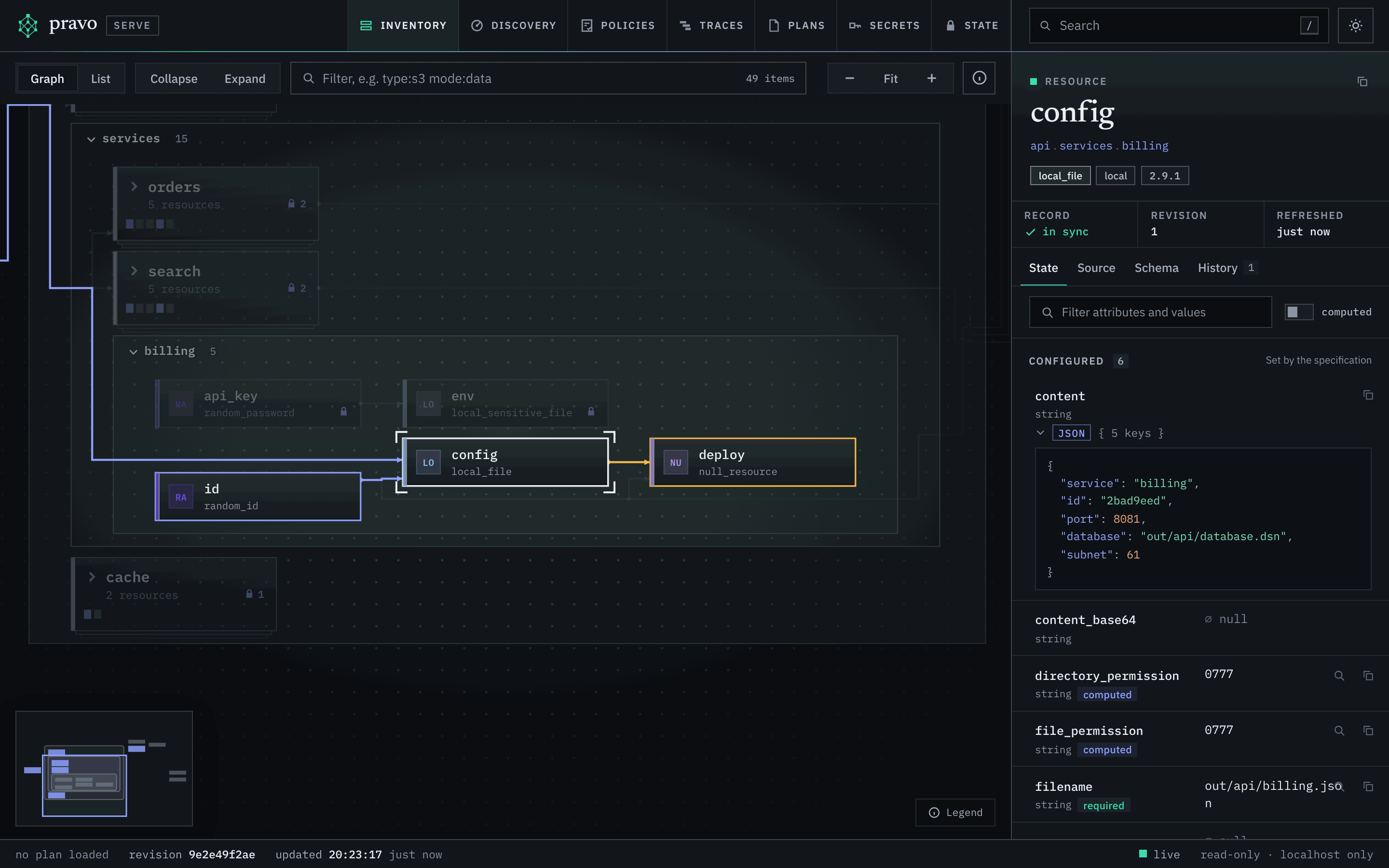
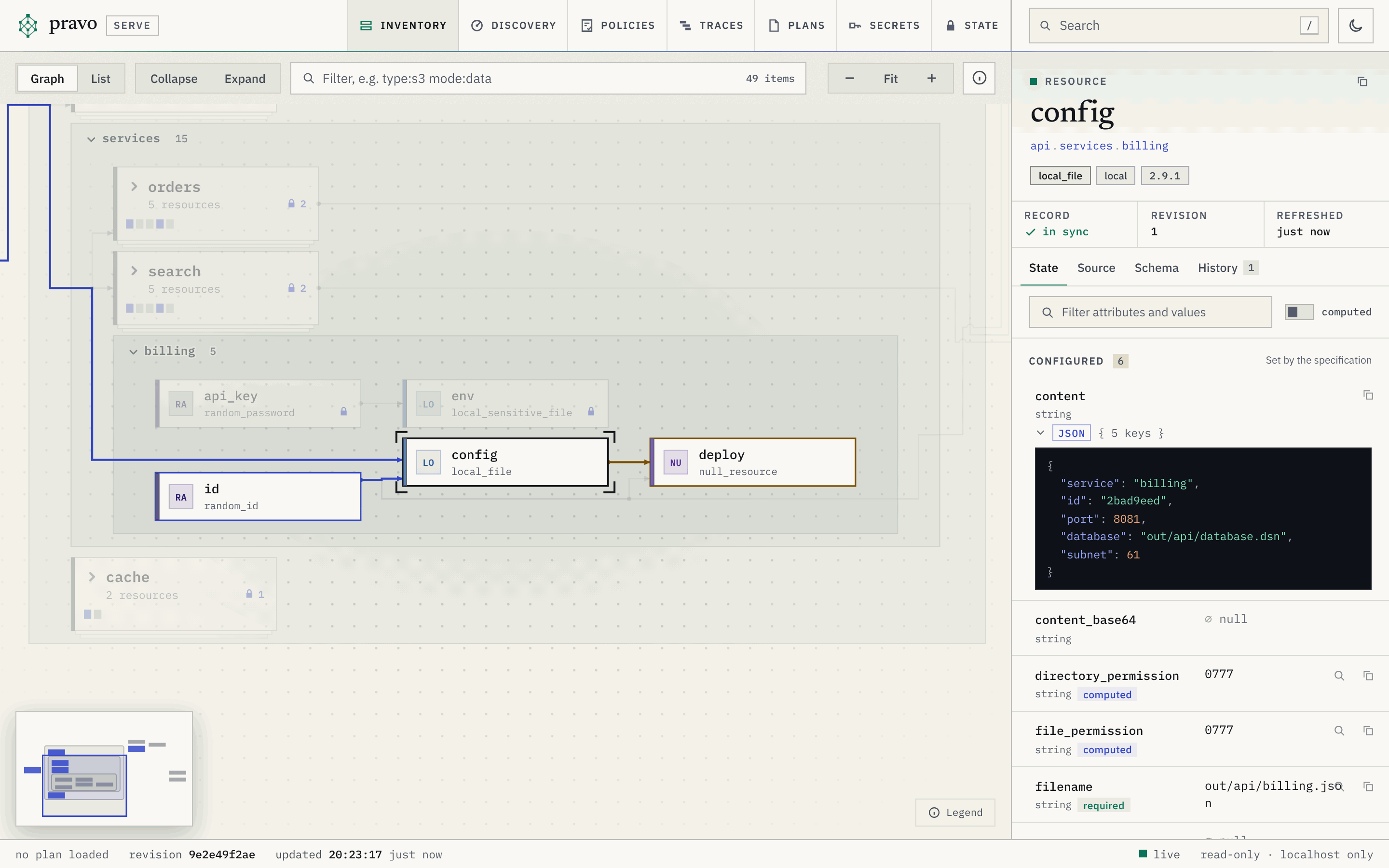
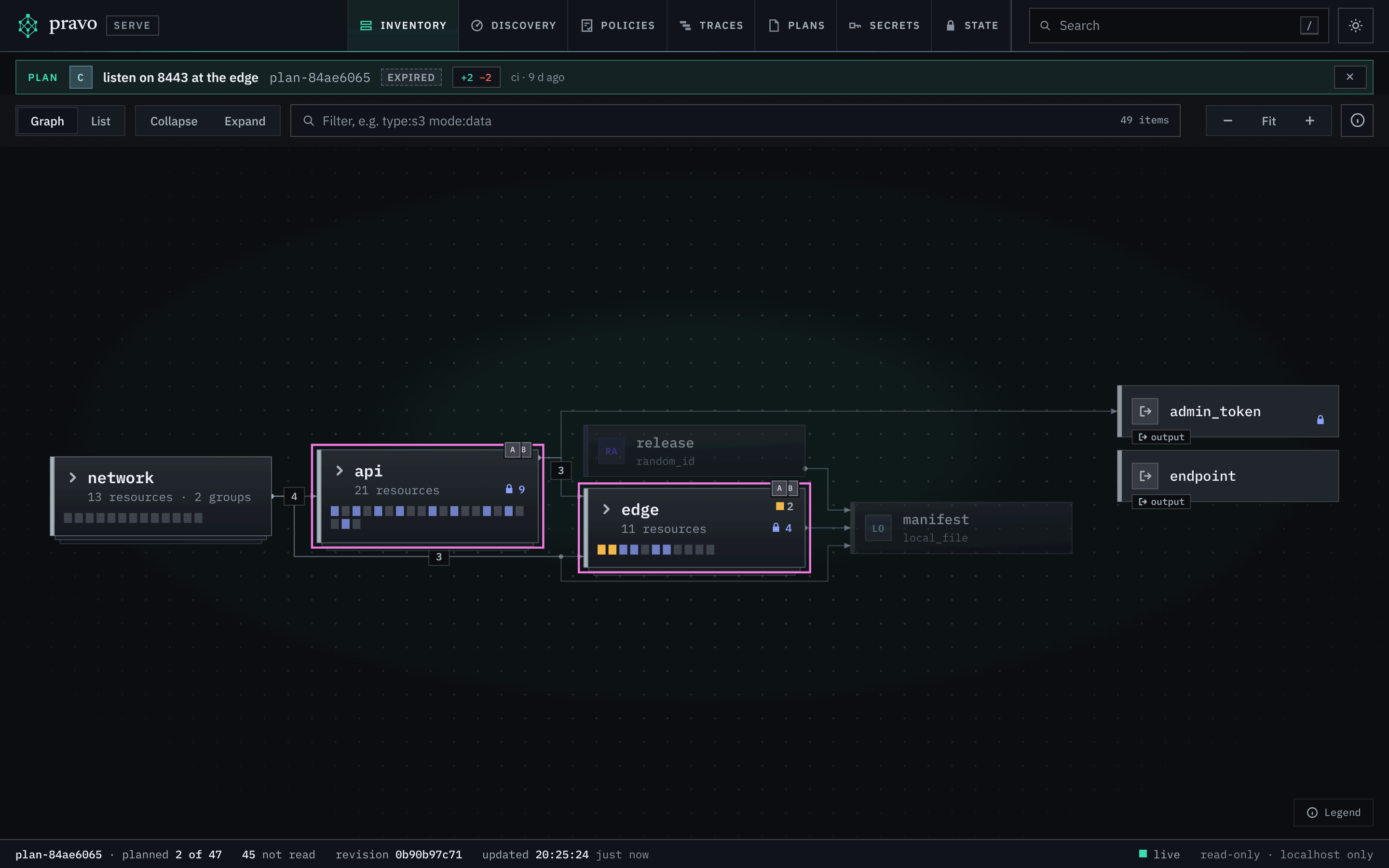
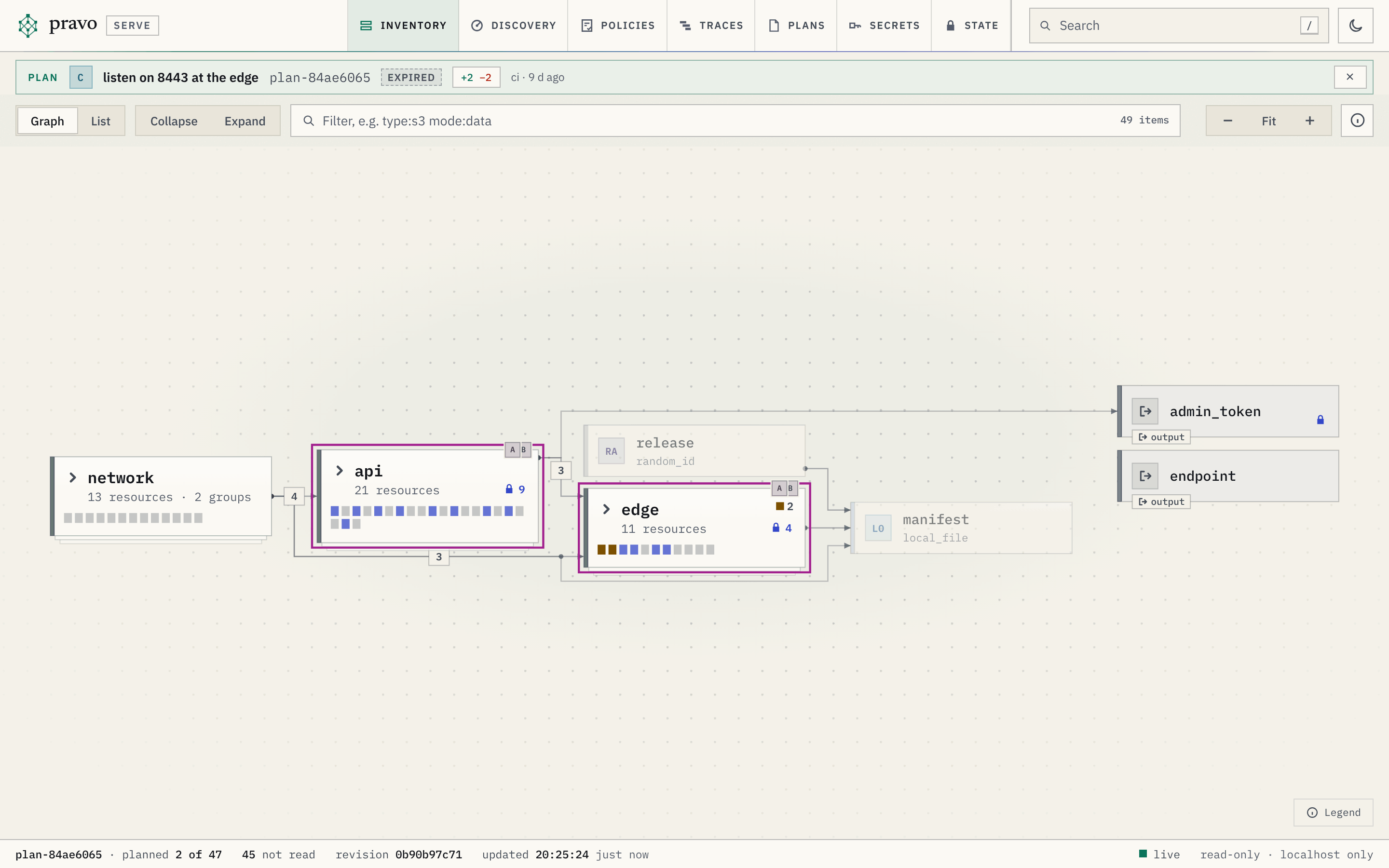
network and edge are cards; api is open, with billing open inside its services lane and orders and search closed.A resource is a box with the initials of its provider, its name and its type. The box carries the marks of the node: a lock for a value that is withheld, the badge of the action of the plan laid over the graph, drifted or gone when a read found the object changed outside pravo, and the discs of the stored plans that have a change left on it. The wires are the edges: an arrow runs from a node to the one that reads its values, so that sources stand at the left and what depends on them at the right. A count on a wire between two cards is the number of edges it stands for.
A group is a node too. Selecting it shows, in the inspector, how many resources and groups it holds, how many are drifted and how many hold secrets, its resources by type, its subgroups with their sizes, its own resources, and where it is written.
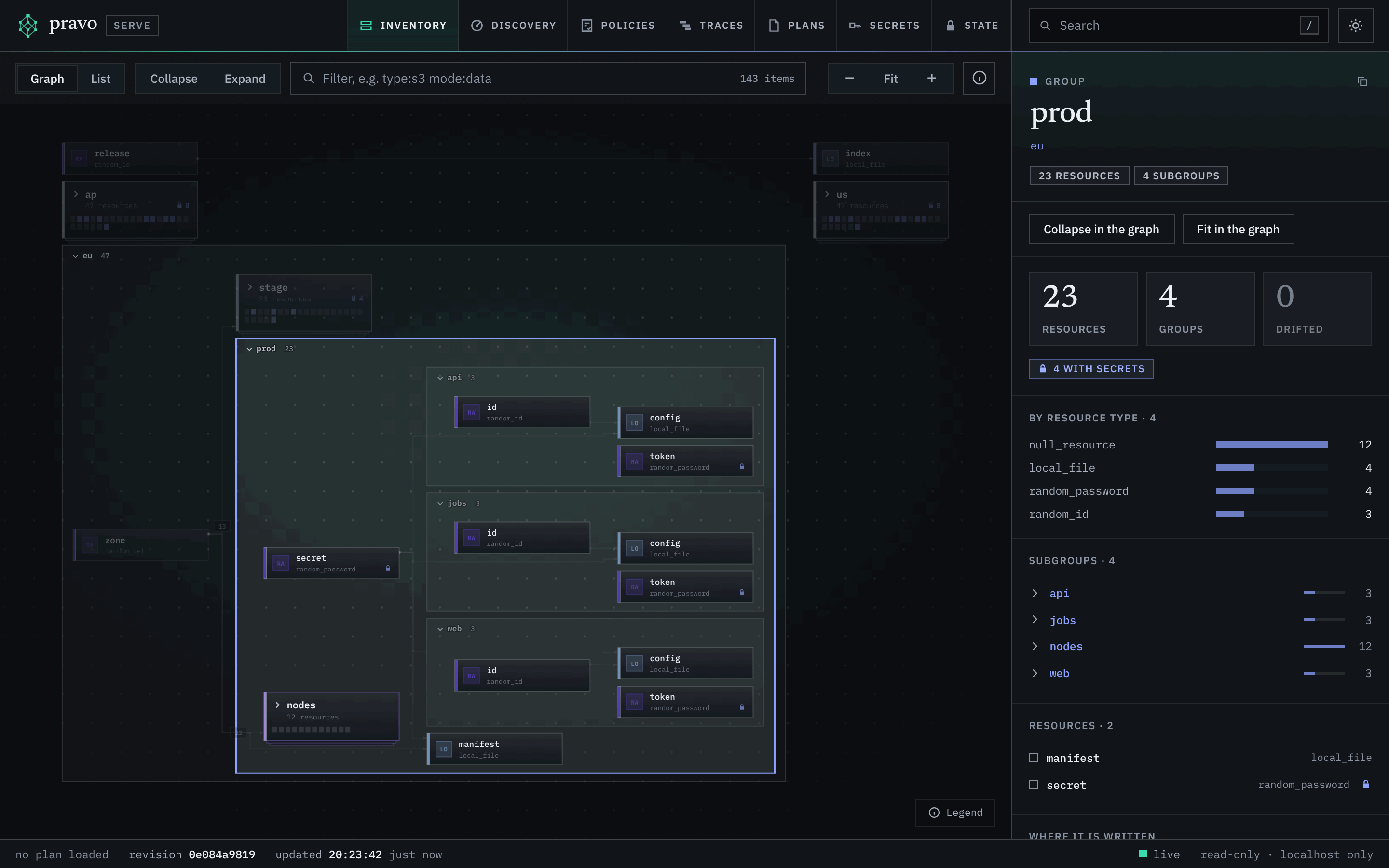
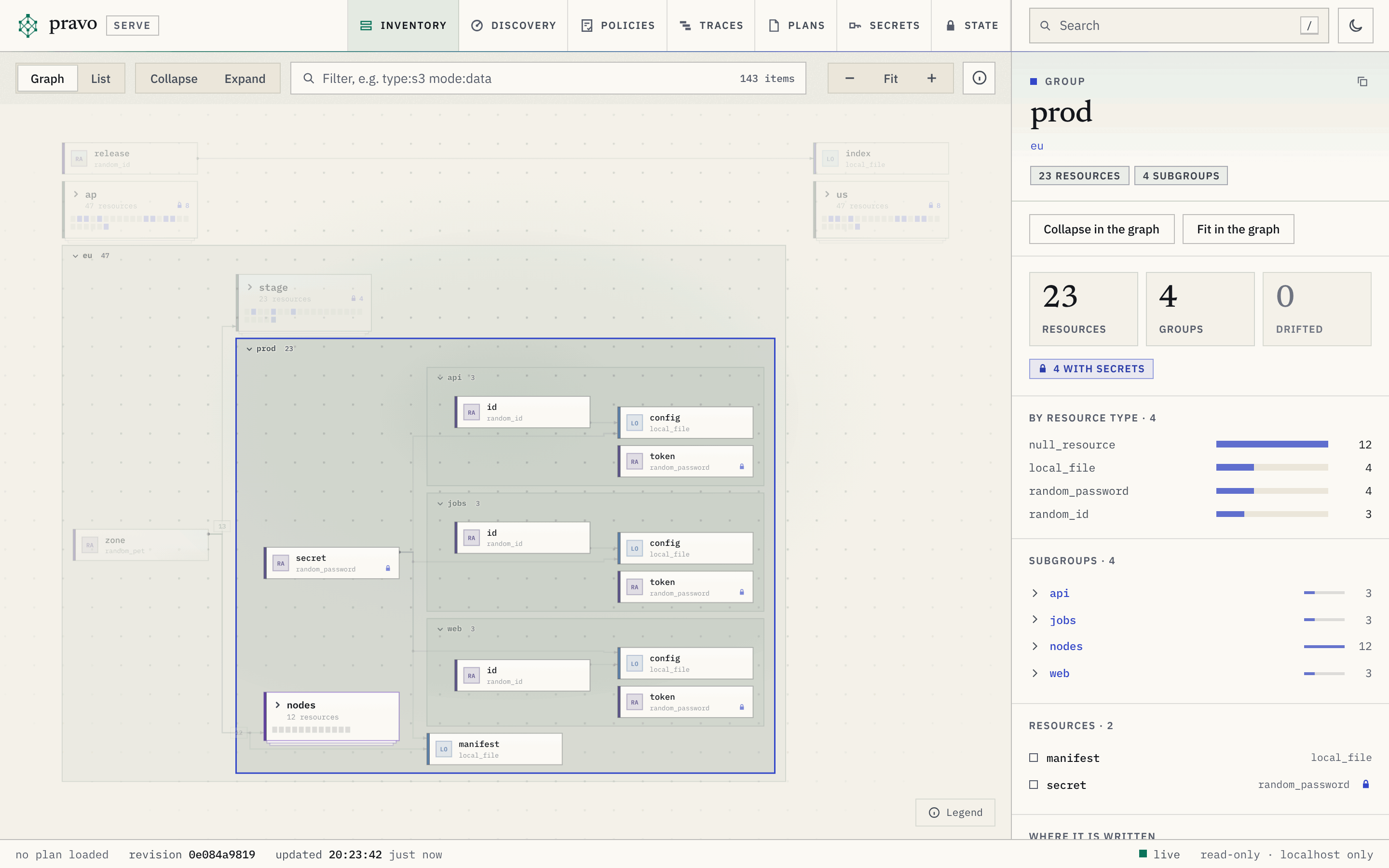
eu is open, with its services open inside it and the pool of nodes closed; the staging environment and the other regions are cards.A group that holds eight or more resources of one type draws them as one cluster, a box that names the type and the count, so that a pool of identical nodes does not fill the window. A click opens the cluster into its members, in columns, with a control under them that closes it again. The address of an open cluster is c:GROUP|MODE|TYPE in the expand parameter of the link.
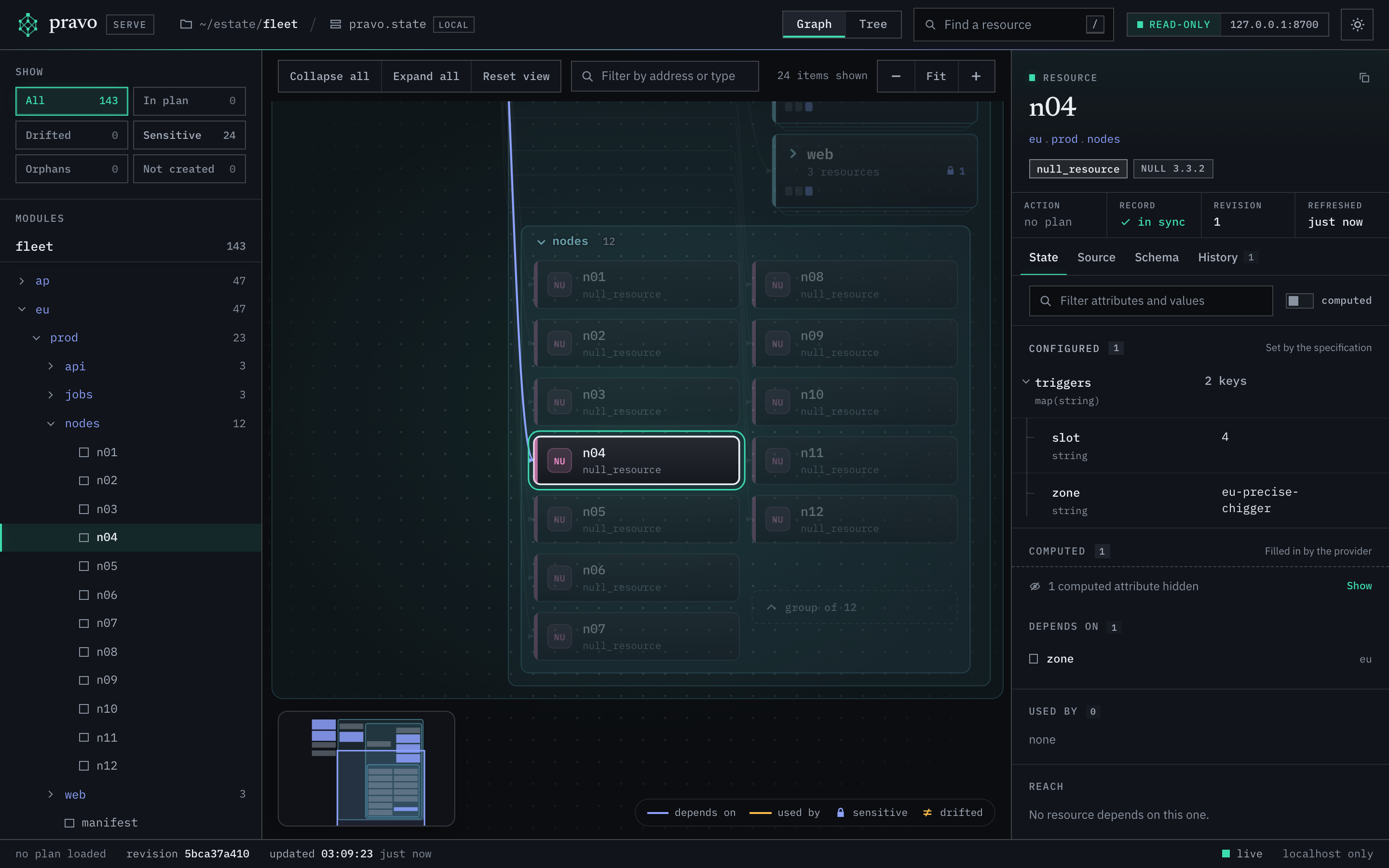
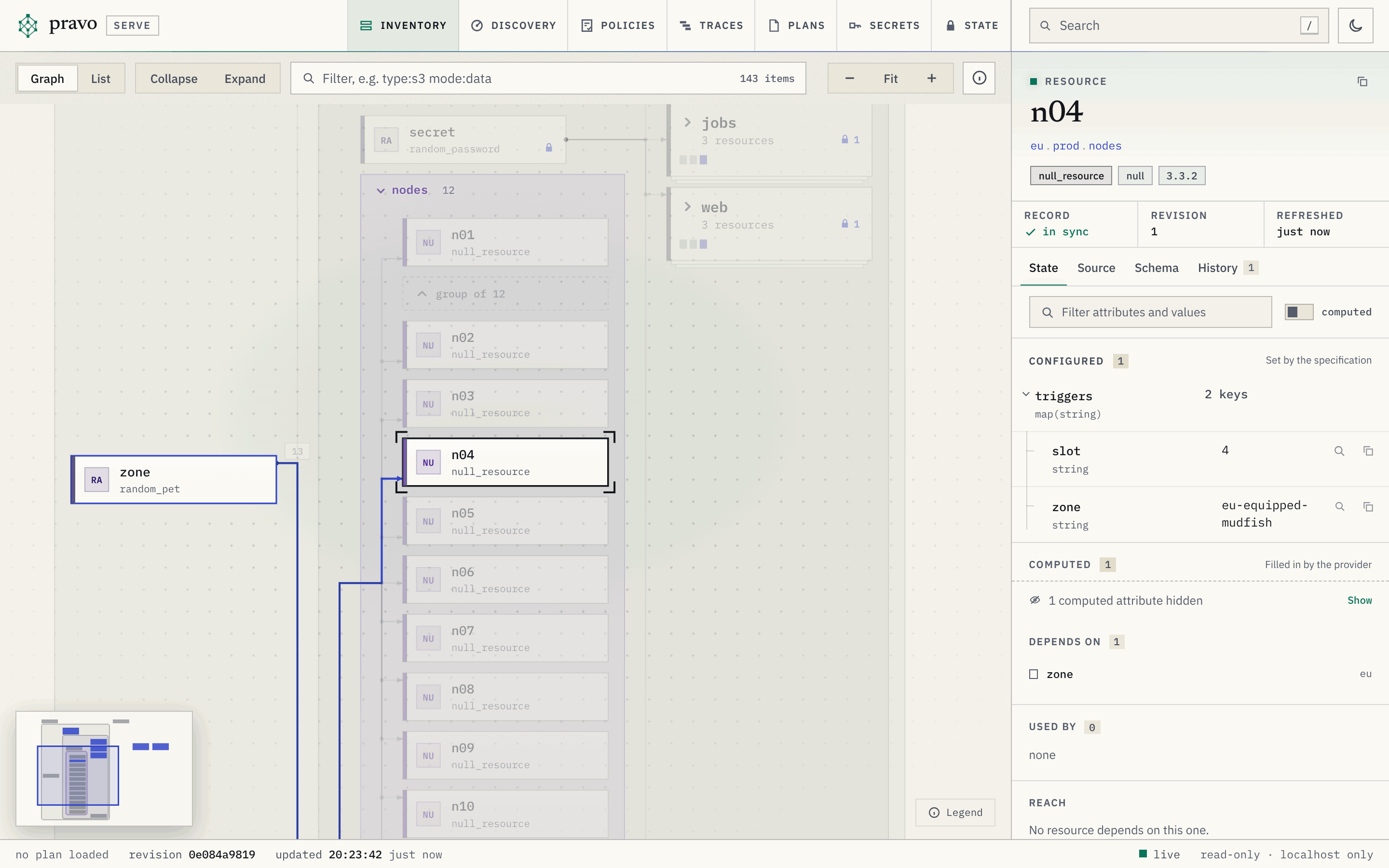
null_resource nodes of eu.prod.nodes stand in a column, and n04 is selected.The list
The list has one row for each group and each resource, grouped by group or flat, with the columns Name (Address when flat), Type, Provider, Mode, Status, Plan and Refreshed. The Provider column names the provider instance of each resource. The Status column shows the number of sensitive values, and the marks drifted, gone and orphan; a group's row sums the marks of the rows below it. The Plan column shows the action of the plan laid over the graph, and the first two discs of the stored plans that change the resource. A column heading sorts by it.
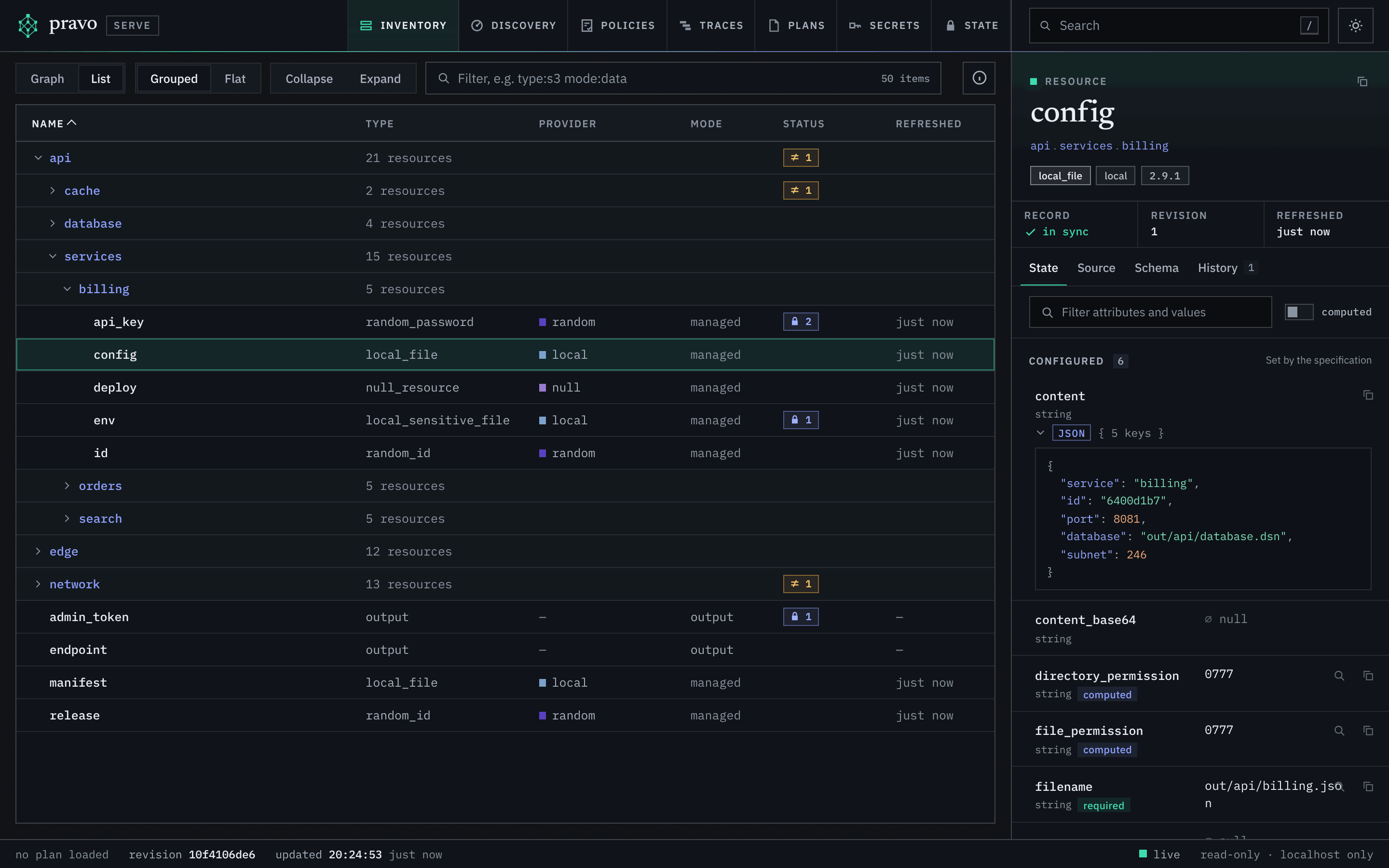
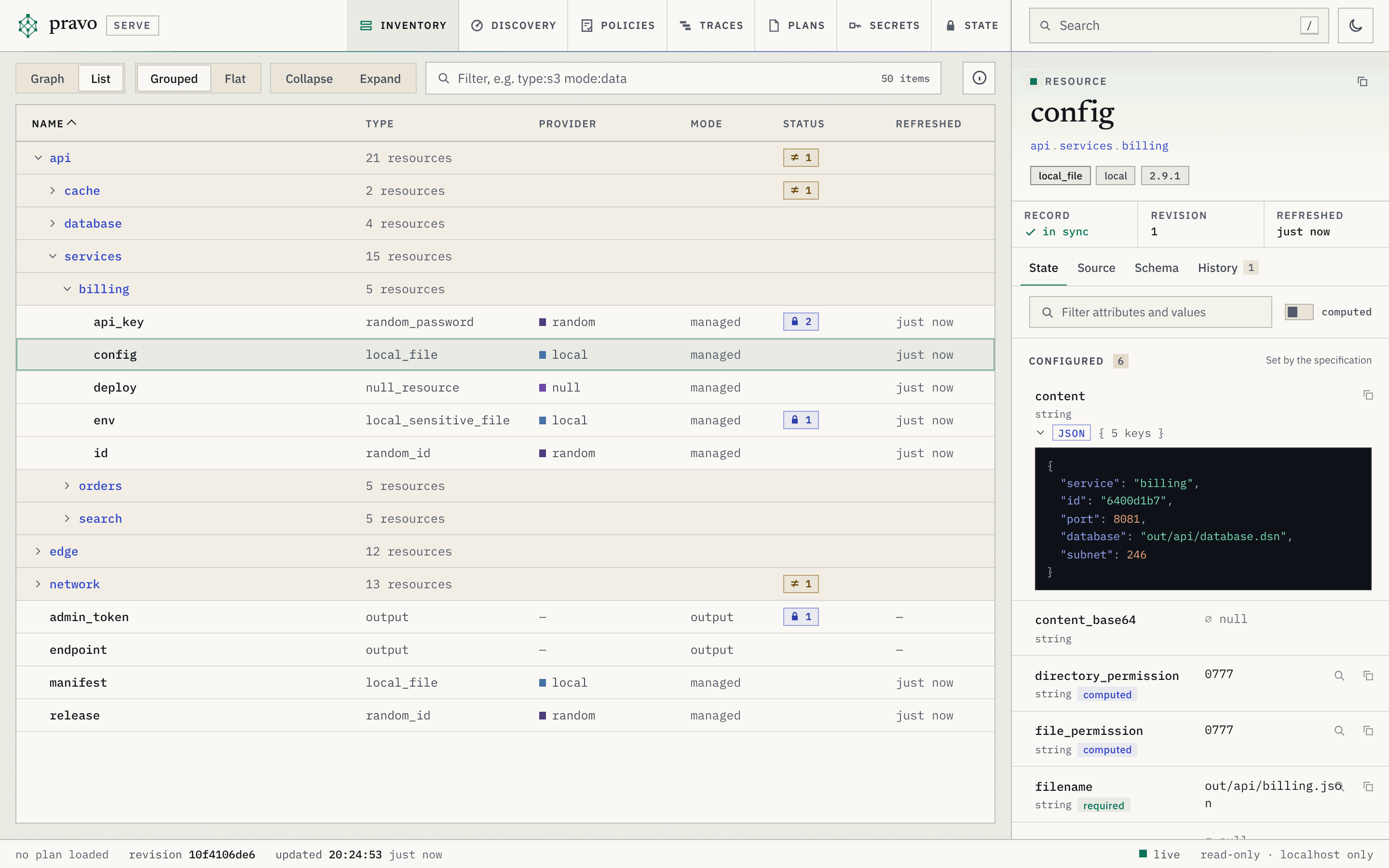
api sums the drift inside it.Filters
The filter box sets q: words, and terms of the form column:value. A word matches the address, the type, the action and the mode of a node, and every word must match. The terms and the words together must all match. A comma between values means either one, a minus before the column means the others, and a word with a colon that names no column is a word. The box says how many nodes match, or how many resources there are while it is empty. The graph dims the nodes that do not match, and the list leaves them out.
| Column | Matches | Values |
|---|---|---|
entity |
What the node is. Every node is one of them. | resource, data (a data source), ephemeral, output, env (an environment variable that the specification reads, pravo.#Env and pravo.#SecretEnv), secret (a secret of the sealed state that the specification reads, pravo.#Secret and pravo.#SecretVersion). managed, datasource, environment and secrets are read as resource, data, env and secret. |
type |
The resource type, whole. | A type, such as aws_s3_bucket. A * stands for any run of characters: aws_s3*. |
provider |
The provider type of the resource. | A provider type, such as aws, whatever its instance. A * works. |
instance |
The provider instance of the resource, by its whole key. | aws.west: the provider type and the name of the instance, which is only unique within its type. A * works. |
mode |
The mode of the block. | managed, data, ephemeral, output. |
status |
The marks of the record and of the declaration. | drifted (drifted or gone), gone, orphan (recorded and not declared), declared (declared and not recorded), locked, sensitive (holds withheld values). |
plan |
What the loaded plan does to the resource. | any (every change, a no-op not counted), create, update, replace, delete, read, none. |
ns |
A group and everything below it. group is another name for the column. |
A group path, such as api.services. |
addr |
The address, whole. | An address. A * works. |
field |
A value in the record, searched by the server over what the inspector shows. | path=value, as settings.region=eu; a name alone is a field of that name at any depth, a path alone matches the nodes that hold it, and a * works in either. A value with a space or a comma is in double quotes: tags.team="platform core". A withheld value never matches. |
value |
A value anywhere in the record: an id, an arn, a url. Searched like field, over every path. |
The value, whole: vpc-0abc123, or with a * for any run, *inventory*. A value with a space or a comma is in double quotes. A withheld value never matches. |
refreshed |
How long ago the record was read. | A number and a unit, m, h, d or w, with > or < before it: >1d is older than a day. |
The menu under the box offers, while the box is empty, the filters that the estate has something for, each with the number of nodes that it leaves, and then the columns. While a word is begun it offers the columns, and after a colon the values that the estate holds, with how many nodes hold each. The counts are of what the rest of the filter leaves. A cell of the list and a chip of the inspector write their term into the box.
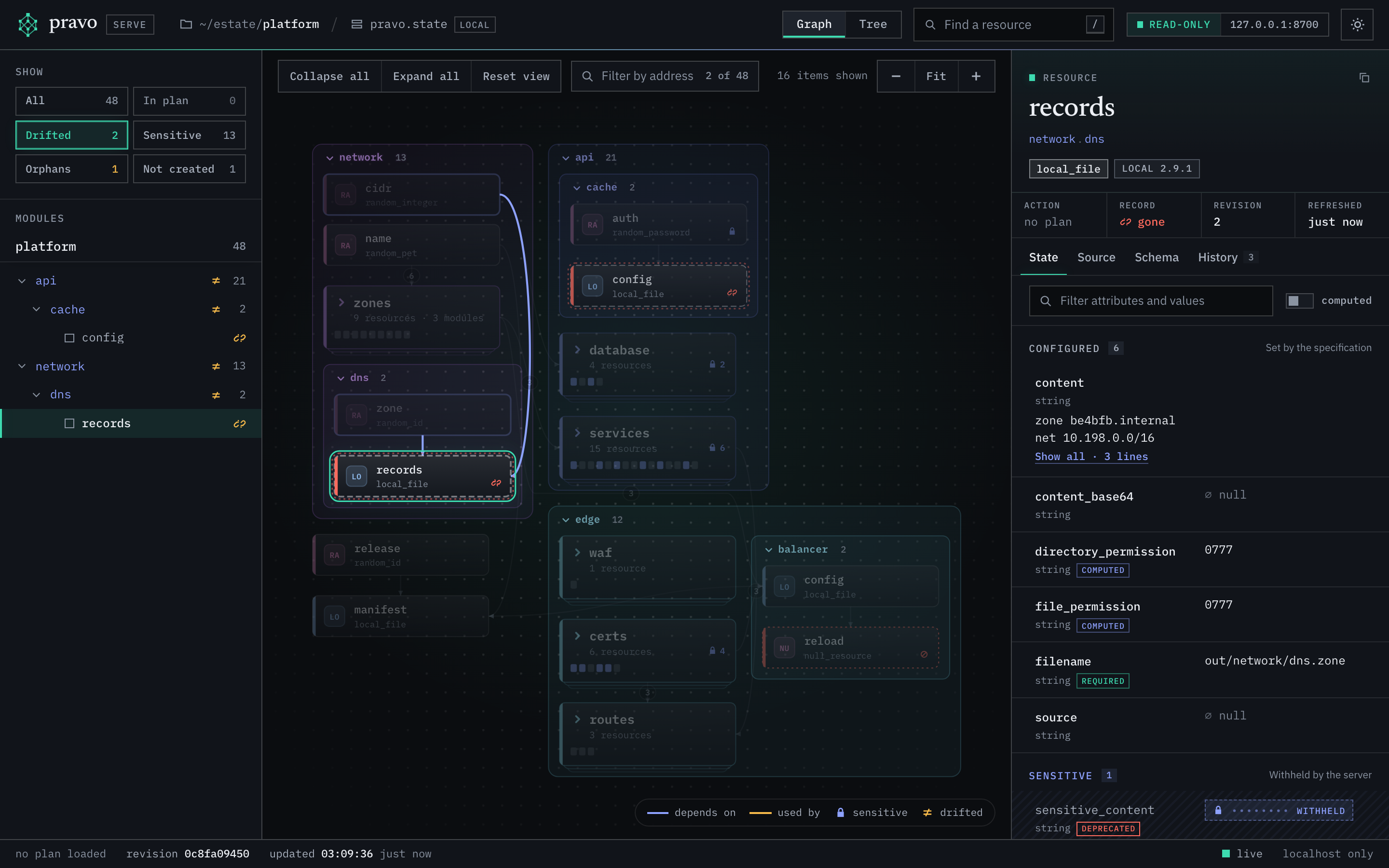
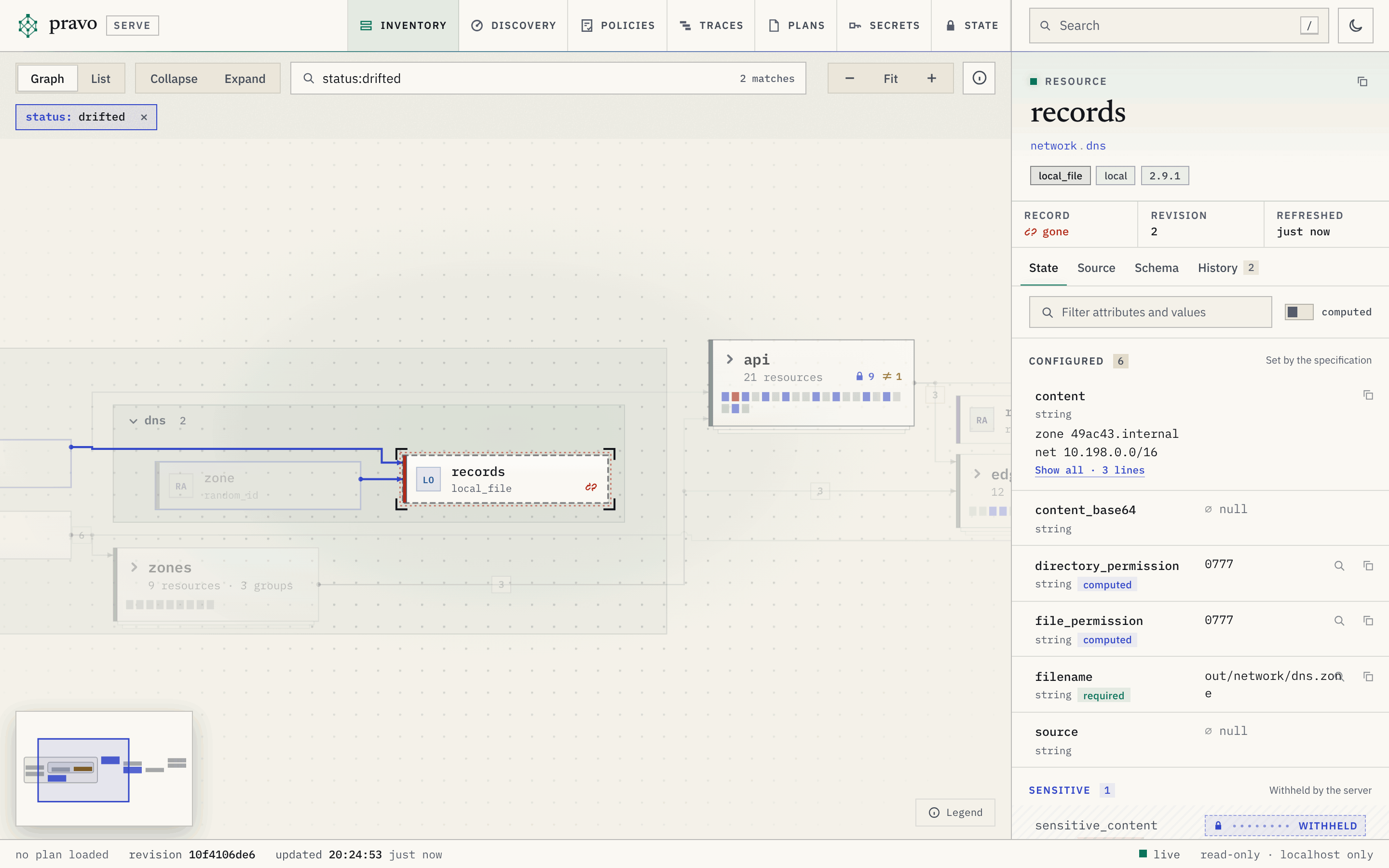
status:drifted: two resources match, and the inspector shows the one whose object is gone.The inspector
The inspector shows the selection. For a resource it has a strip of cells, then the tabs. The strip has the cells Action, Record, Lock, Revision and Refreshed, and Plans when plans that can be applied change the resource. Action is the action of the plan laid over the graph, no change, not read or no plan. Record is in sync, drifted, gone, declared only, orphan or, for a node that is never recorded, not recorded. Lock shows when a lock or a reservation holds the resource. An ephemeral resource, a function call, an environment variable and a secret have no Revision and Refreshed cells.
| Tab | Shows | tab |
|---|---|---|
| State | The attributes in the groups Configured, Sensitive and Computed, in the order of the provider schema, with the type of each and whether it is required, optional or computed. A box filters them, and a switch shows the computed ones. Then what the resource depends on, what uses it, what a change to it reaches, the times of the record and a lock. | state |
| Source | The lines that write the resource: the definition and the instance, and what else shapes it. Only files that the evaluation loaded are shown. | source |
| Schema | The attribute definitions of the resource type: name, type, kind and the provider's description. | schema |
| History | The transactions that wrote the resource. A plan is not one. | history |
| Change | What the plan laid over the graph does to the resource, and the stored plans that can be applied and change it. The tab exists only when a plan is laid over the graph. | change |
The State tab withholds a value that the provider schema marks sensitive or write-only, a value of an attribute named like a secret, and a value that holds a secret of the state; each shows a locked mark and the reason. The security model lists the rules.
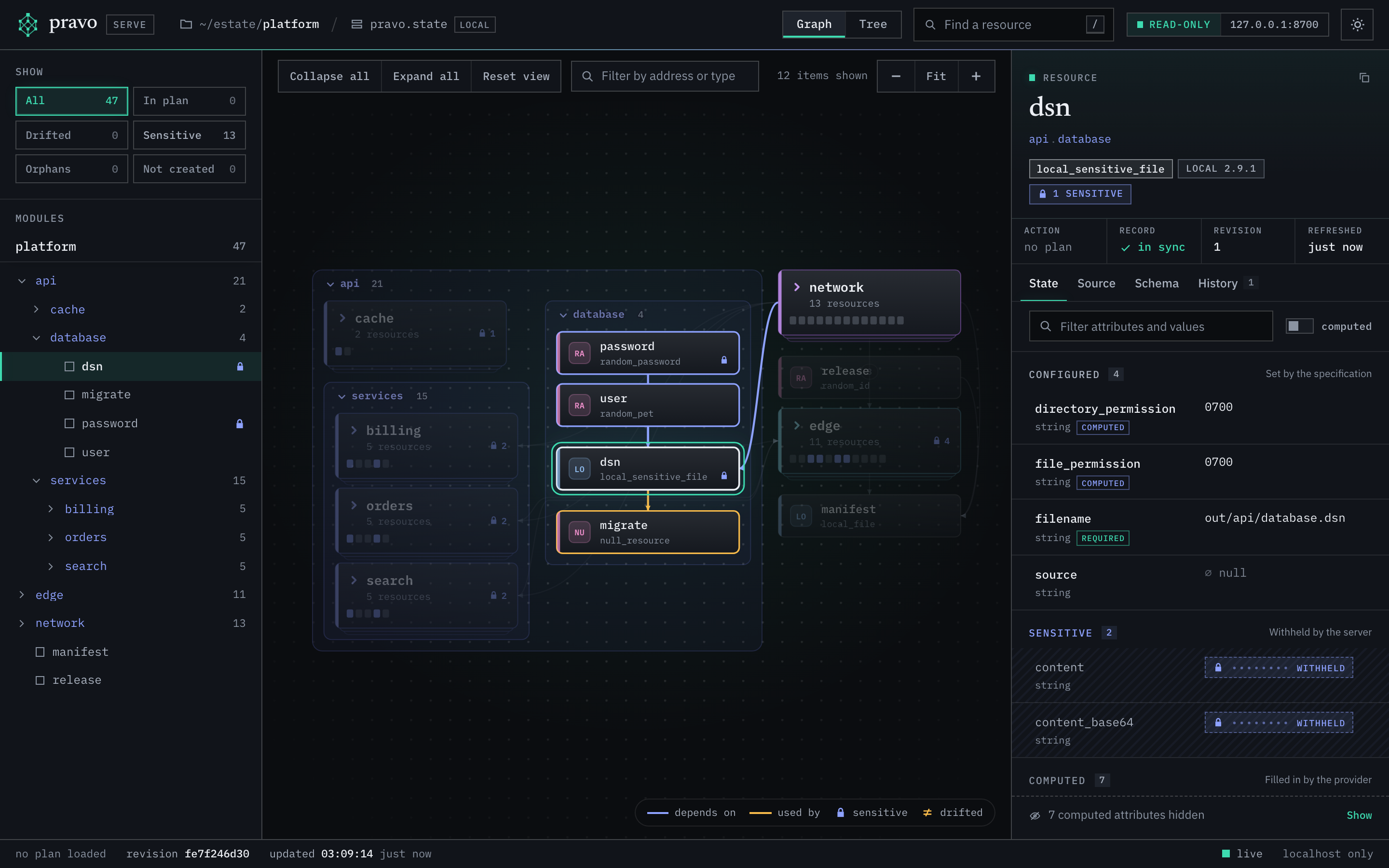
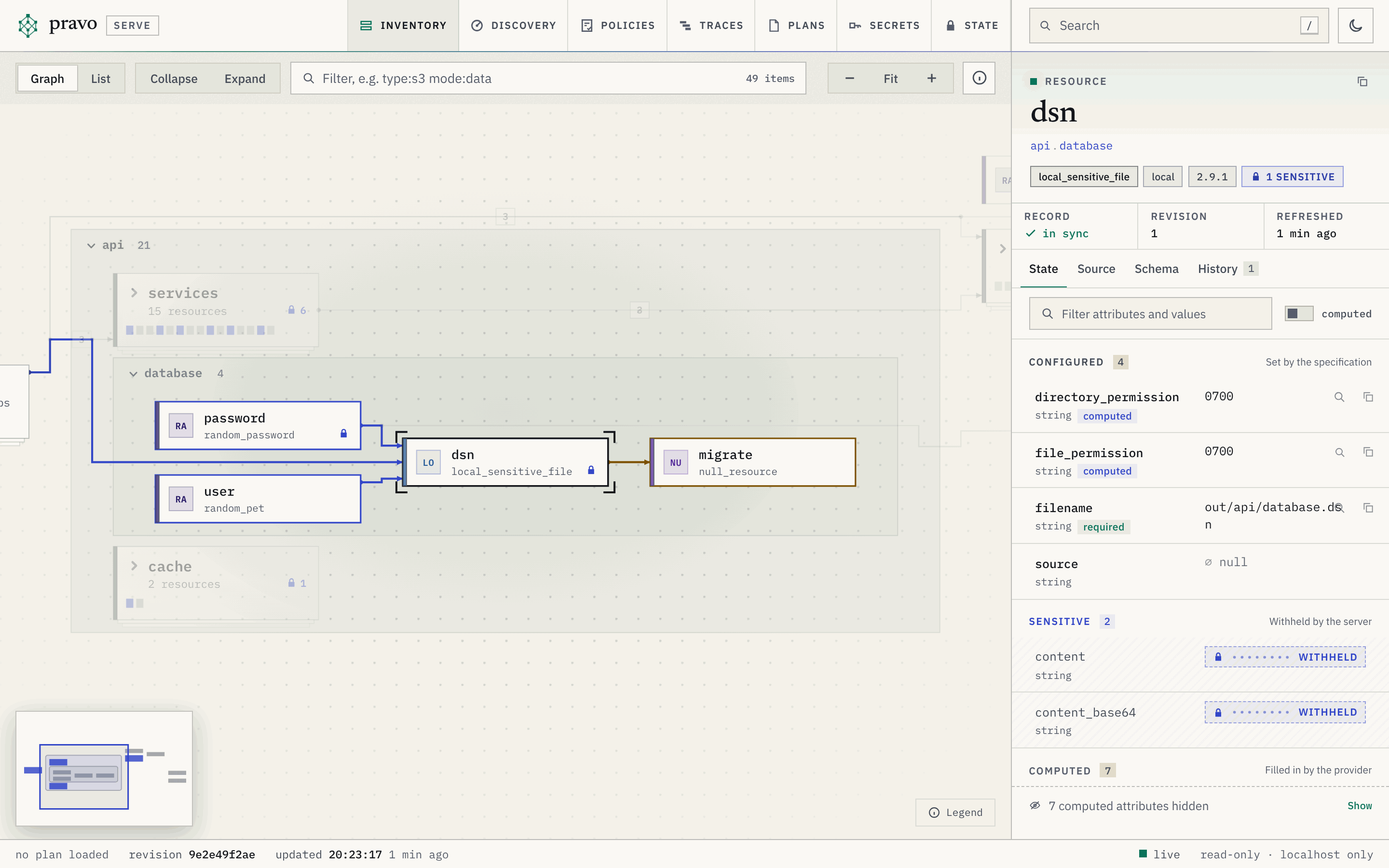
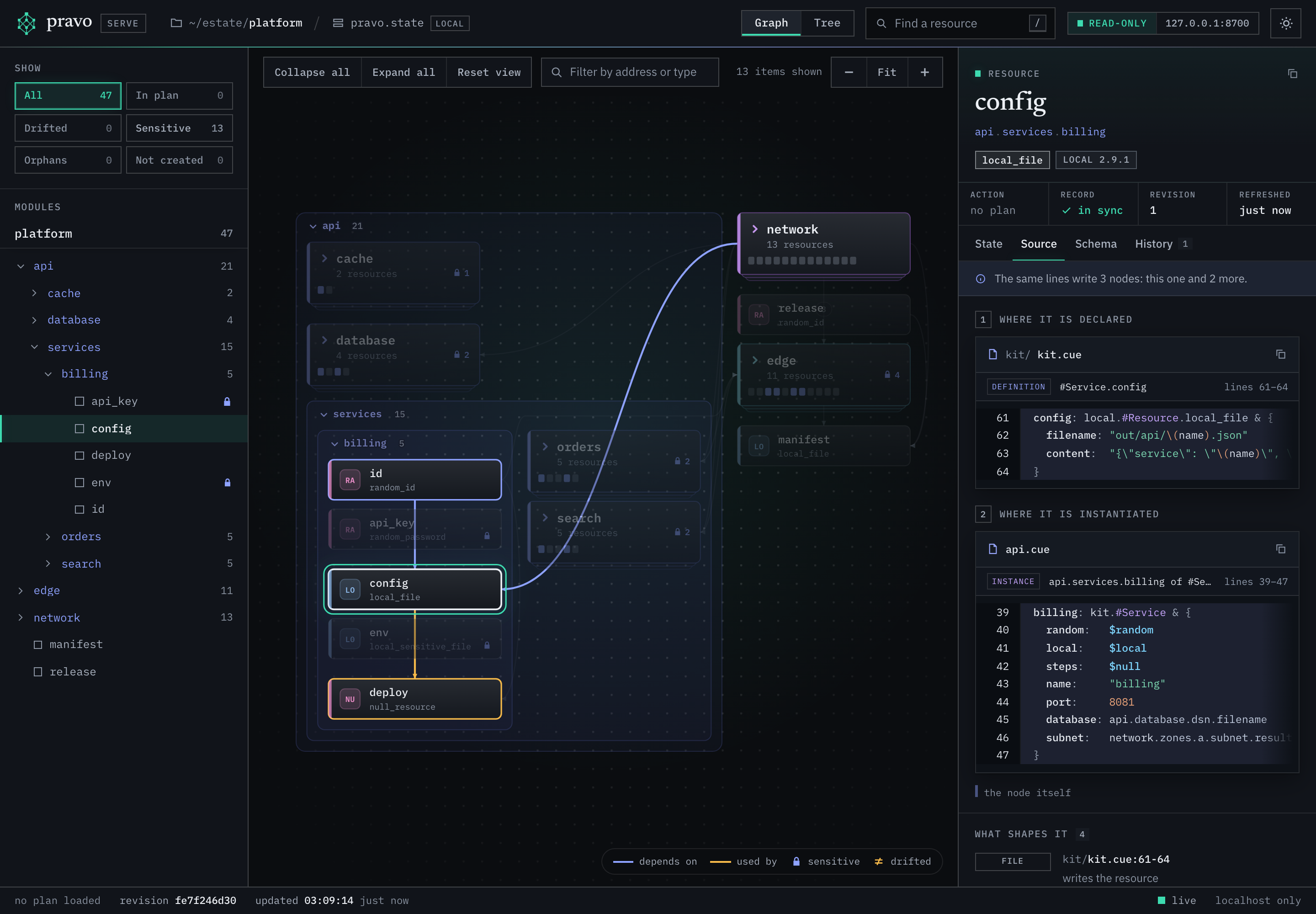
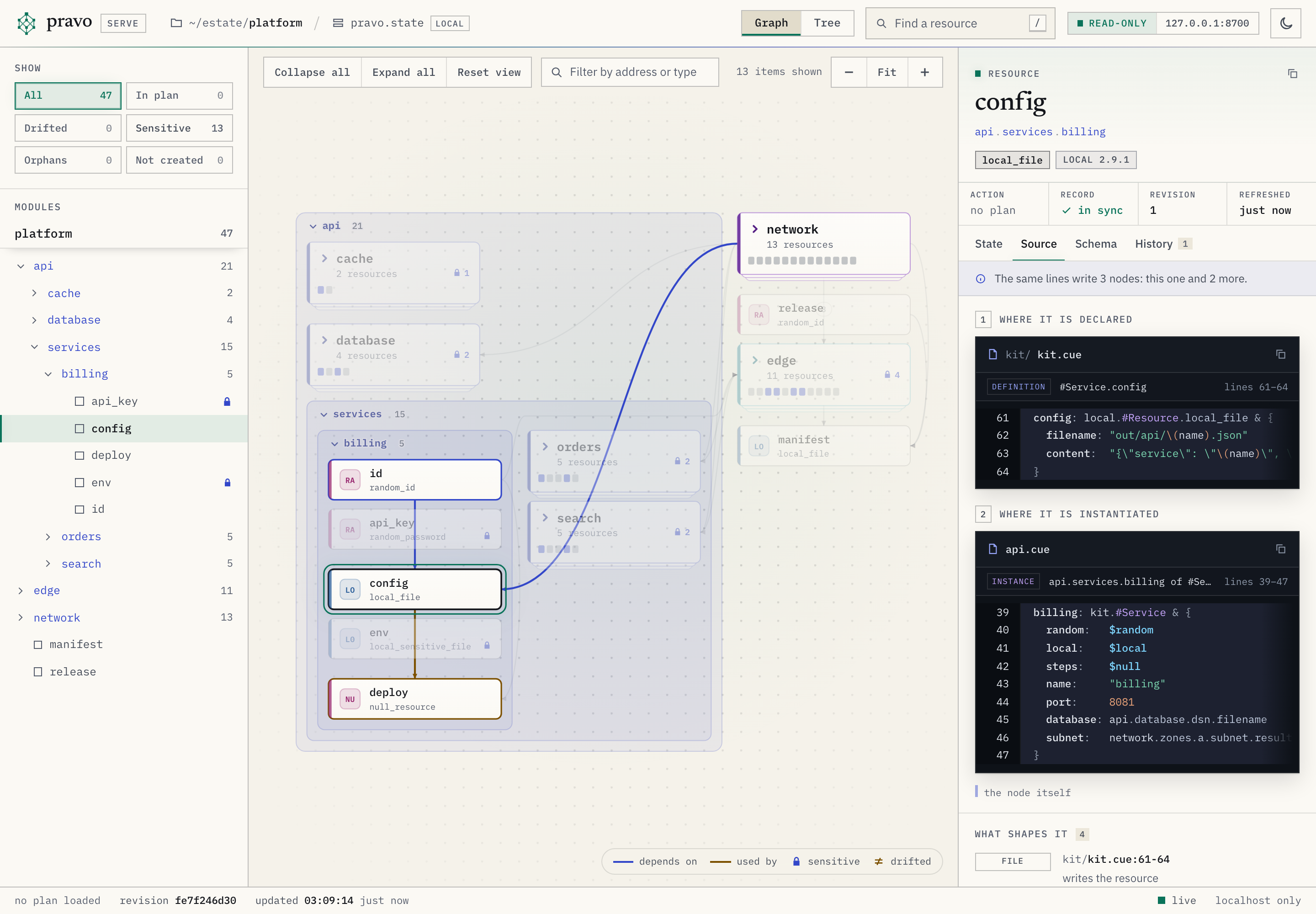
The Source tab shows where the resource is declared and where it is instantiated, when a definition writes it, with the file and the line of each. A string literal that is assigned to a sensitive attribute is masked in the lines.
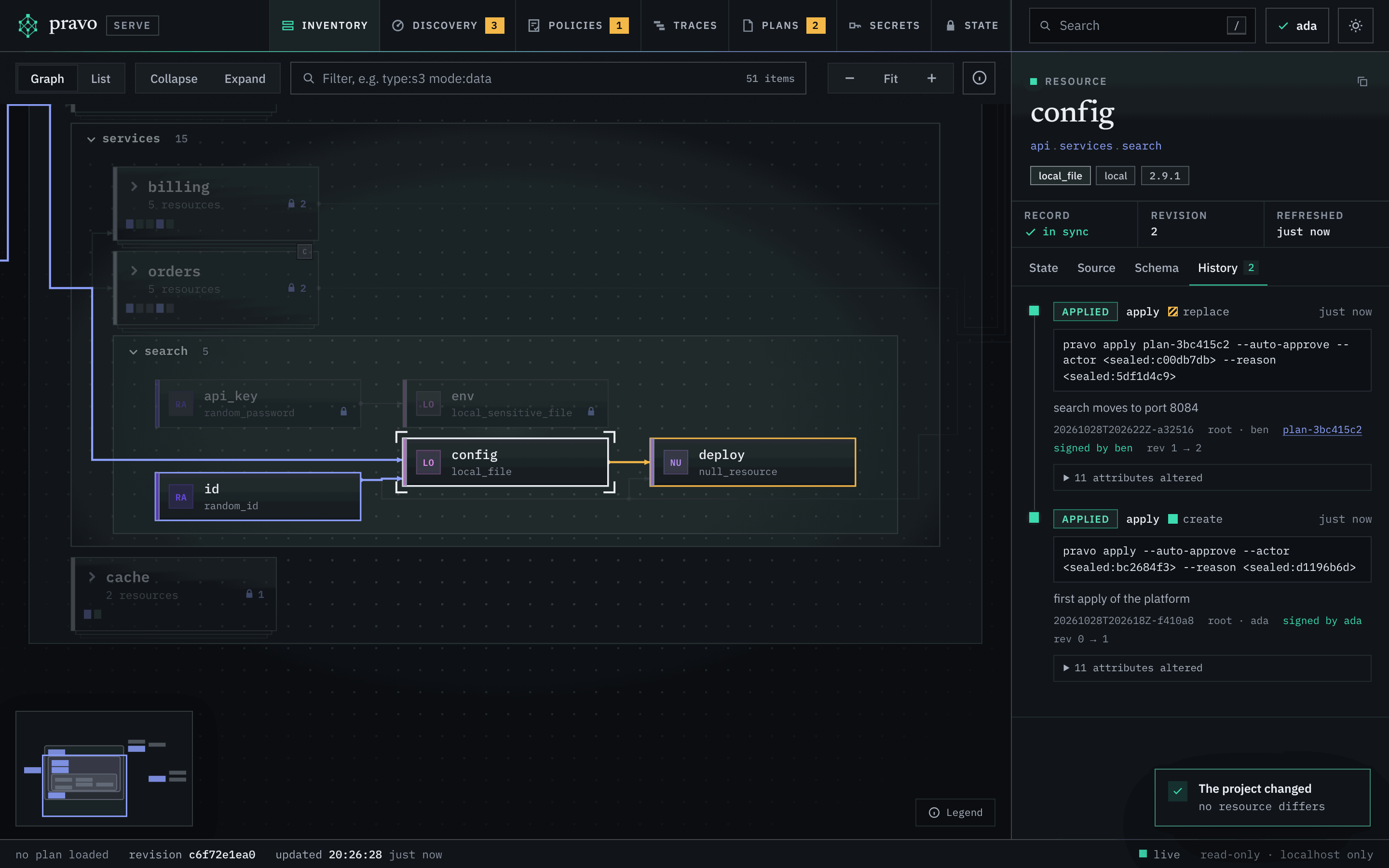
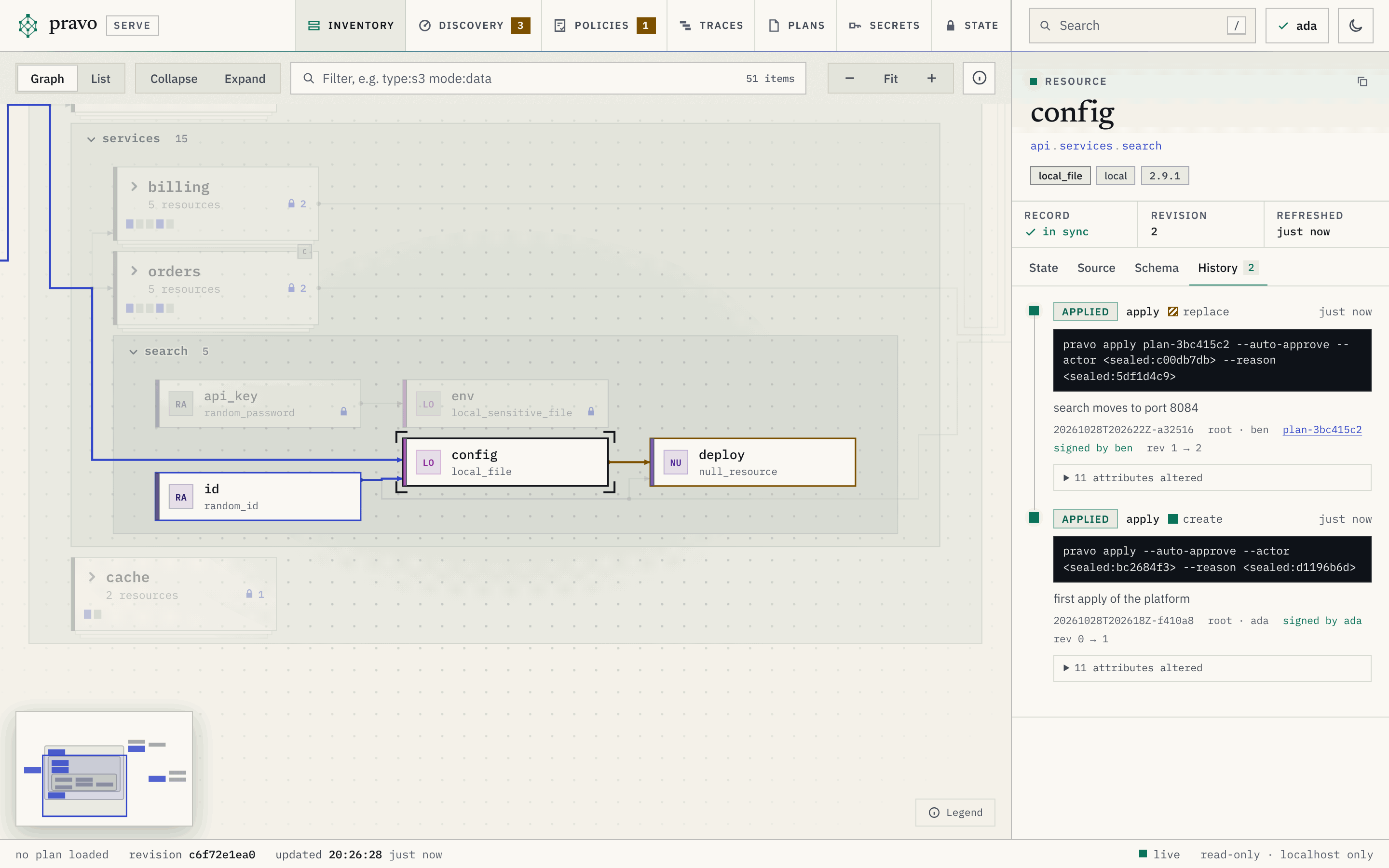
The History tab lists the transactions that wrote the node, applies and imports among them, newest first. A plan only reads the node, so its transactions are not listed, except a read that found the object changed outside pravo (drift), which shows what differed. Each entry has the kind, the action, the time, the command, the reason, the user and the actor, the revision of the specification, the stored plan an apply ran from, which opens over the graph while the state still stores it, and the revisions of the record before and after. Under each, the attributes the transaction altered, with the value before and after, redacted as the changes of a plan are: a sensitive value is reported as changed and not shown. A transaction written before pravo kept them shows none. In a sealed state the entries are sealed, and the viewer shows them only when it holds the key of a reader; the values of -t tags, and of flags and key=value words that are named like a secret, are withheld from the command. With a readers file, each entry also says what the signatures of the transaction come to: signed by NAME, signer not in the readers file, signature does not verify or unsigned.
A plan over the graph
A plan is laid over the graph in two ways: pravo serve --plan FILE lays a saved plan file, and the Plans section lays a stored plan with its View button or the plan parameter of a link. The actions of the plan become badges on the nodes, a closed card counts the changes inside it, the Change tab of each node answers for the plan, and the status bar says planned N of M with the number of resources the plan did not read. The first view opens the groups that the plan touches.
The plan strip under the bar names the plan. For a plan file: its name, whether it is stale, the counts +add ~change −destroy and its age, and no cross, since the page cannot take it off. For a stored plan: the badge with the initial of the author, the note of the plan, the id, the status, the counts, for a partial plan how many of its changes were applied (1 of 2 applied), the author and the age, in a sealed state a mark after the author that is a check when the signature verifies against the readers file and a sign of caution when it does not, a thin ring for a plan that can still be applied, grey for the time that has gone and coloured for the time that is left, and a cross that takes the plan off. The blast radius is in the tooltip of the counts, and the counts of a stored plan are a button that goes to the Plans section with the detail of that plan open.
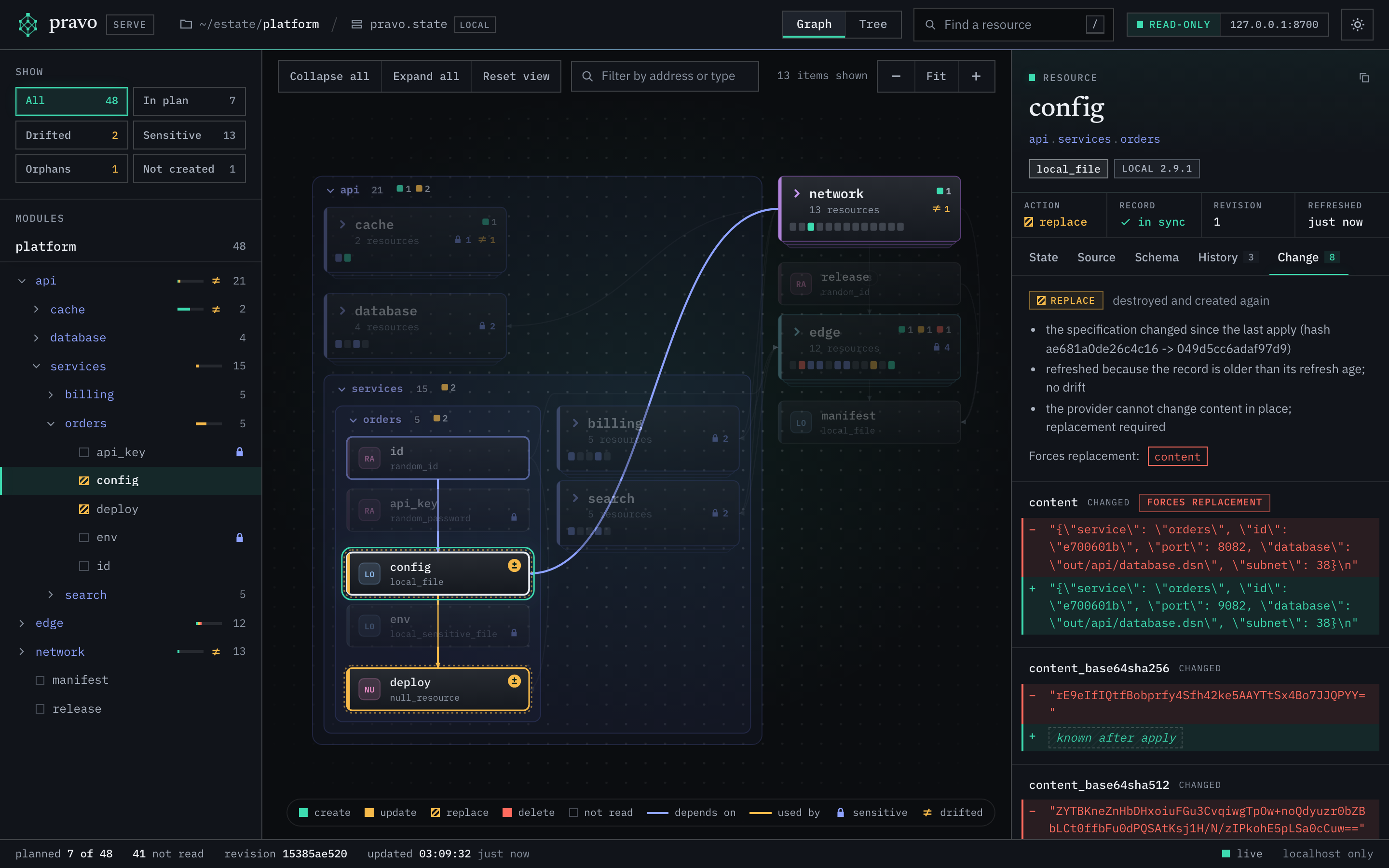
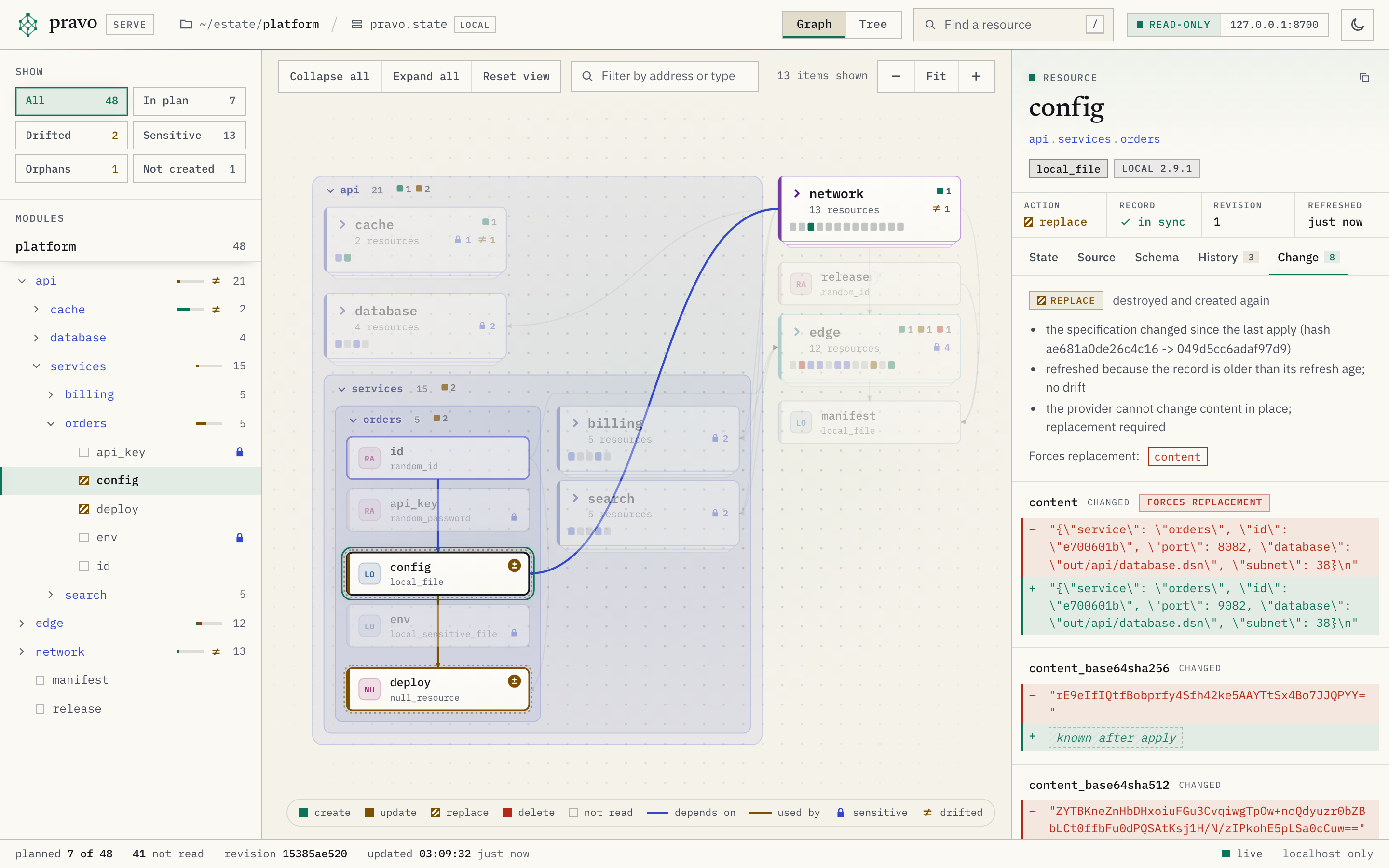
A resource that a stored plan which can be applied still has a change to apply on carries a disc with the initial of the author, one for each plan, the newest at the right. Three discs show, and a number counts the rest. A click on a disc goes to the Plans section and opens its plan under its row. Two plans that each have a change left on one resource draw a solid ring in the colour of overlap: applying one makes the other stale. A change that a partly stale plan cannot apply does not count: the resource keeps the disc of the plan, no ring is drawn for it, and the Plans cell of the inspector says that the plan cannot apply the change and marks that plan with conflict. The card of a closed group carries the discs of the plans that change something inside it, with the ring when two plans change one resource in it, and its hover names the plans and counts the resources. The legend names plan author and overlap when the graph has them.
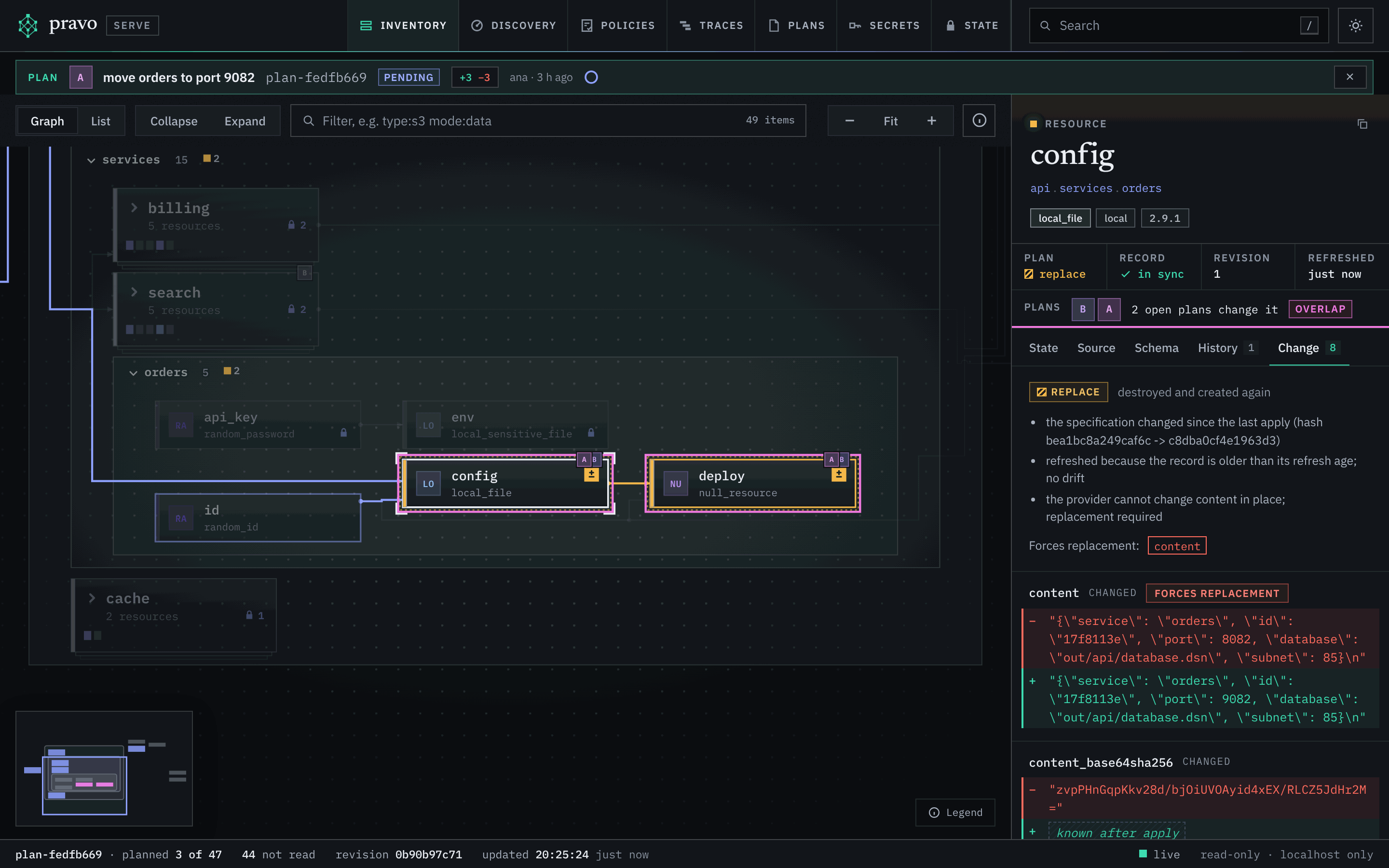
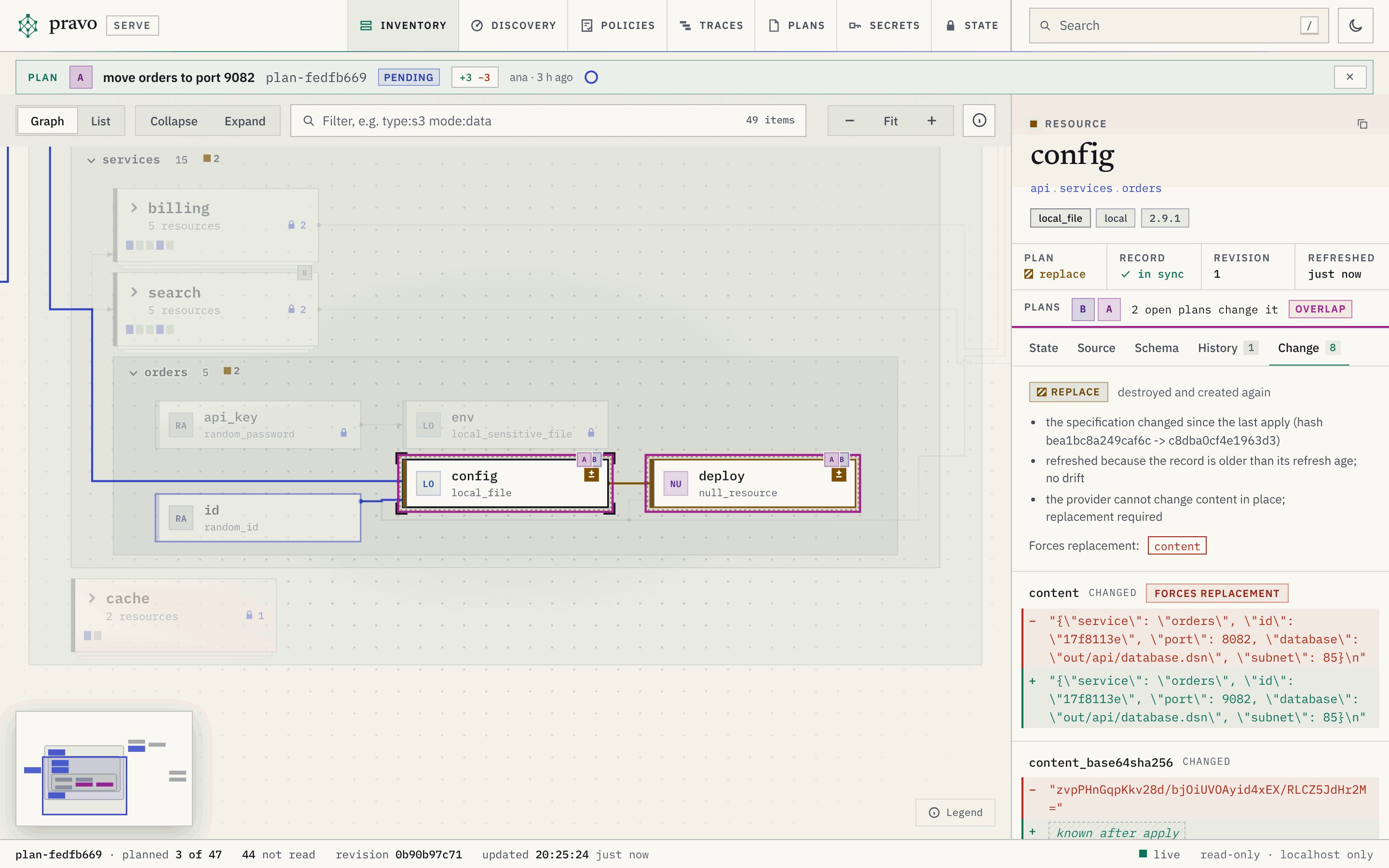
A plan that expired, or was applied, can be laid over the graph too, to see what it would have done or did. It has no discs on the nodes and no ring in the strip, because it has no time left.
The Plans section
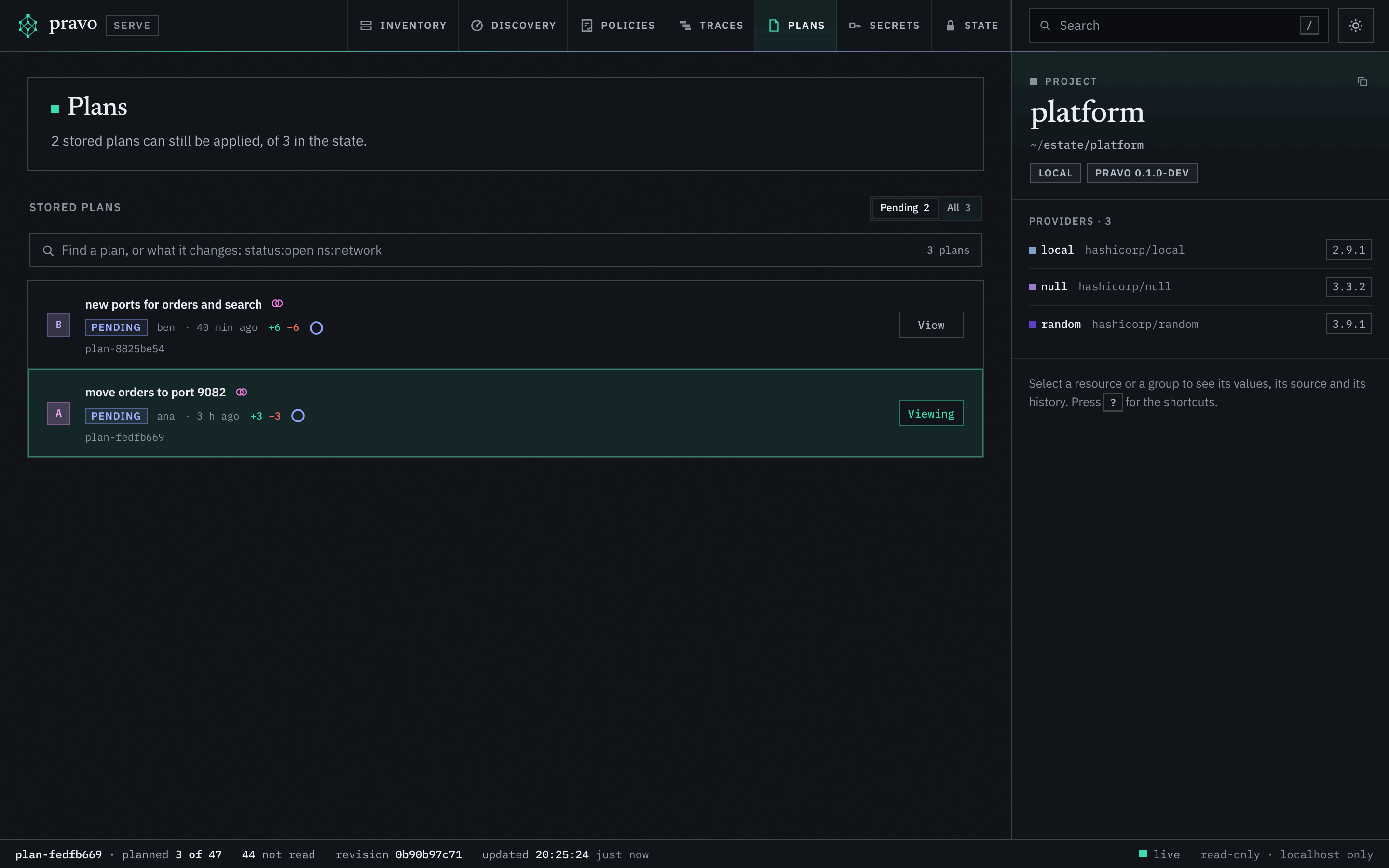
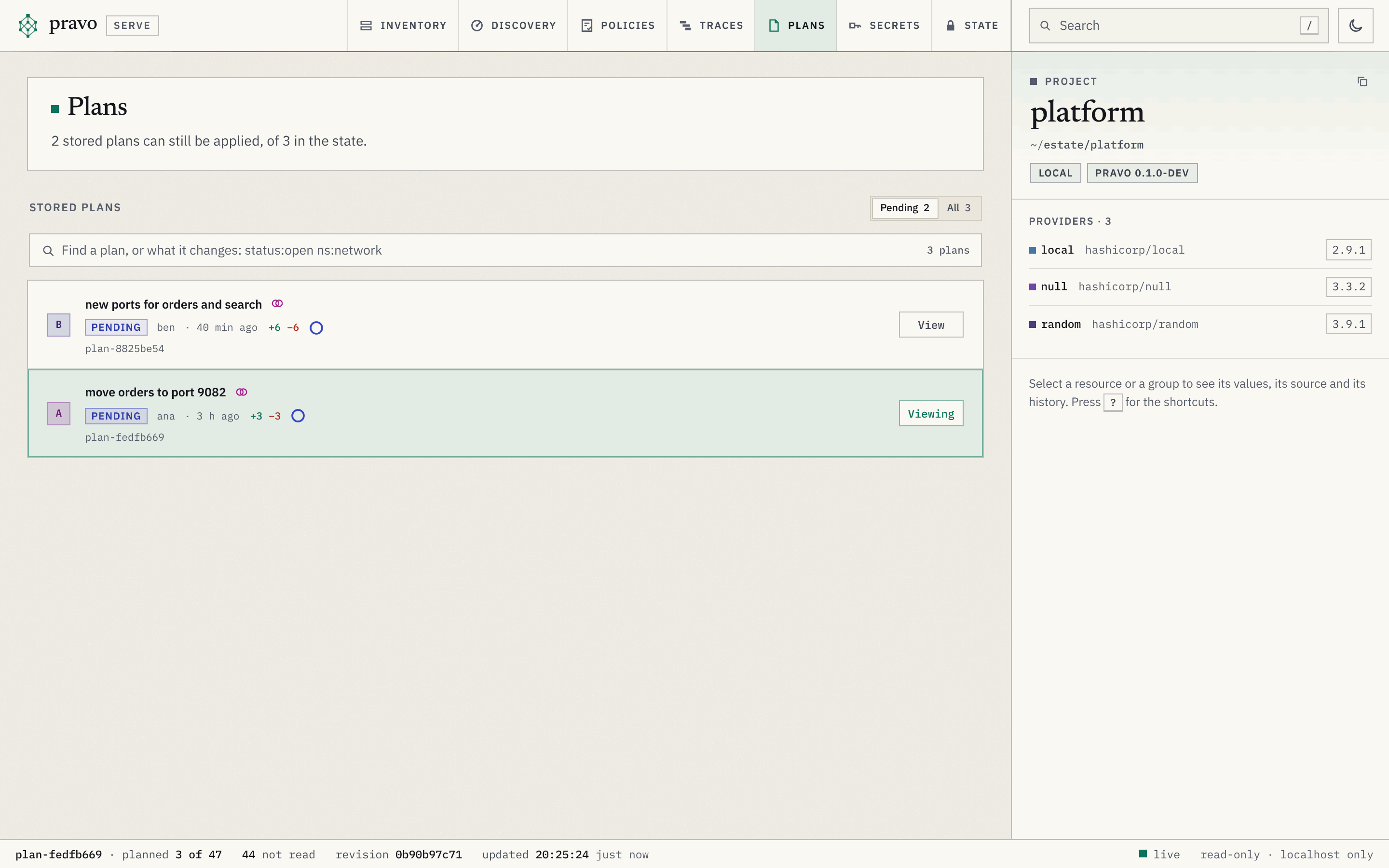
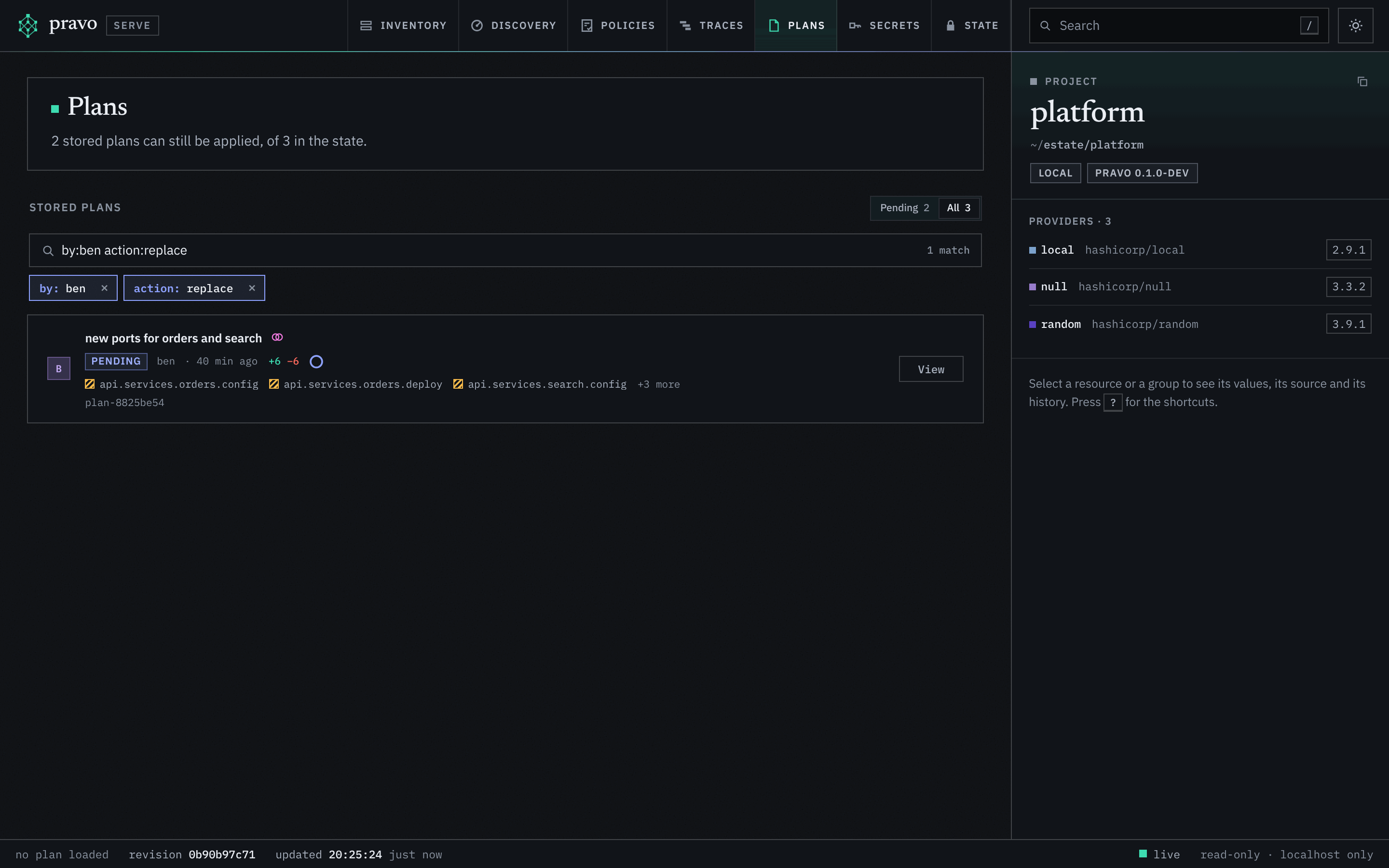
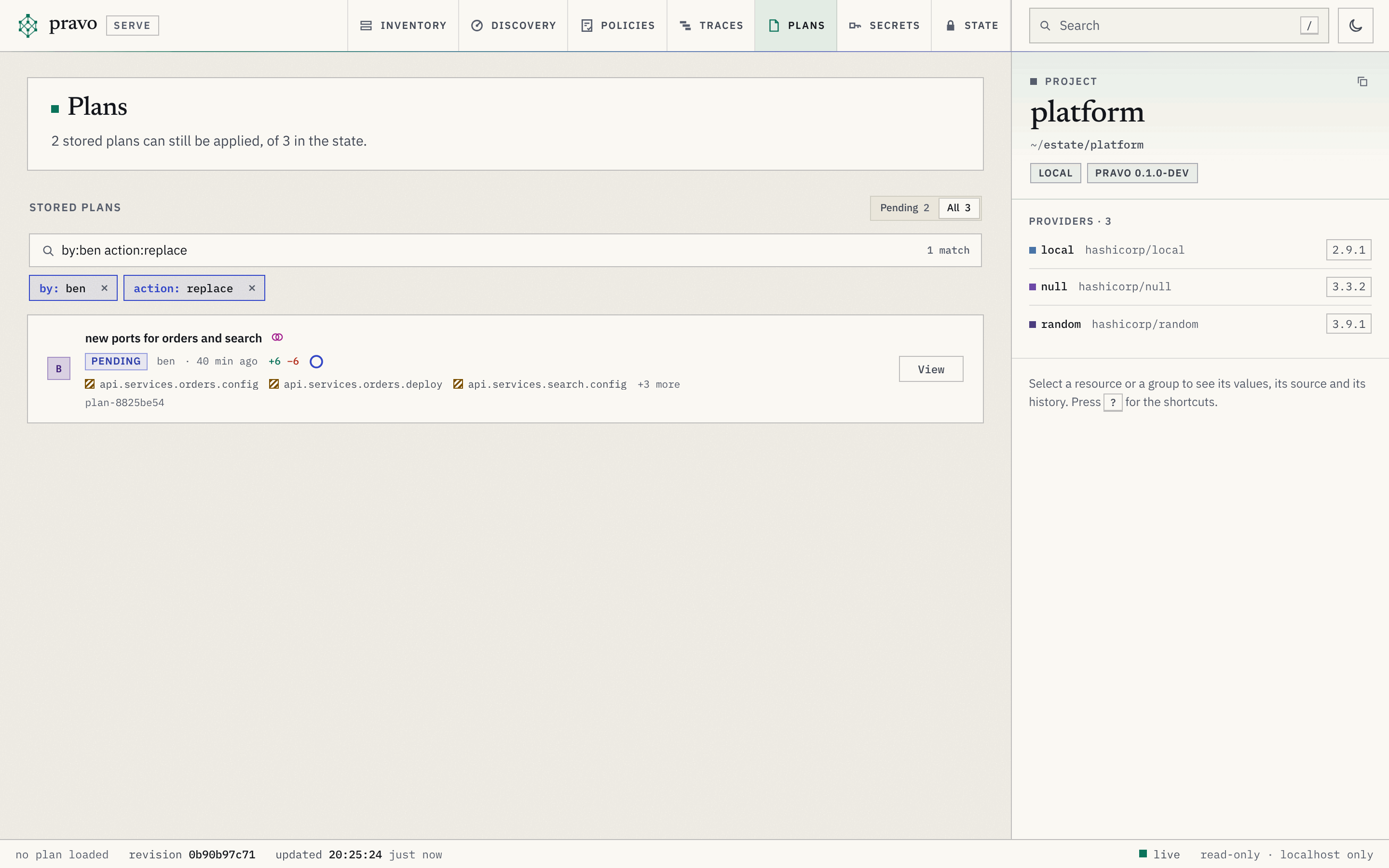
The state may hold plans that someone stored with pravo plan --store. The Plans section lists them, newest first. Stored plans and approvals explains what a stored plan is and how it moves from pending to applied.
| Part | Holds |
|---|---|
| The head | How many stored plans can still be applied, of how many the state holds. |
| Pending and All | The filter of the list. Pending lists the plans that can be applied, all of them or a part: pending, partial and partly stale. All lists every plan that no collection has removed. Each shows its number. The list opens on Pending when a plan can be applied. |
| The finder | A filter box over the plans and what they change, with a menu of the columns and the values, and a pill for each term. The text is in the address as plq. About a plan: status, by, id, reason, created, expires, overlap. About its changes: action, resource, ns, type, provider, change. A row names the changes that the terms asked for, with a chip for each, and the detail of a plan lists its changes with chips that narrow the finder. |
| A row | The badge with the initials of the author, the title (the note of the plan, loaded from its overlay a few plans at a time, or the id when there is none, which then is the line under the title), the status chip, the author, the age, and the counts +add ~change −destroy, followed by N imported and N moved when the plan has such changes. A plan that changes policies counts them (3 policies) beside its resources. A mark of two rings says that another plan that can be applied changes a resource of this plan. A ring at the end of the second line is the time that is left: blue, amber under a day and red under three hours, and then the time in words; its tooltip gives the time of expiry. The button View lays the plan over the graph and goes to Inventory; it reads Viewing on the plan that is laid. In a sealed state, a chip says where the approvals of a plan stand, once the detail of the plan is read: Awaiting 1 approval, in amber, while the policies in force ask for more than the plan has, and Approved · eve once it has them, or when someone approved a plan that no policy asks approvals for. |
| The open row | A click on a row opens it. The reason. For a stale plan, the reasons, twenty at most. For a partly stale plan, how many of its unapplied changes conflict with the state, and the reason of each conflict, twenty at most. The other plans that overlap, each a link that lays that plan over the graph. The policies the plan changes, each a link to the Policies section. When the plan expires, the command that made it and the revision it was made at. For a plan that can be applied, the command pravo apply ID and a button that copies it; for a partly stale plan, pravo apply ID --only ... with the changes that can be applied; for the others, a note. The reason, the command and the revision come from the plan itself, which the page reads when the row is chosen, and not from the list. In a sealed state, a signed row: who stored it, as the readers file judges the signatures; and the approvals: what the policies in force ask for and how many of the approvals count, who approved the plan and when, and, while the plan waits, the command pravo plan approve ID with a button that copies it. |
| Status | Meaning |
|---|---|
pending |
The plan can be applied. |
partial |
Some changes were applied. The rest can be. |
partly stale |
The state moved on under some of the changes that are left, and the others can be applied by name. The chip is amber. The conflicts say which changes cannot be applied, and why. The interface says partly stale where the API says partly-stale. |
stale |
The state moved on, so the plan cannot be applied. The reasons say how. |
applied |
Every change was applied. |
expired |
The plan was not applied before it expired. |
The status is judged against the state alone, as pravo plan list judges it, change by change: the lineage, and the revision and the generation of the nodes that the plan changes. The configuration and the providers belong to one checkout. pravo apply and pravo plan show compare them, and the viewer does not, so a plan that is pending here can still be refused in a checkout whose files differ. The approvals that the policies in force ask for are counted as pravo apply counts them, against the readers file of the checkout that runs the viewer: a verified signature by a key whose role suffices, not the key that stored the plan unless the rule allows it. The row says what the plan still needs. It stays pending with or without the approvals, since an admin applies without them, and a plan that the policies refuse shows no need: the apply stops at the refusal.
A plan whose objects cannot be read, because they are damaged or a newer pravo wrote them, is not listed. The graph carries one warning, Stored plans that cannot be read are not listed, with the ids of up to five and a short reason for each.
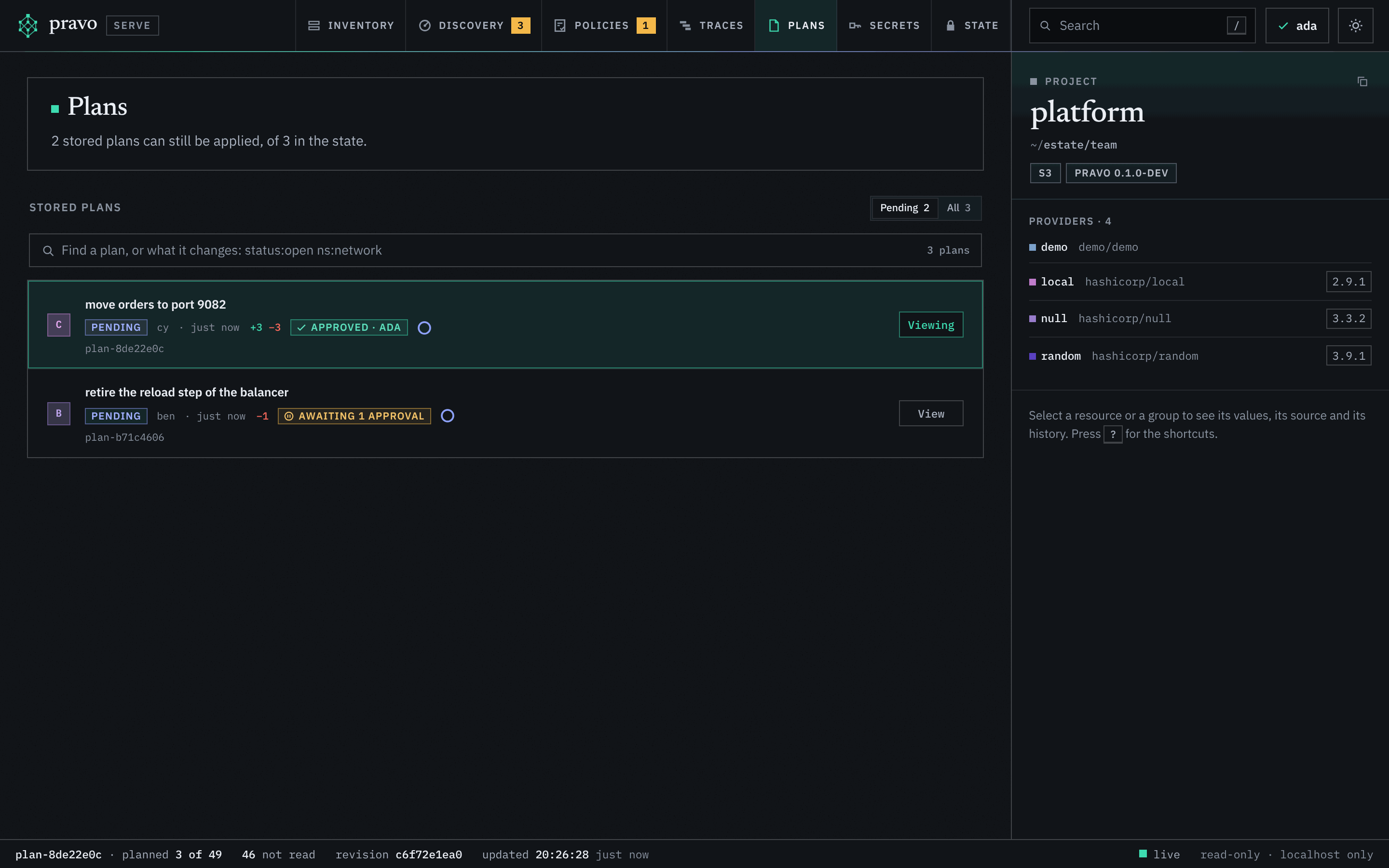
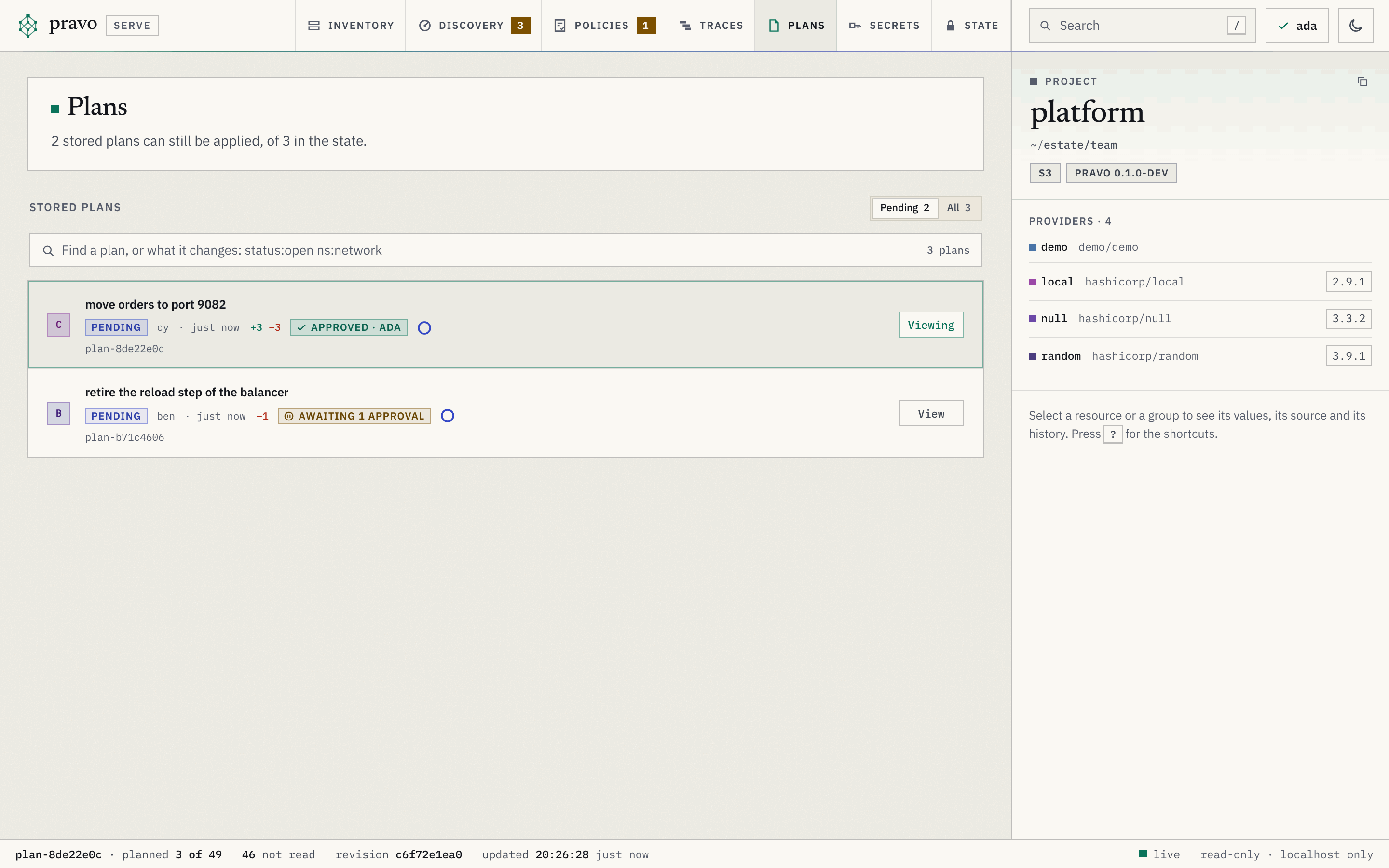
The viewer never applies, approves or removes a plan. It shows the command that applies a plan, and the button copies it.
The Discovery section
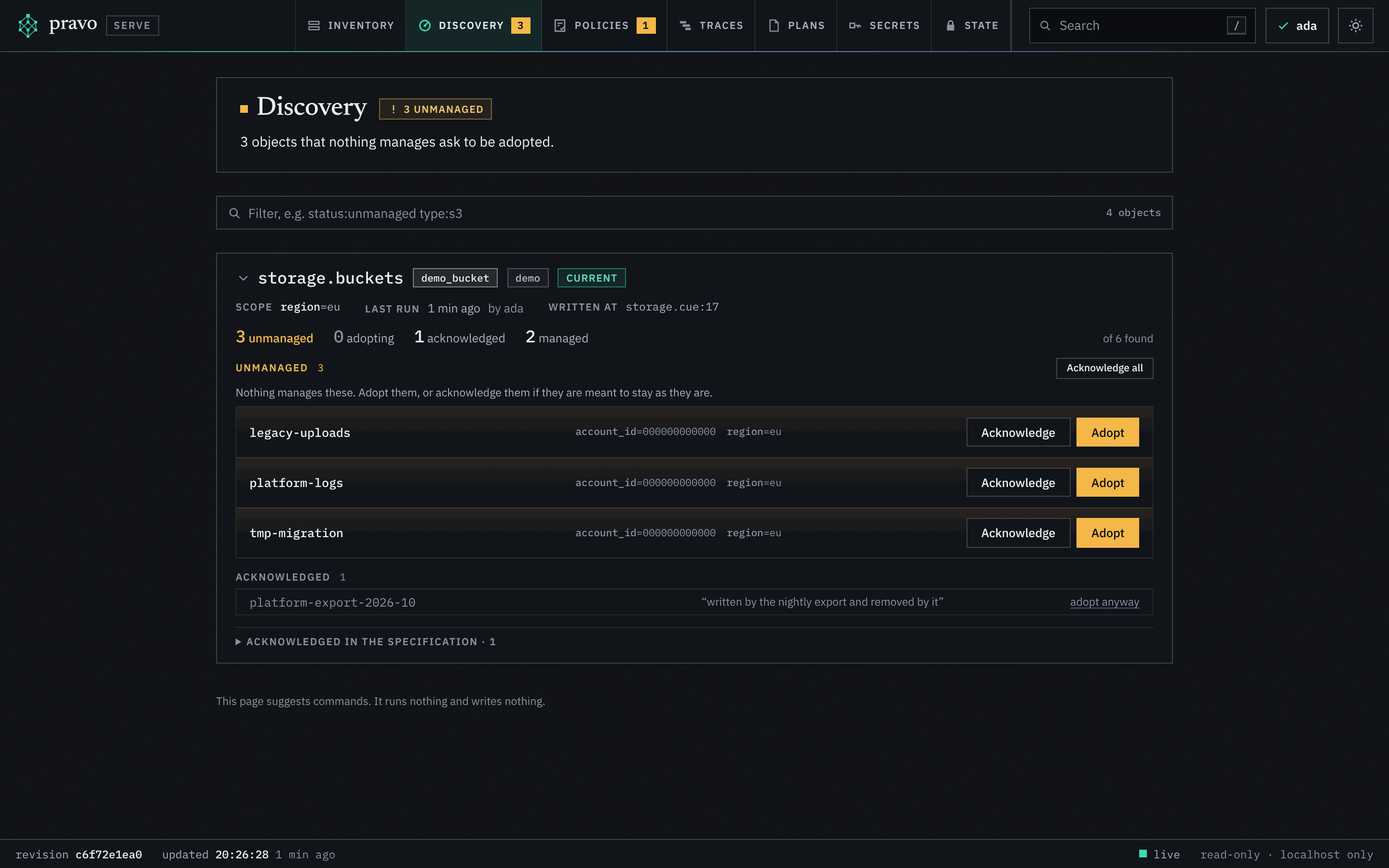
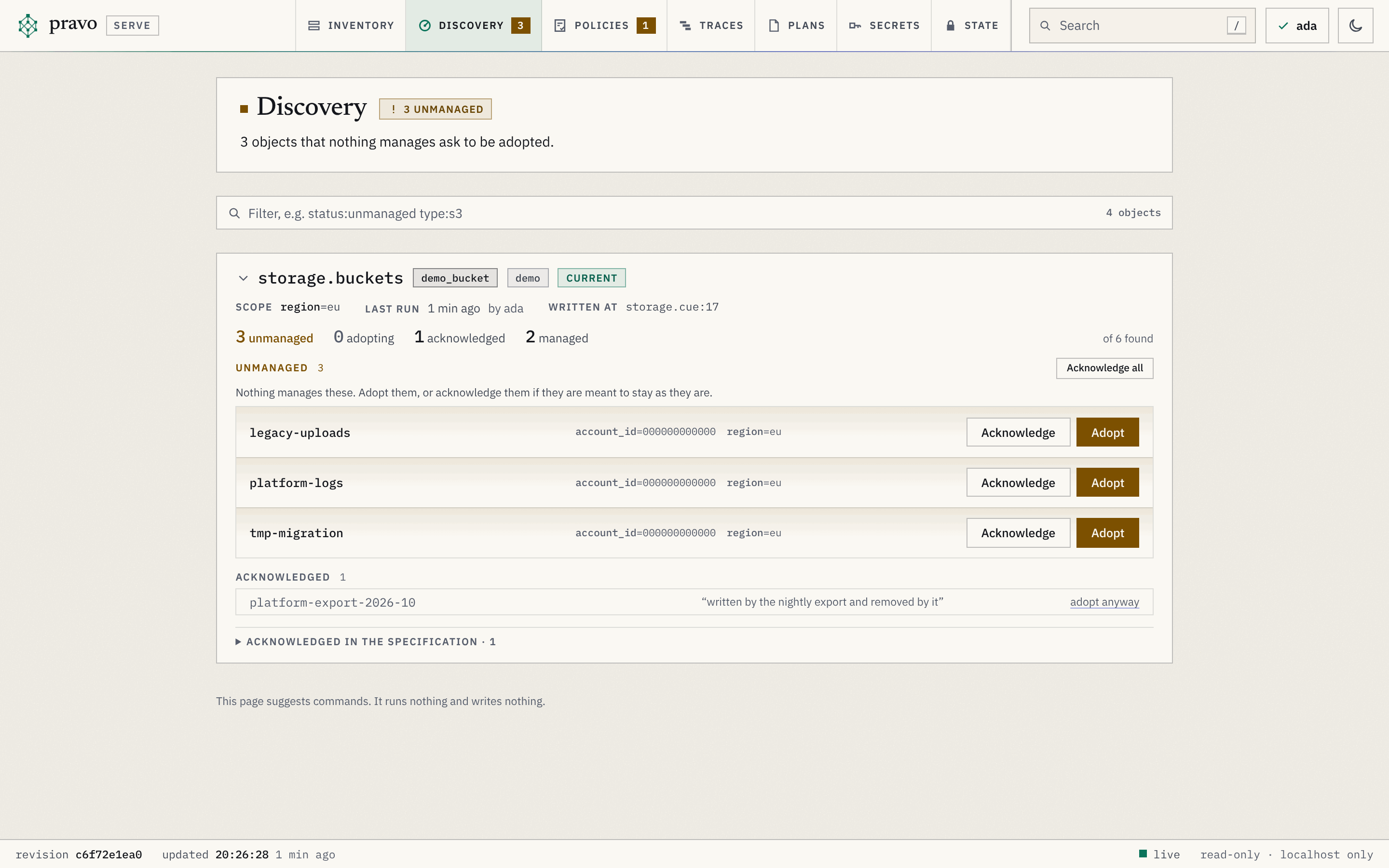
The Discovery section shows what the discoveries of the specification found, and what each object found is to the state. Discovery explains the statuses. The objects are shown here and in no other section: they are not in the graph or in the list of the Inventory. It has no toolbar of the Inventory and no inspector, and a box that filters the objects.
| Part | Holds |
|---|---|
| The head | A sentence that says how many objects ask to be adopted, or that none does, in amber when some do, and the command that runs the discoveries that need to run. |
| A card | One for each discovery. It is closed until you open it, by its name or the chevron before it, unless it is the only one or the filter asks something of the objects. A closed card shows the objects of its last run by status. It has its name, the list resource type, the provider instance and a chip: current, scope changed (the run answers the scope that was written before: run it again), not run, cannot run (the scope has no value, with the reason), not in the specification (the state holds a run of it) or not compared (the specification does not load). The scope, when it ran and who ran it, and where it is written. The notice and the command to run it, for a discovery that needs one. A warning of the provider, a warning that the list was cut off at its limit, and a warning that records of the type could not be opened. |
| The counts | The objects of the last run by status: unmanaged, adopting, acknowledged and managed. Only unmanaged is in colour. |
| Unmanaged | The objects that ask to be adopted, each with an amber edge, its name, its id, its identity and an Adopt button and an Acknowledge button. They work as a toggle: one open at a time, and a second press closes it. Adopt opens the resource that adopts the object, with a button that copies it, and the command that writes it with the attributes of the object (pravo discover adopt NAME ID --read). Acknowledge opens the $ack entry for the object, with a button that copies it and the reason for you to fill in. Beside the heading of the group, Acknowledge all opens the same kind of entry for all of them, when there are no more than 50. |
| Adopting | The objects that a resource names in $import, with the address of the resource. Quiet. |
| Acknowledged | The objects that an entry of $ack covers, in grey, each with its reason and a link that adopts it anyway. Below the list, the $ack entries of the discovery as the specification has them: their patterns, their reason and how many objects of the last run each covers. |
| Managed | Counted. Never listed. |
Filtering the objects
The filter box above the cards is the filter box of the Inventory over the objects that the discoveries found: words, terms of the form column:value, a comma between values for either, a minus before the column for the others, * for any run of characters, double quotes around a value that holds a space or a comma. The text is in the address as dq. Every term that names a card, the discovery or its type or provider, says which cards are shown. Every term that names an object says which objects a card lists, and a card with none left is not shown. A word matches the id, the name, the status, the adopter or the entry, the reason, or a value of the identity.
| Column | Holds | Value |
|---|---|---|
status |
What the object is to the state. | unmanaged, adopting or acknowledged. A managed object is counted and is not listed, so it has no value. |
discovery |
The discovery that listed it. | Its address, whole, or a group, which takes the discoveries below it: network or network.vpcs. |
type |
The list resource type of the discovery. | The type, whole: aws_s3_bucket. A * stands for any run, as in aws_s3*. |
provider |
The provider of the discovery. | The provider type, as in provider:aws: every instance of it. |
instance |
The provider instance. | Its whole key, as in instance:aws.west. |
freshness |
Whether the last run answers the scope that is written now. | current, stale, never, broken, undeclared or unknown. |
id |
The id of the object. | The id, or the whole identity, whole. A * works. |
name |
The name that the provider gave it. | The name, whole. A * works. |
by |
What adopts or acknowledges it. | The address of the resource that names it in $import, or the entry of $ack, as $ack[0]. |
field |
An attribute of its identity. | path=value, as in region=eu; a path alone matches the objects that have the attribute. |
value |
A value of its identity, anywhere. | The value, whole: an account, a name, a region. |
The menu under the box works as it does in the Inventory. While the box is empty it offers the statuses with how many objects each leaves, the discoveries and the columns. After a colon it offers the values that the page holds, with the counts of what the rest of the filter leaves, and for field the attributes of the identity with the values that few objects share. Each pill takes one term out. The type, the provider, the name of a discovery and the count of a status on a card are buttons that add the term for it. What a term names is lit in green where the page shows it. The menu offers the columns that can tell these objects apart: one that every card shares is not offered.
A group lists 100 objects and a button shows more. A discovery lists at most 2000, and says how many it leaves out. The page runs nothing: its footer says This page suggests commands. It runs nothing and writes nothing.
The Policies section
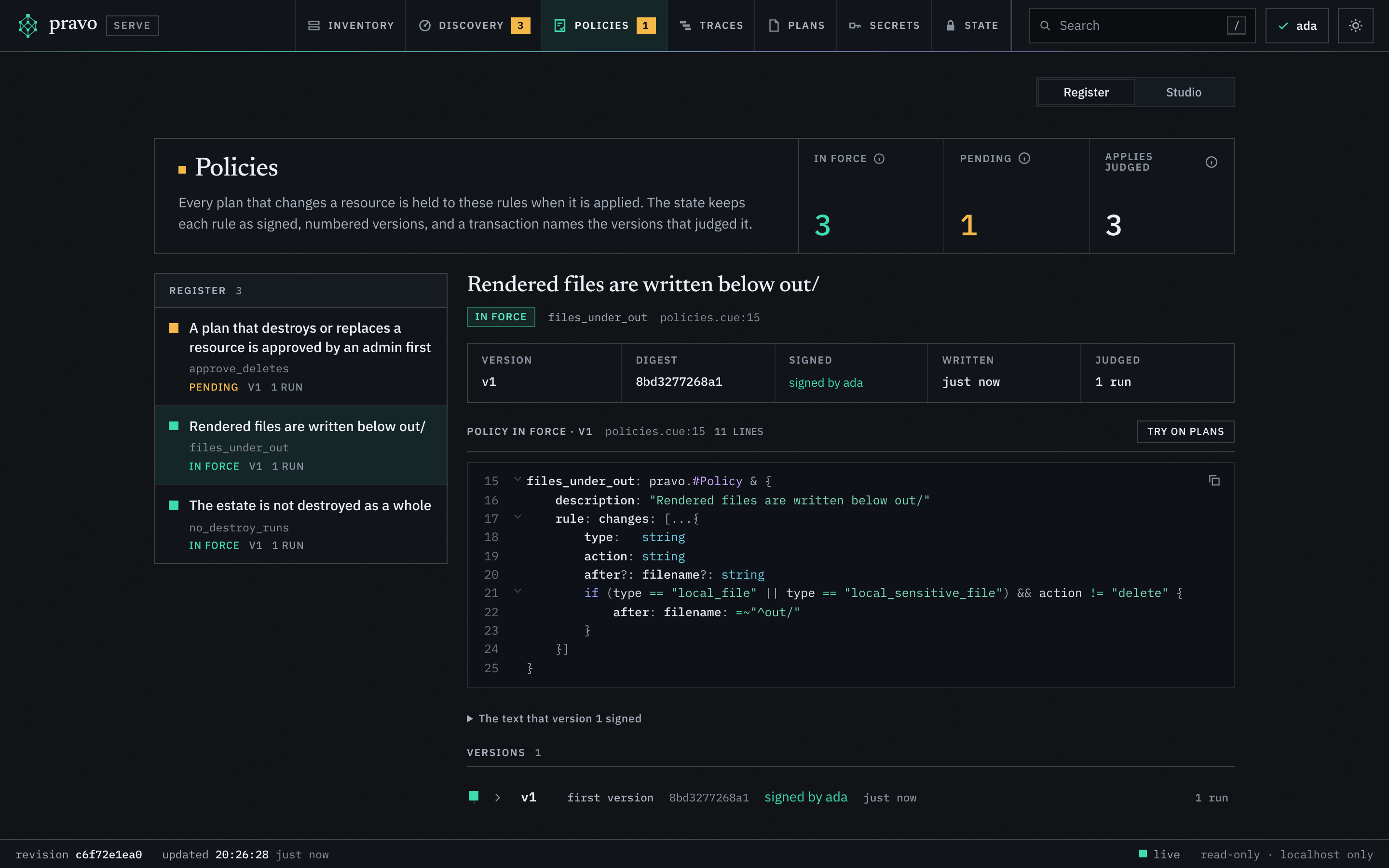
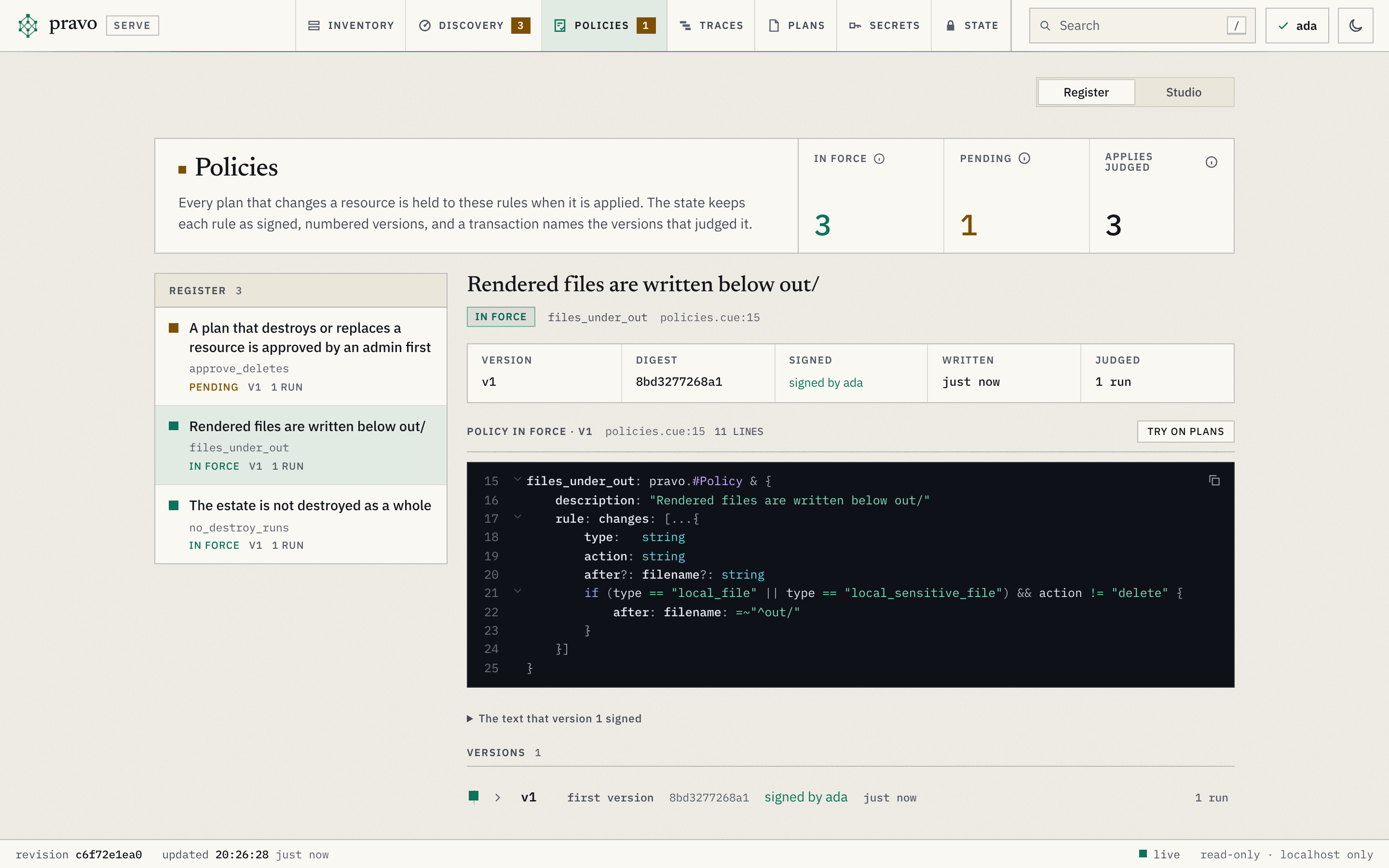
The Policies section shows the rules that every plan is judged by. Constraints and policies explains what a policy is. The state keeps each one as numbered, signed versions that are never changed, and the section reads them with the specification, so it shows what is in force and what the next apply would write. The link is view=policies, with pol=NAME for the policy that is open. It has no toolbar of the Inventory and no inspector. A switch at the top right goes between the register and the studio.
| Part | Holds |
|---|---|
| The title block | Three counts: the policies in force, the policies that the next apply adds, changes or removes, and the applies judged, which adds up the transactions that list a version as having judged them. An (i) beside each label says what it counts. A line says when the specification does not load, when no readers file was there to check the signatures against, and, in red, when the versions could not be read as trusted. |
| The register | One row for each policy, by name: a square that is green for a policy in force, amber for one that the next apply writes and dashed for one that was removed, the status in words (in force, pending, new, removing or removed), the number of its latest version and how many transactions it judged. A click opens the policy. |
| The facts | For the open policy: its latest version, the first twelve digits of the SHA-256 of its text, who signed it (a name from the readers file, signer not in the readers file, or not checked when there is no file), when it was written, and how many transactions it judged. The file and line that write it in the specification. |
| What the next apply writes | A policy that is pending shows the change from the version in force to the text of the specification, line by line, a button that tries the new text in the studio, and the command that applies it, to copy. A new policy says that the first apply writes version 1, or the next version when a removal came before it. A removing policy says that the specification does not declare it any more and that the next apply writes a removal. |
| The rule | The text in force, as CUE, with line numbers, a button that copies it and the button Try on plans, which opens the studio with the policy. |
| The versions | Newest first, on a rail: the number, the lines it added and removed since the version before, its digest, its signature, its age and the number of transactions it judged. A version opens to show the change it made, its reference (NAME@SEQ:SHA-256, the one a receipt lists, with a button that copies it) and the newest transactions that it judged. A removal has no text. |
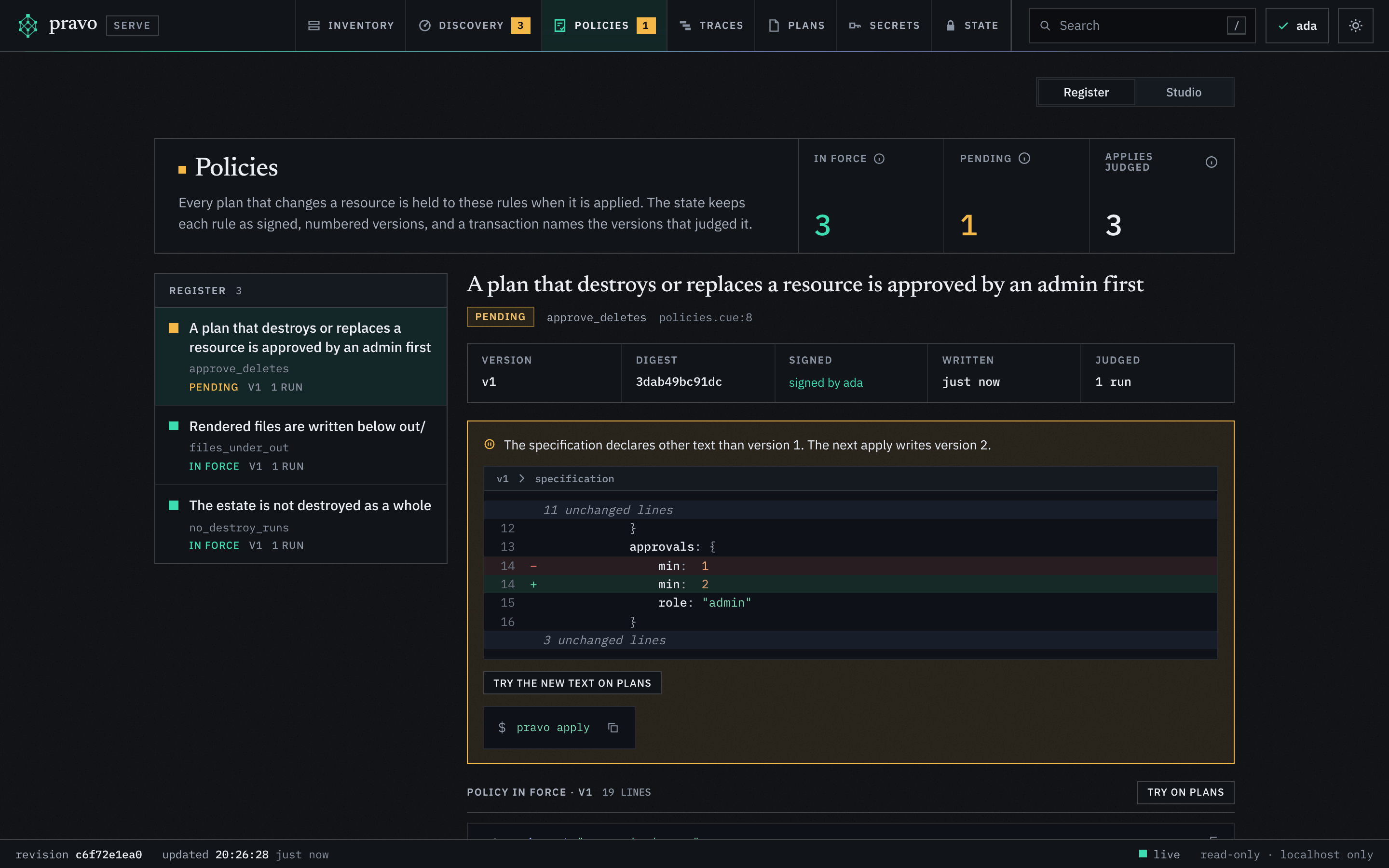
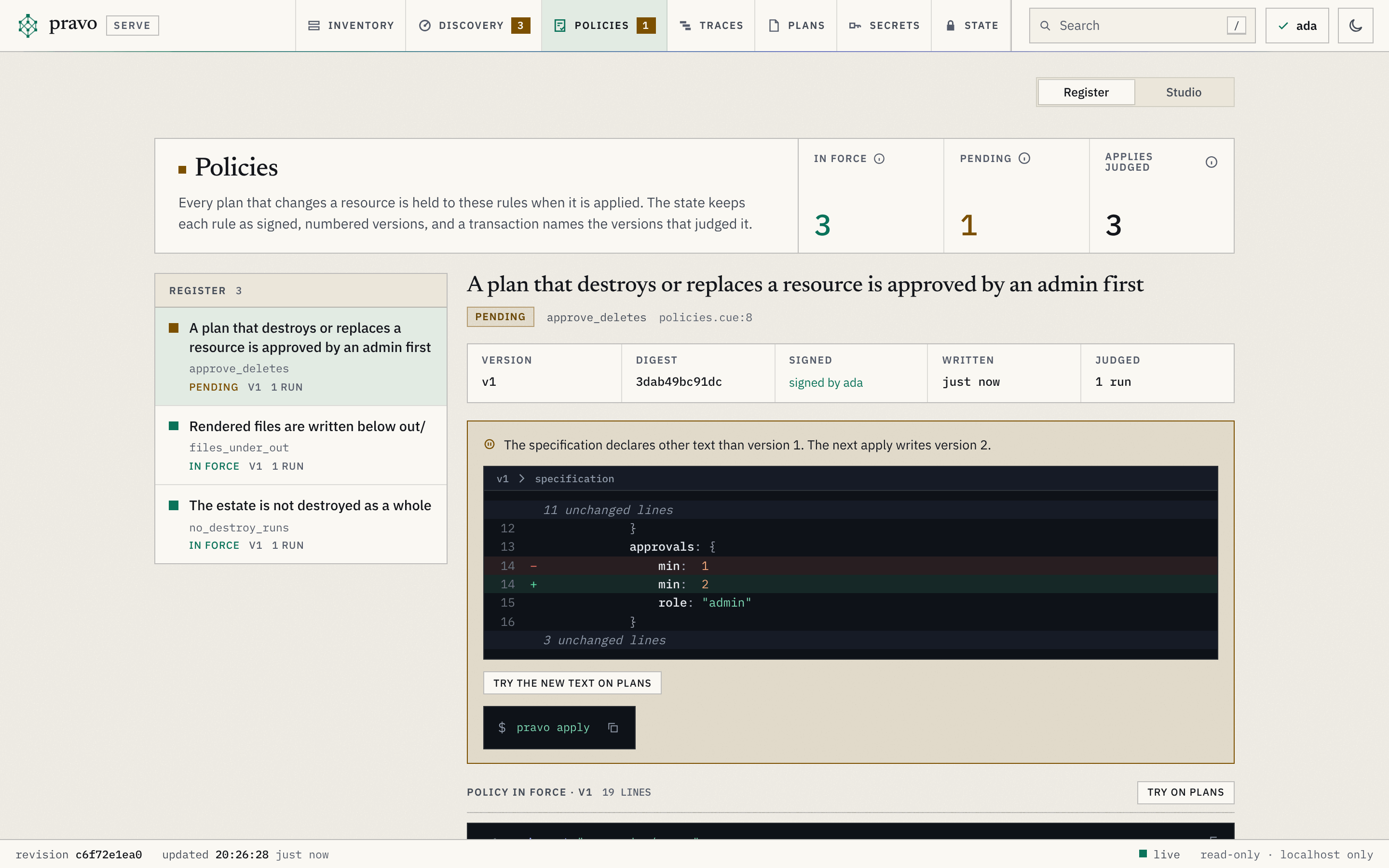
A signature is signed by NAME when it verifies against a key of the readers file, signer not in the readers file when the key is not in the file (a member who has left is still shown), and signature does not verify or unsigned for a version that is refused: the section then shows no policy and says so. A state that is not sealed holds no policy, so the section lists only what the specification declares, as new.
The studio
The Policies section has a second page, the policy studio, for trying policies on the resources and the plans before they are stored. Its link is view=policies&ps=1 and its key is s; the palette lists it as Open the policy studio. The register opens it with a policy through Try on plans, and a pending policy through Try the new text on plans. pravo policy test is the same check on the command line.
| Part | Holds |
|---|---|
| Start from | A list that fills the editor: a blank policy, an example, a policy in force or the text that the specification declares. |
| The editor | The text of a specification: the import of the pravo package and any number of policies, each a pravo.#Policy with its rule, as CUE with line numbers. The text is checked against the pravo package, so a field that the plan document lacks or a value of the wrong type is an error at its line before any plan is looked at. The editor completes as you type: the fields of the plan document at the cursor (and of an element of changes), the values of an enum, the names in the pravo package and the fields of a policy, each with what the schema says of it. Ctrl+Space opens the list anywhere; Tab or Enter takes the choice. A block folds from the gutter or with Ctrl+Shift+[ (Cmd on a Mac), and Ctrl+Shift+] unfolds it. A red line is where CUE found a problem with the text; an amber one is where a refusal points into the rule. The draft is kept in the browser and is sent nowhere but to the viewer's own endpoint. |
| The switch | Resources or Plans, above the results: what the rule is tried on, and only that is tried. The time the check took stands beside it. |
| Resources | Every resource that has values the viewer can read, held against the rule as if a plan updated it to what it holds now. The page says how many resources fail, as 3 of 12, and lists each with the reasons; a resource that fails is not touched today, and a plan that changes it one day will be refused. Data sources and records sealed to this identity are left out. |
| Plans | One plan at a time, shown in full: a stored plan, a plan file of the project directory or of the directories one level below it, or a file that you drop on the page or choose with the button. The plan to start with is the newest stored plan that can still be applied; a picker lists the others. A plan file that a sealed state wrote opens with the key of a reader of the state that the viewer has open, as a stored plan does, and is read as not readable when no key opens it. |
| The verdict | For the resources and for the plan: holds, would be refused (by any policy of the text, and each reason names its policy), or why it is not judged (it changes no resource, it is sealed to this identity, or it cannot be read). A refusal lists the paths of the document that failed, the change each belongs to and the value that the plan has. The verdict follows the editor after a short pause. |
| The document | The plan as a rule sees it, for any plan, with the schema of the plan document. |
| How it works | Three short explanations under the editor: what you write, what a rule is and when it is judged, and how a refusal reads. |
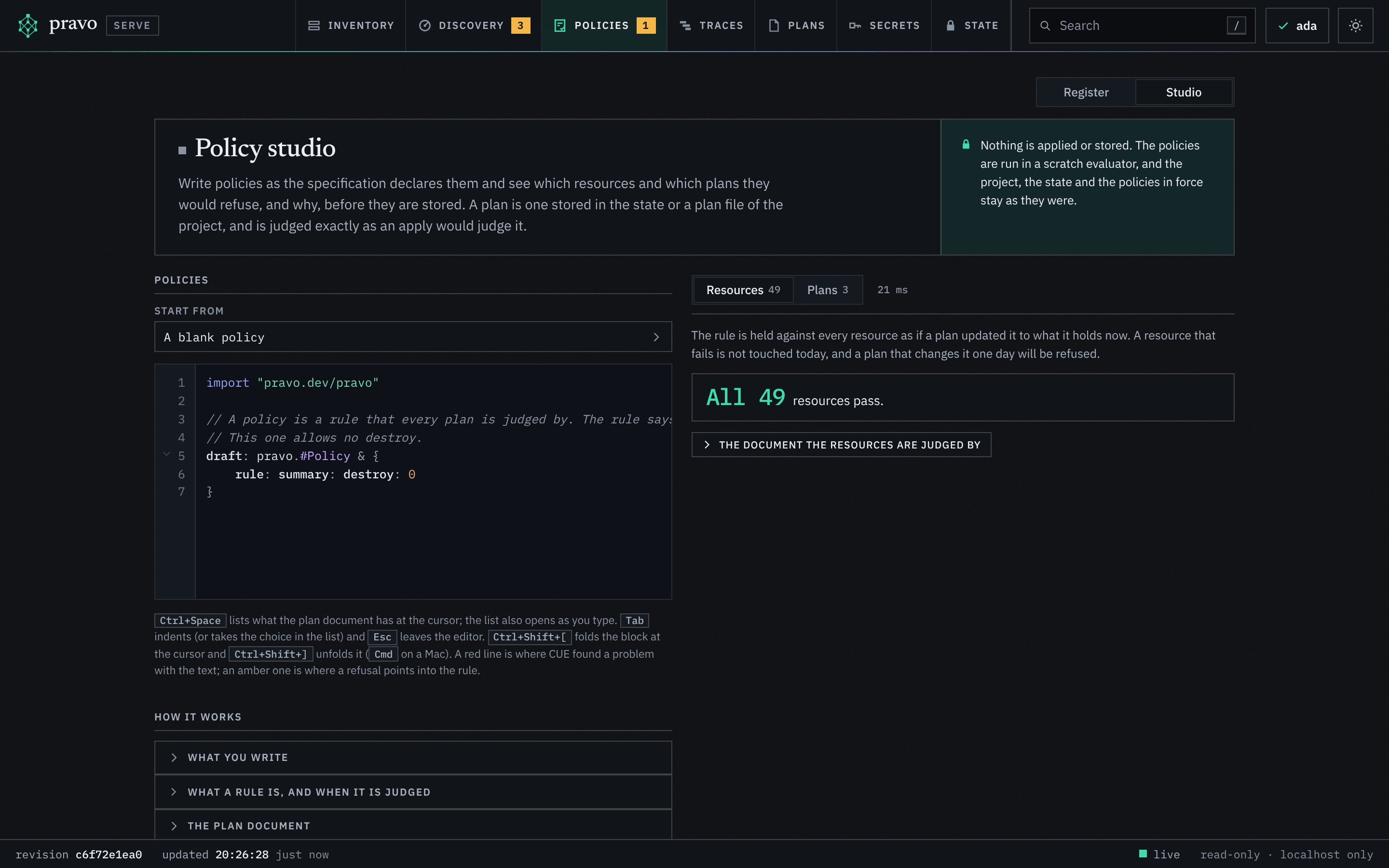
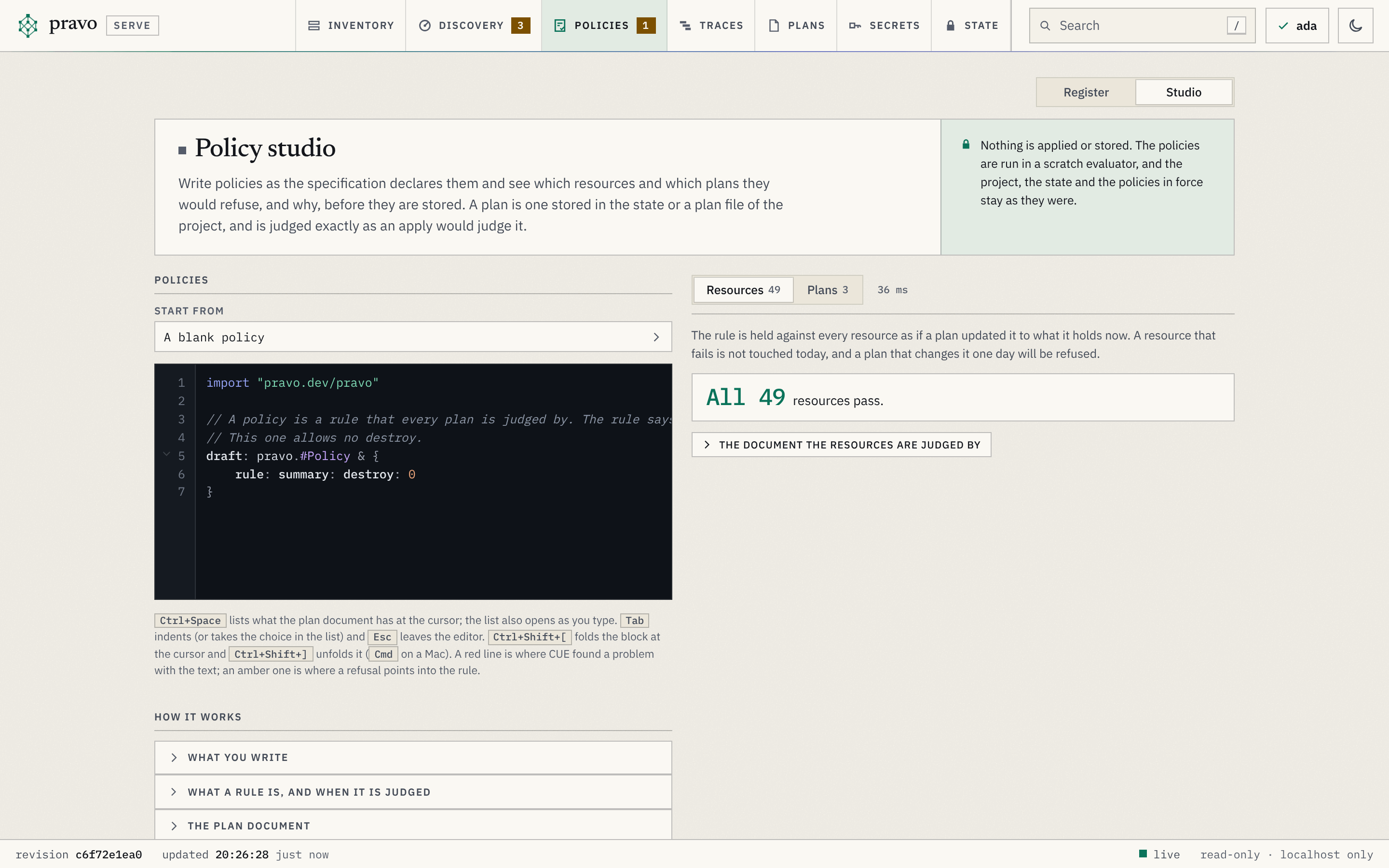
A text that does not parse, compile or fit the plan document shows its error on its line. The studio runs the rule in a CUE context of its own and writes nothing: the state, the plans and the policies are as they were. The text travels in the address of a GET and is limited to 32 KiB. A dropped plan file is the one request that is not a GET: the page sends the file to POST /api/studio/plan, the server reads it, keeps it in memory with the last eight, and writes it nowhere. Restarting the viewer forgets it. Values in the answers are masked with the secret sets of the plan, as everywhere in the viewer.
The Traces section
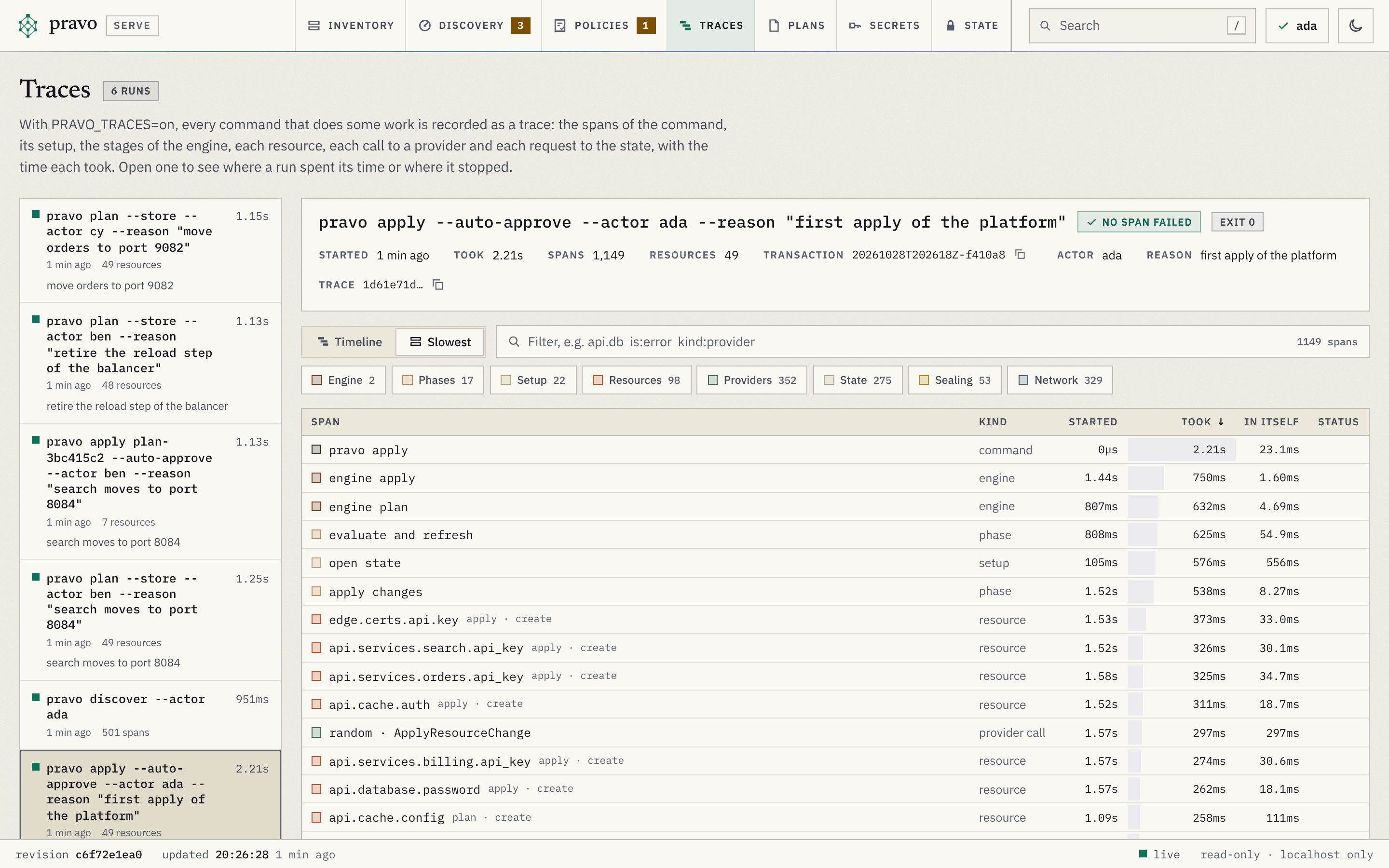
The Traces section shows the runs that pravo recorded in the project. With PRAVO_TRACES=on, every command that does some work, such as plan, apply, destroy, drift and discover, leaves its spans in .pravo/traces, and the section reads them, so a slow or failing run can be read without a collector. Nothing is recorded without that variable, and the section says so when it is empty. Traces explains what a span is and Telemetry what is recorded. It has no toolbar of the Inventory and no inspector.
| Part | Holds |
|---|---|
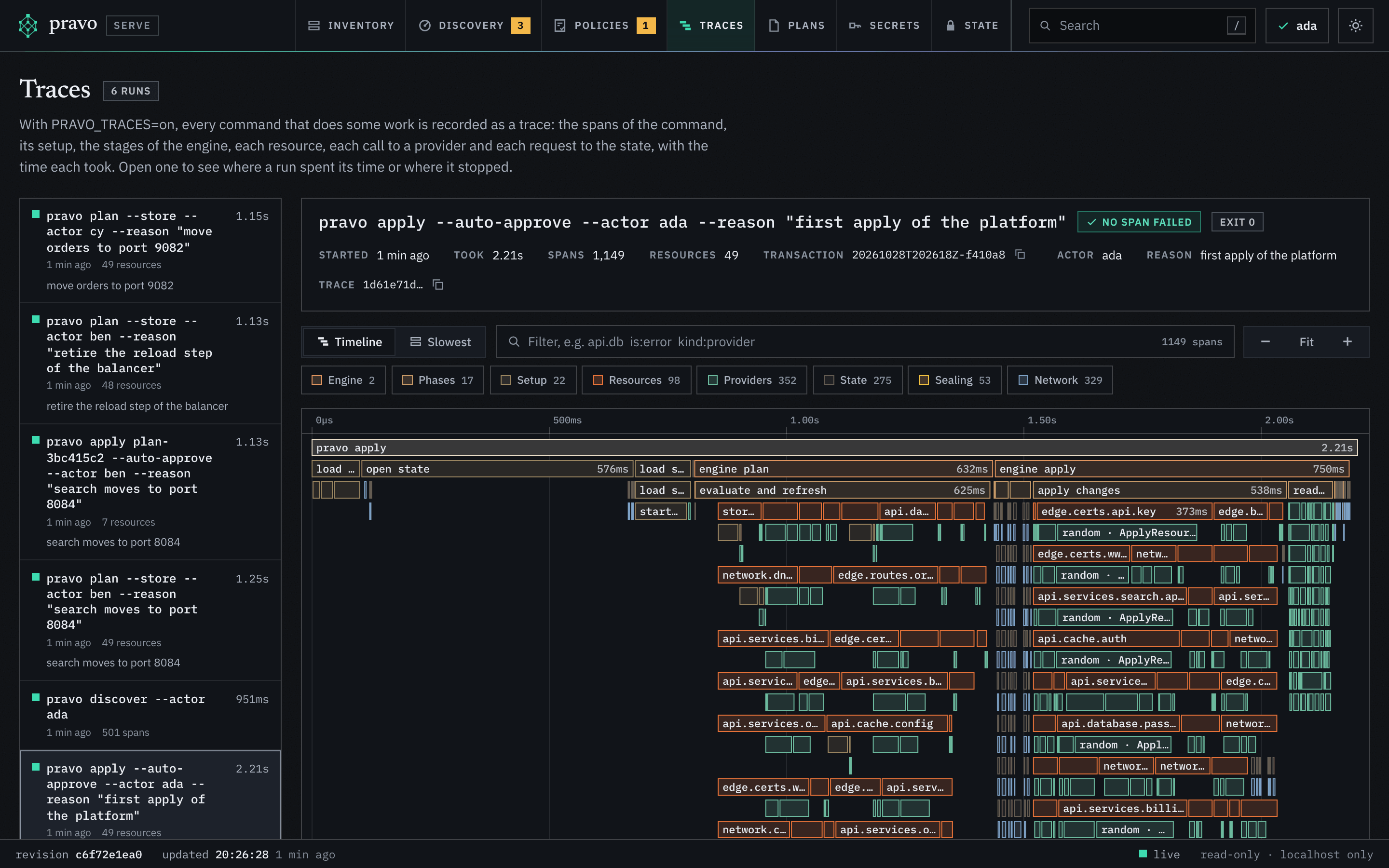
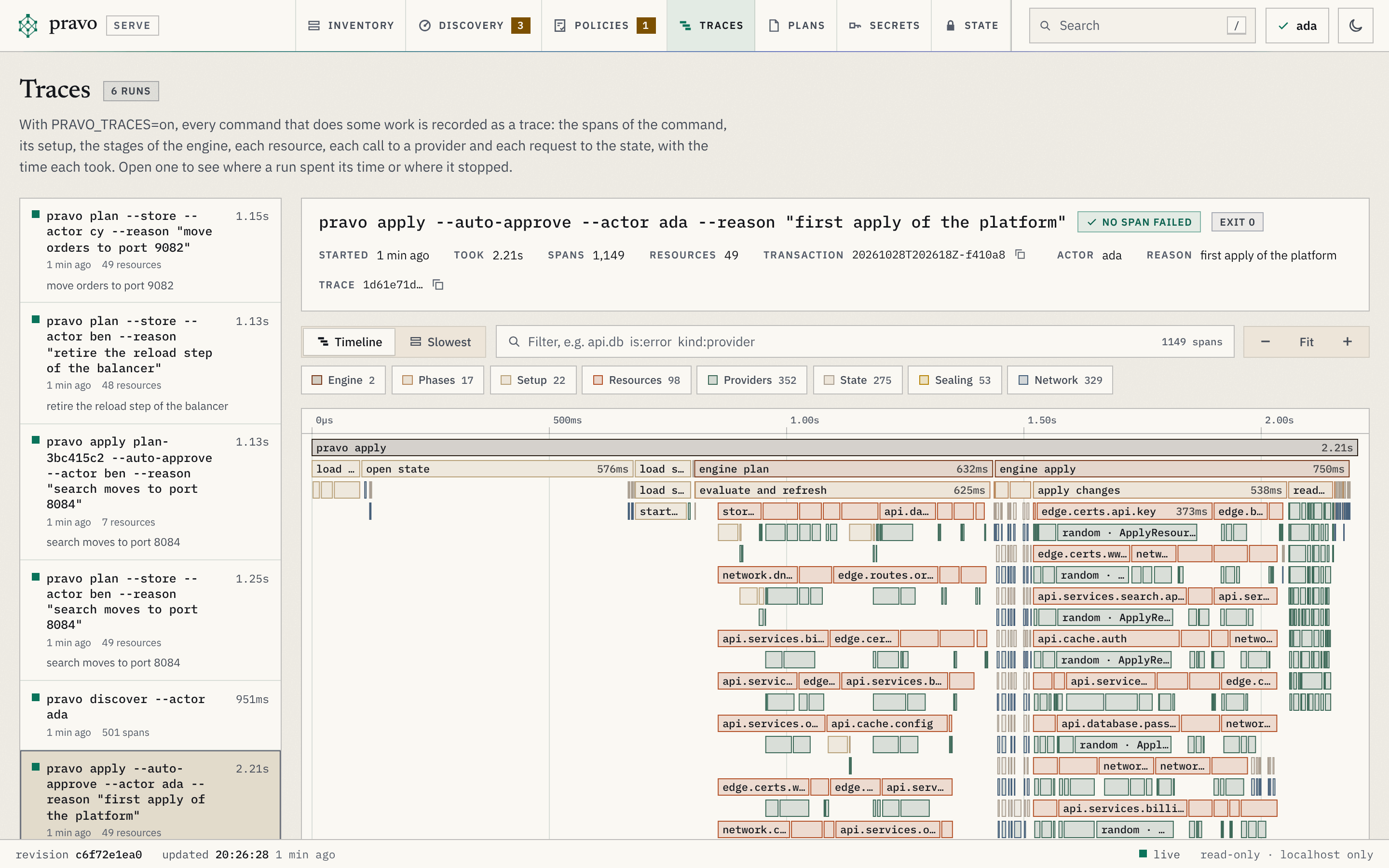
| The runs | The recorded runs, newest first: the command, how long ago, how long it took, how many resources it handled or how many spans it has, the reason it was given, and a red square and failed for a run in which a span failed. The newest run is open, and a run that lands while the page is open is opened unless you chose another. |
| The head of a run | The command and whether a span failed, the exit code, when it started, how long it took, how many spans and resources, the transaction an apply wrote (with a button that copies it), the actor and the reason, and the trace id. |
| The switch | Timeline or Slowest. |
| The filter | The filter box of the Inventory, over the spans: words that must all be in the name, the message or an attribute of a span, and terms of the form column:value: is:error for the spans that failed, kind: for one or more kinds (engine, phase, setup, resource, provider, state, seal, network, command, mcp; kind:state,provider means either), provider:aws for the spans of a provider, type:aws_s3* for a resource type and attr:pravo.provider=aws for a span that has an attribute (the name alone, or the name and a value; the Only and Hide buttons beside an attribute in the detail of a span add the term). A minus before the column leaves the spans out, and * stands for any run of characters. The menu under the box offers the kinds, the columns and the values the run holds with how many spans hold each, and, for a word, the spans whose names hold it, the slowest first. A pill for each term takes it out. The timeline dims the spans that do not match, and the table lists the ones that do. The text is in the address as tq. |
| The kinds | Under the box, a button for each kind of span the run has, with the number of its spans, and one for the failed spans when there are any. A press adds the kind to the filter and a second press takes it out. |
| The timeline | The time of the run across and the nesting down. A bar is a span: dark for the command, the engine and the stages of a run, orange for a resource, green for a call to a provider, grey for the setup of a command and for a request to the state, yellow for the sealing, blue for a network call, whether a request that a provider made and pravo captured or one that pravo made to a state kept on the network, and red for a span that failed. A span that runs at the same time as another sits in a row of its own, so the width of a bar is how long it took and the number of rows is how much ran at once. The ruler marks the time. Click a bar to select it, double click it to fit the timeline to it. Drag to move along the run, and hold Ctrl or Cmd and scroll to zoom. The buttons zoom out, fit the whole run and zoom in. |
| Slowest | The same spans as a table, longest first. A column heading sorts by it. In itself is the time in a span that none of its parts covers: a resource that took four seconds, of which the provider call took 3.9, has little in itself, and a command with a large figure spent its time between its parts. |
| The span | What the selection did: the path from the command to it, the error text of a failed span, how long it took and how long it spent in itself, when it started and ended, its attributes, its events (the lines of the debug log that were attached to it, with the time since it started) and its slowest parts, each a button that selects it. |
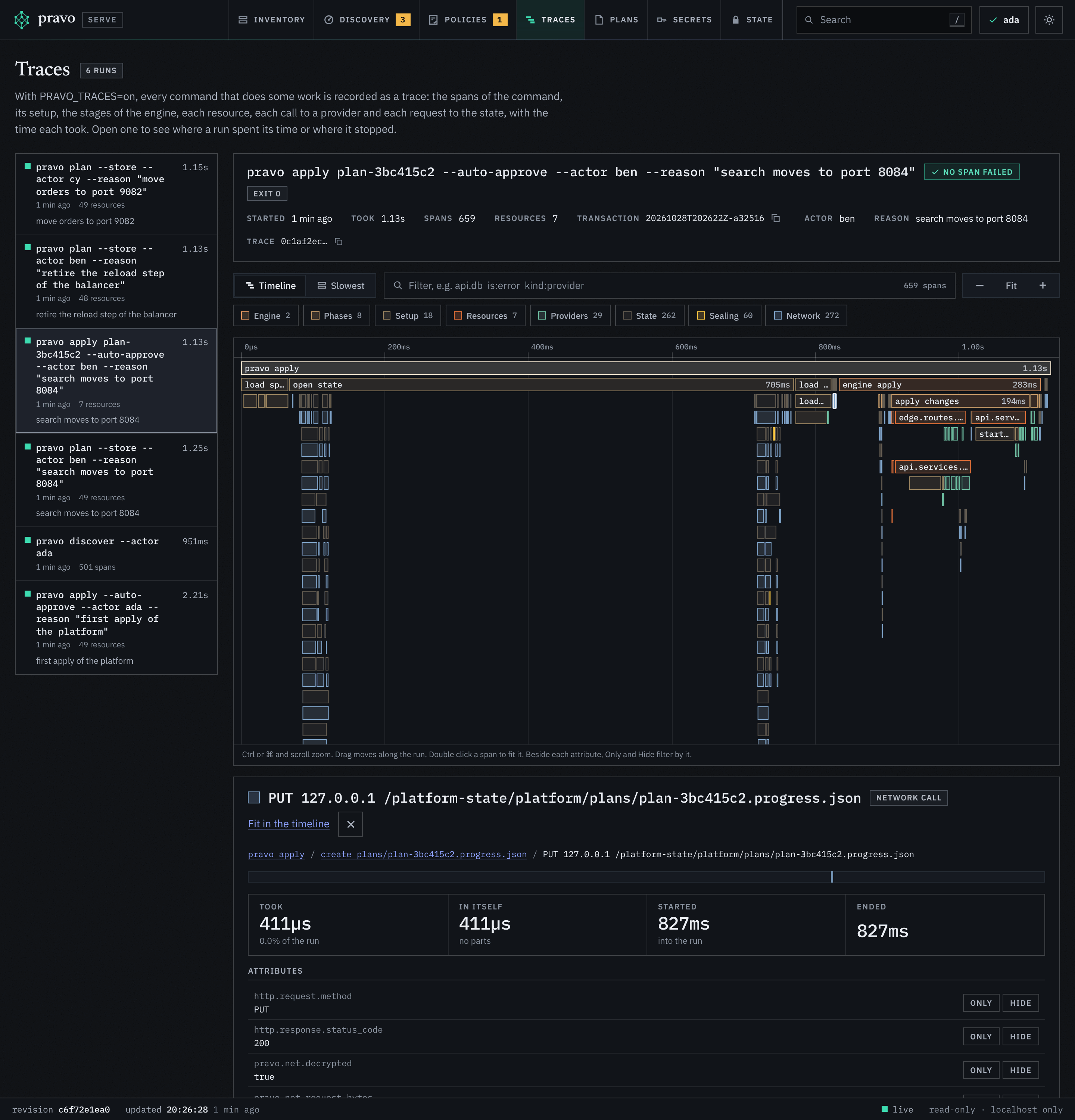
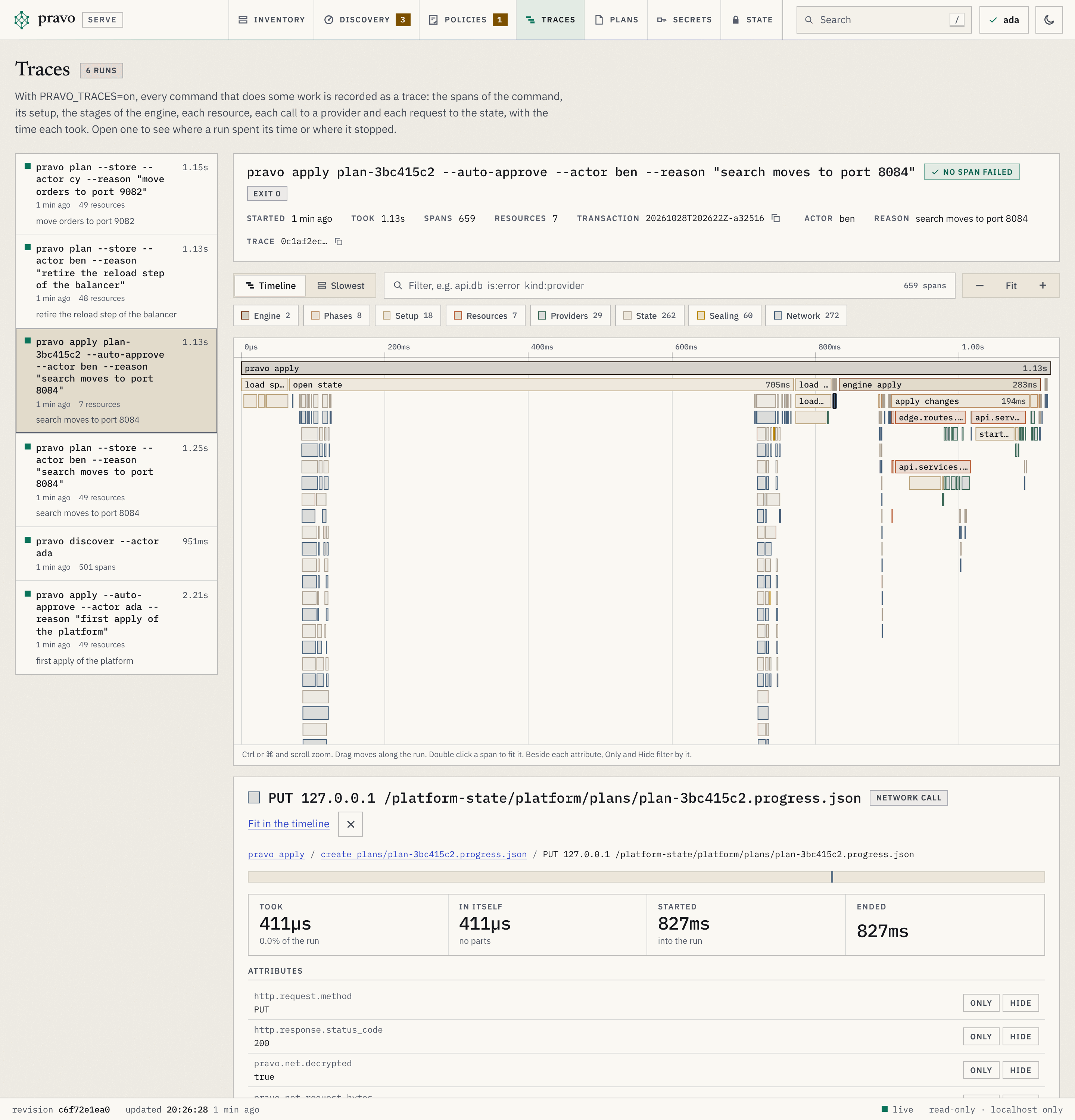
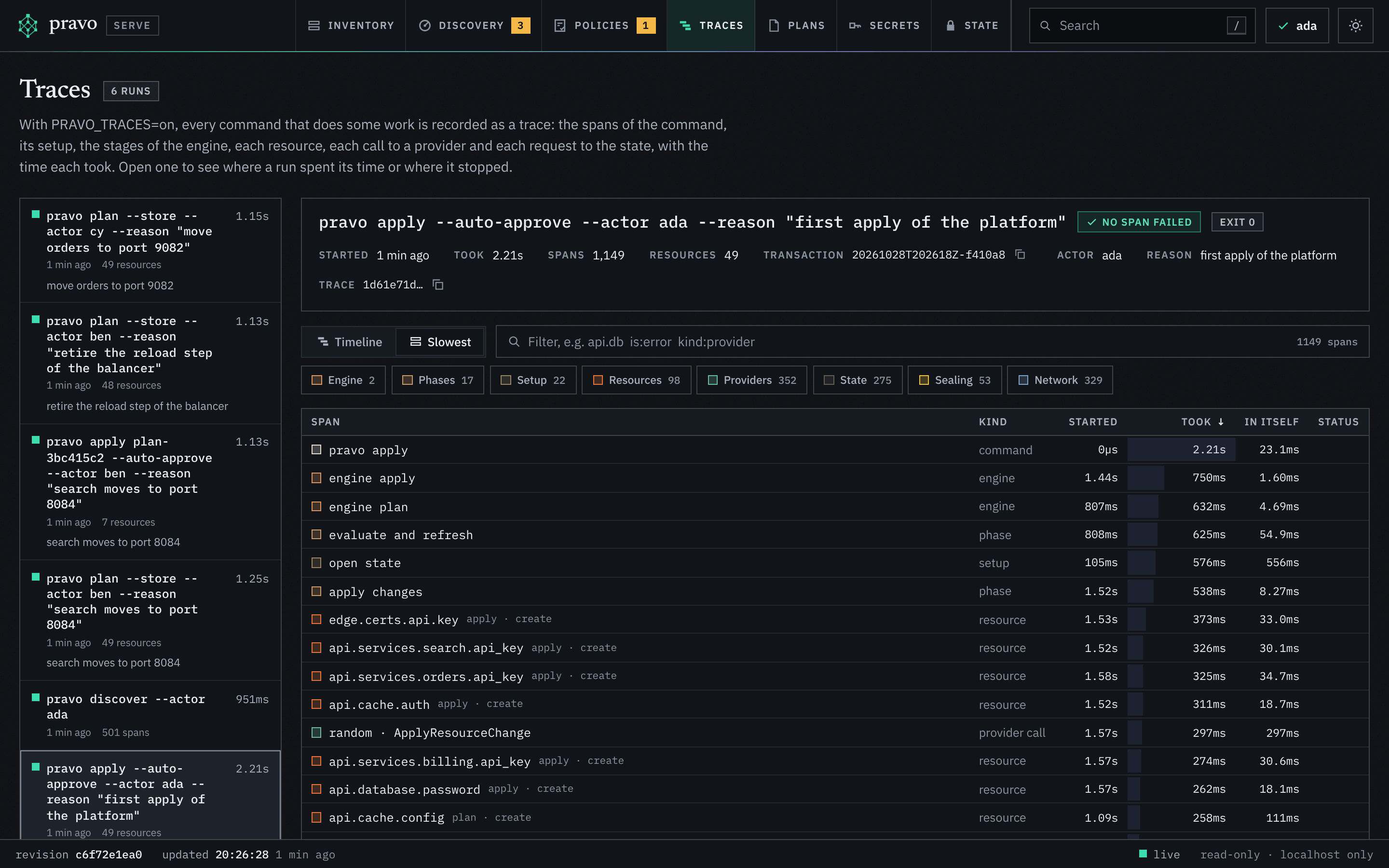
The values in a trace are the ones that a trace has anywhere: addresses, types, actions, counts, outcomes and error messages, never attribute values. The viewer masks them as it masks every other text that it shows, so an error message that quotes a secret of the state does not show it. A directory that holds a file that is not a run of this version shows its count and not the file. The keys of the timeline move the selection and the view.
The Secrets section
The Secrets section shows the secrets that the sealed state keeps and the nodes of the specification that read them. pravo secret sets them; the viewer only reads. Its link is view=secrets, and its key is e. The tab carries the number of problems that the section flags, and no number when there are none. It has no toolbar of the Inventory and no inspector.
The page never shows a value. The server builds it from the part of each version that is in the clear, which is the name, the number, the time and the transaction, and from the transactions that wrote them, which it checks against the readers file and the roles. It holds no key for a value, so a person who is not a reader sees the same page.
| Part | Holds |
|---|---|
| The title block | The title with the number of secrets, and a sentence that says what a secret is. A square before the title is red when the page flags a problem and amber when it flags a change. |
| Needs attention | The one place that says whether something is wrong. A state that holds secrets and has nothing to flag shows one line, all clear, with what was checked. Otherwise each problem is a flagged block, worst first, with the secrets it names (up to 20), the nodes that read each and the command that mends it, to copy. |
| The table | One row for each secret, by name: its name, with removed when the latest version is a removal; the number of the latest version, whose tip gives how many versions there are; who set it, with not trusted, older version flagged or key not listed when the signatures do not account for it; when; and the nodes that read it, as chips (three at first, and a button for the rest, up to 40). A chip shows its node in the graph. v3 on a chip marks a node that asks for version 3, and number only a node that reads the number of the version and not the value. |
| A state with no secret | The command that sets one and the line of the specification that reads it, to copy. A state that is not sealed says so, with a button that opens the State section. |
| Notes | Under the table, quietly: that the specification does not load, that only the latest version of each secret was checked (a state that holds more than 2000 versions), the nodes that read a secret whose name is not known until a command runs, and that pravo secret history NAME shows who wrote each version. |
The problems, worst first:
| Problem | When |
|---|---|
Secrets need a sealed state |
A node reads a secret and the state is not sealed, so it cannot keep one. A button opens the State section. |
The secrets cannot be read as trusted |
The versions or their transactions could not be read. |
The saved roles fail their check |
No version is vouched for until pravo protect status is satisfied. |
N secret versions no signed record of a writer accounts for |
A version whose transaction is missing, did not verify, or was signed by a key that may not write. The command to mend it sets the secret again when it is the latest version, and shows the history otherwise. |
N secrets the specification reads cannot be read |
A secret that is not set, was removed, or whose pinned version is not there or was purged, with pravo secret set NAME. |
N secret versions were signed by a key the access list does not list |
Amber. A member who left, or a key someone made; with the roles pinned in the state, a command refuses it. |
Who set each version is not checked |
Amber. The repository has no readers file to check the signatures against. |
The section is read-only like the rest: the commands are text to copy, the footer says This page shows the secrets. It runs nothing and writes nothing, and it never shows a value., and every response is built without opening a value. Tab visits each button and chip in the order of the page, with a ring that shows, and every button has a name.
A node that reads a secret is in the graph, in the first column with the environment variables. Its State tab names the secret and the version that the state holds, which is not secret, and says what to run when the state holds none. It shows no value: value is withheld as an ephemeral value always is.
The State section
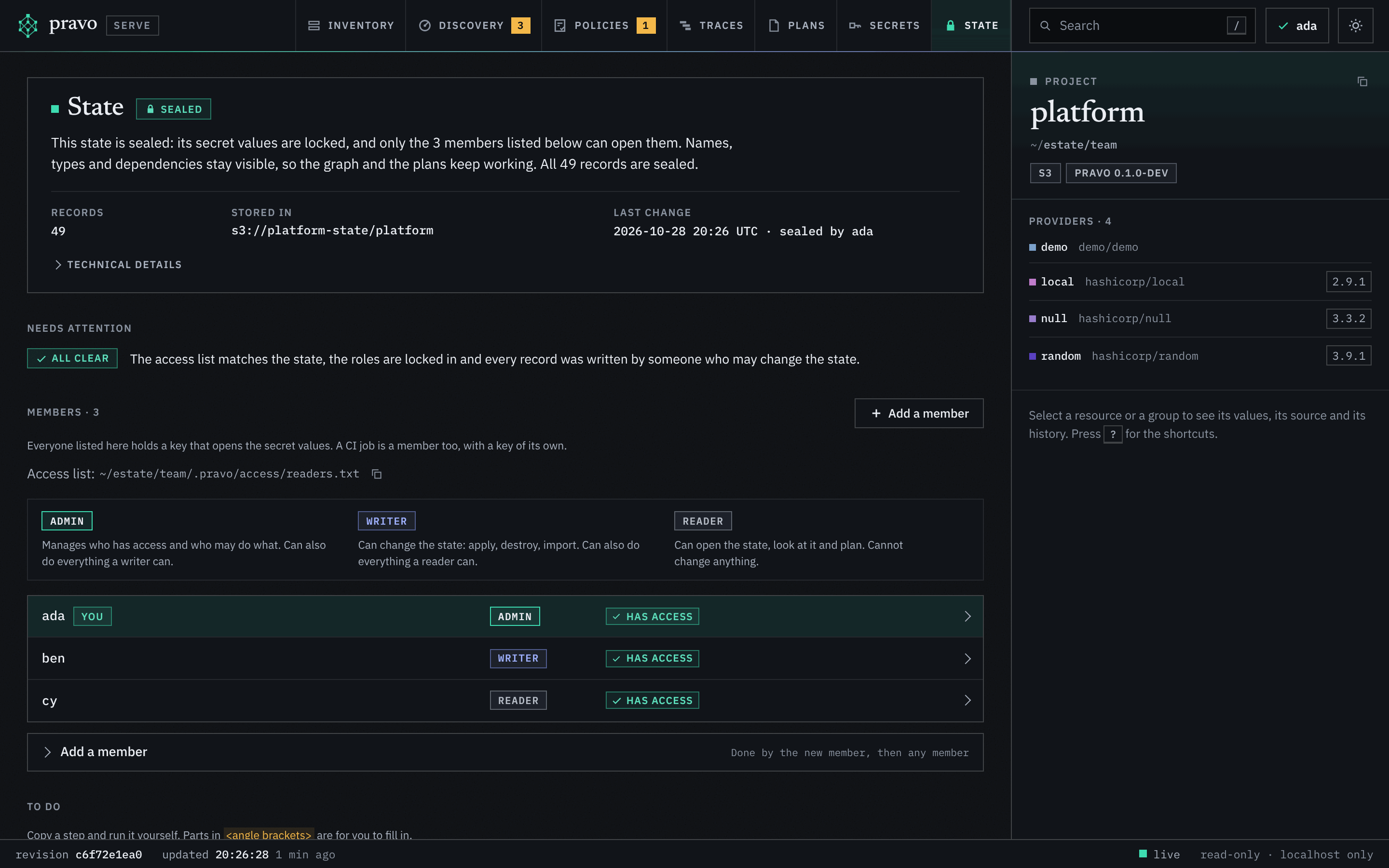
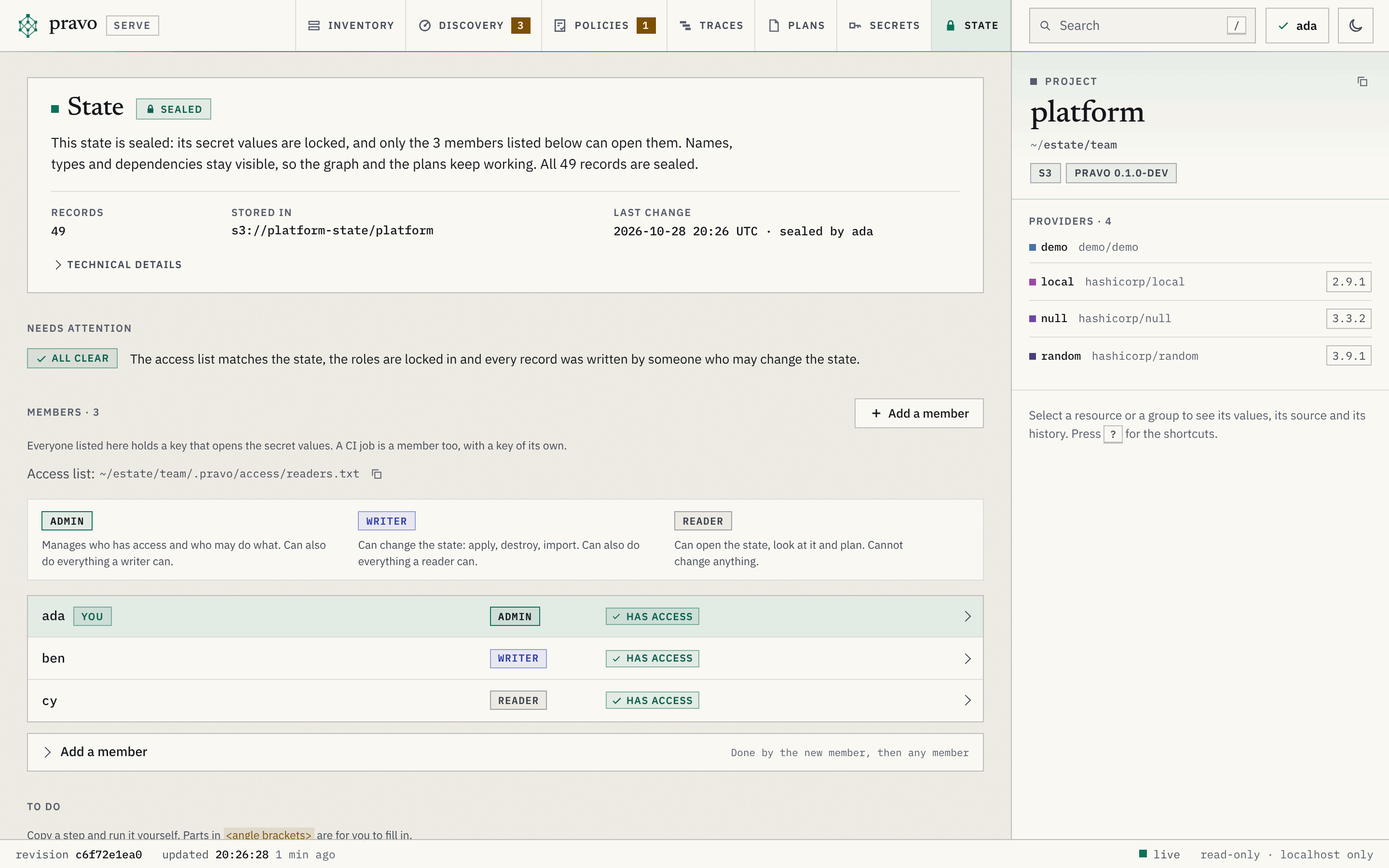
The State section says where the state is kept, how it is protected and who can read it. Its link is view=state. It holds the facts of the state: the location, the backend, the lineage, the format, the number of records and of locks, the version of pravo that read it and when. The project panel does not repeat them. It has no toolbar; the inspector stays and shows the project. It reads and runs nothing but the viewer's own endpoint: the commands it offers are text to copy, and the footer says so: This page suggests commands. It runs nothing and writes nothing.
| Part | Holds |
|---|---|
| The banner | The state, as a chip and a sentence, with the number of records, where the state is stored and the last change of the seal, with the name that the machine of the change gave itself (a label, not a proof); the rest of the facts are under Technical details. One more sentence says how many records are sealed, or how many are not sealed yet or cannot be opened with this identity. not sealed: attributes, outputs and stored plans are plain text, and anyone who can read the location can read every value. immutable records: each record is stored once and never overwritten, and none is encrypted. This is format 2, and format 3 after an unseal. sealed: secret values are locked and only the members listed can open them; names, types and dependencies stay visible. sealing in progress or unsealing in progress: a seal or an unseal started and has not finished, with how many records it has reached. |
| You | The key that the viewer was started with: member, not a member, no key, or key locked when its passphrase was not available. For the last three, the viewer lists the resources and shows no value. The bar of the page says the same beside the name of the identity. |
| Needs attention | The one place that says whether something is wrong. A state that is in order shows one line, all clear, with what was checked. Otherwise each problem is a flagged block, worst first, with a button that opens the card that says what to do: a seal that did not finish; a state that is not sealed where the repository expects one; an access list that is missing, cannot be read, or disagrees with the state, with who is on the list and not let in yet and who is off the list and still in the state, which pravo protect rewrap brings together (the rows of those members say the same); roles that are not locked in, or that the access list asks to change; roles that fail their check; records that were written by someone who may not change the state, up to 20, with the reason; only one member who can open the state; a recovery that does not hold. Writers refuse to write a sealed state until the list and the state agree. What is long or rare, the history of the roles, the changes of a member who left that an admin approved, and the full check of every record, is left to pravo protect status and pravo protect roles. A state of more than 5000 records is not checked for who wrote its records here. |
| Members | The people and CI jobs that hold a key that opens the state, matched by key, from the state and from the access list (the readers file). A legend above the list says what each role may do. Each member is a row with the name, you on the row of the viewer's own key, the role (admin, writer or reader) and a badge: Has access, On the list, not let in yet or Off the list, still has a key. A row opens: it holds the cards that are about that member, Change the role of NAME and Remove access for NAME, and the two keys of the member, each with a button that copies it, and the line of the list. A name that does not match ^[A-Za-z0-9][A-Za-z0-9._-]{0,63}$ is shown with the mark name not usable, which shows the reason as its tip, and is used in no suggestion. The access list is named above the rows, with a button that copies its path. The button Add a member opens the card that adds one, which is shown under the list. |
| Recovery | Shown when the state has a recovery recipient: a sentence with the threshold and the short form of the recovery key, which is the whole key in its tip. A recovery that does not hold is flagged under Needs attention. Shares are files and the view never sees them. |
| Technical details | One disclosure under the banner, closed at first: the format, the backend, the locks, the lineage, the version of pravo that read the state and when. With more than one group of data keys, which a removal of a member makes, it also holds the groups with the number of locks and of records of each, and what resealing does. |
| To do | Cards that each have a title, who does it, why, and steps. A step is a command with a button that copies it, a line to add to or remove from the access list, shown as a small diff whose button copies the line only, or a note. The card for the next step is open. What is about one member is with that member and is not listed here; a state that needs nothing says Nothing needs doing. |
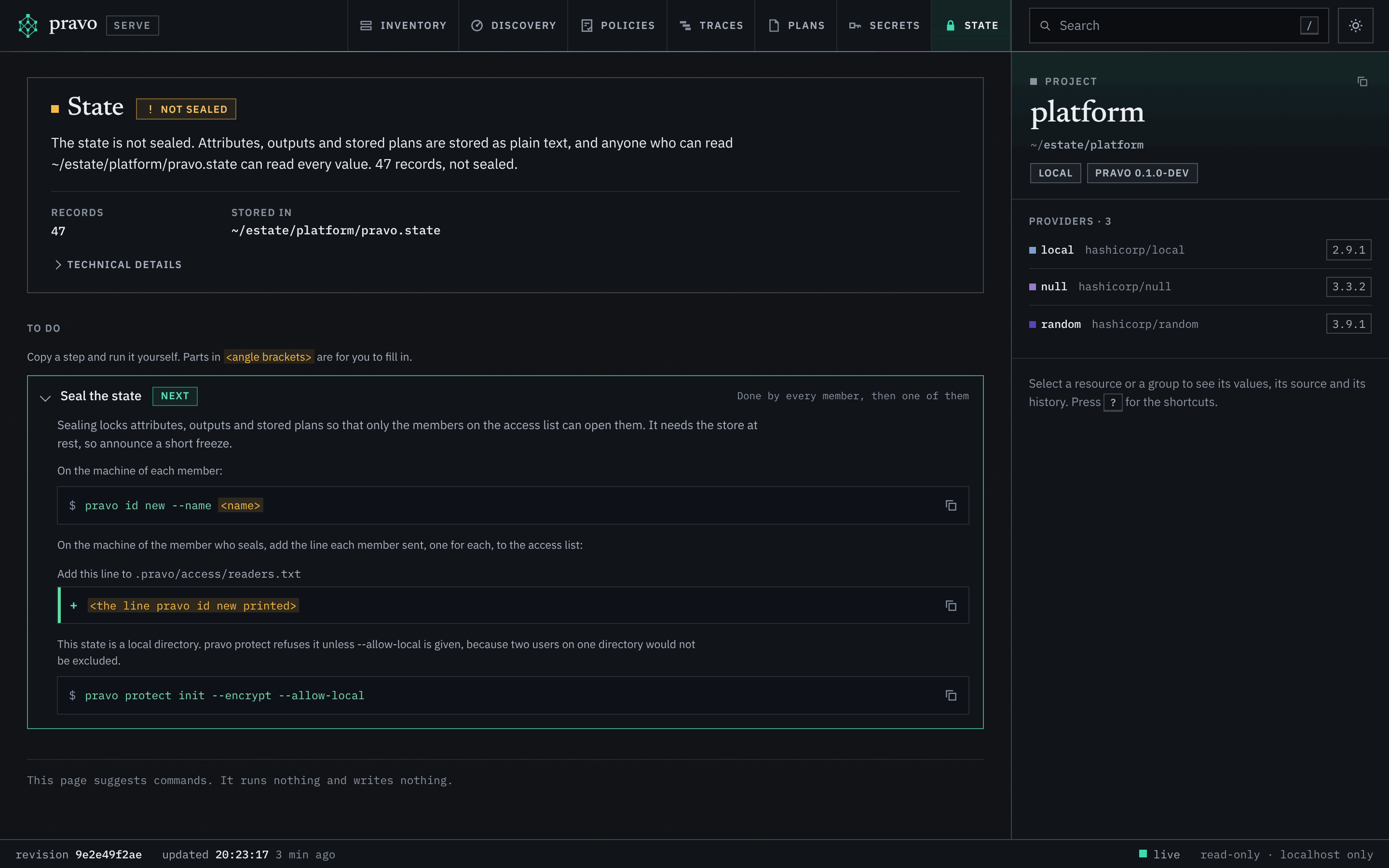
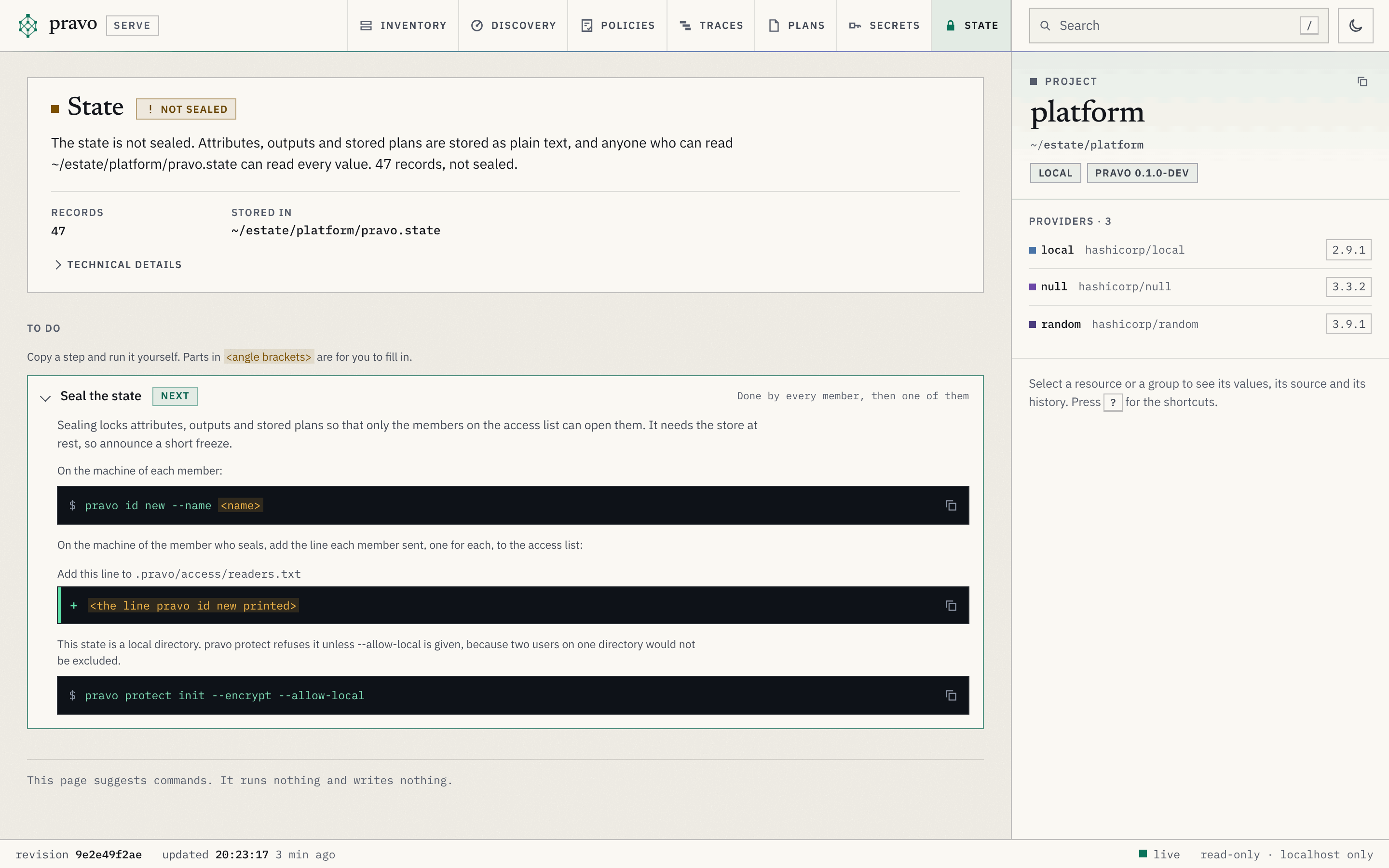
The suggestions are: seal (for a state that is not sealed), check why the state is not sealed (the verdict state not sealed: pravo protect status, then pravo protect init --encrypt or removing the readers file, whichever was meant), finish (a seal that did not finish, or an unseal: its command is pravo protect unseal), identity (the viewer is not reading as a reader; when the state has a recovery, one more step says how to open it with pravo protect recover if no reader can), rewrap (the file and the store differ), set a recovery key (a sealed state with no recovery recipient; pravo protect rewrap --recovery <K>/<N>), bring the recovery in line (the recovery warning above), add a member and, for each member of the list, remove access and change the role (these three are shown with the members; remove is offered when the list names at least two, since the state would have none otherwise, and the card of the member who is looking says that it removes them), seal every record again (records are under an old group), drop the groups nothing is sealed in (the state has more than one group), and check the state. A part that you fill in is written in angle brackets and is never quoted, so a command that was pasted without being filled in fails and does nothing. A member who is removed is removed by editing the access list; the page offers no command that edits it. A state that is a local directory gets a note and then the seal command with --allow-local (the finish step carries the flag too), since pravo protect refuses a directory that two people could share unless that flag is given.
The view is made for the keyboard and for a screen reader. Tab visits, in the order of the page, the button Add a member, each row of a member, which opens, and in it each card and each button that copies a key, each name not usable mark, the disclosure Technical details, each issue's button, each button that copies a fingerprint or the path of the access list, each suggestion, and the buttons that copy the steps of a suggestion that is open. Enter and Space open and close a suggestion, which says whether it is open; Esc leaves it as it is and hides the tip of a button. A button that copies is named for what it copies, and when the copy is done the page says Copied and the name of what was copied, or Could not copy. The skip link at the top of the page moves the focus to the view, and the next Tab goes to its first stop. The chips of the state, of You, of each member and of each verdict show their words, so that no state is told by colour alone.
The list and the inspector mark a record that cannot be opened with the chip sealed. The inspector shows its address, type, dependencies and revision, and a note, and no attribute. The outputs of a state that cannot be opened show sealed and no value. A count that depends on what a record says, the drifted and the sensitive resources of the filter chips and of the project card, shows a dash with the title sealed where it would be zero, since a record that cannot be opened is not counted. A stored plan that cannot be opened is laid over the graph from its summary, which gives the address, the type and the action of each change, with the warning "The values of this plan are sealed." and no attribute change.