
§ B11 · Track B · pravo
Constraints on providers, policy on plans
A constraint on a provider binds every resource built through it. A policy judges what a plan does and is kept in the state.
On this page
A platform team wants every file that every team creates to have mode 0600. In OpenTofu a module sets a default, and the value the caller passes replaces it.
variable "file_permission" {
  default = "0600"
}
module "keys" {
  source          = "./modules/keys"
  file_permission = "0644"
}
#Strict: loc.#Provider & {
	#Resource: local_file: file_permission: "0600"
}
pravo has two checks of this kind, and one of them is a policy. A constraint on a provider definition binds every resource built through that provider. CUE checks it when the specification is evaluated, as it checks every constraint. A policy is a pravo.#Policy node of the root that a plan must satisfy. pravo judges what a plan does against it and keeps it in the state. Both are CUE values that something must unify with. The constraint judges the specification, and the policy judges the plan.
| Constraint on a provider | Policy | |
|---|---|---|
| Is | A CUE constraint on the #Resource of a provider definition |
A pravo.#Policy node of the root |
| Binds | Every resource built through that provider | Every plan of the state |
| Checked | When the specification is evaluated, before any provider starts | When the plan is judged, before anything is applied |
| Refuses with | Exit code 6 | Exit code 5, and the plan is not saved |
| Kept | In the files of the root | In the state, as signed versions |
Pin a value for every resource
Work in an empty directory: it is the root, and the identity that seals the state lives in people inside it. Wrap the provider in a definition and constrain the resource inside.
package main

import loc "pravo.dev/providers/hashicorp/local"

#Strict: loc.#Provider & {
	#Resource: local_file: file_permission: "0600"
}

$files: #Strict

key: $files.#Resource.local_file & {
	filename: "key.pem"
	content:  "secret\n"
}
#Strict is a provider definition with one more constraint. $files is a provider built from it. Every local_file built through $files carries the mode 0600.
Configuration does not load yet; generating schemas for the declared providers first.
Created cue.mod/module.cue
Providers:
  local = hashicorp/local v2.9.1
...
pravo has been initialised. Run "pravo plan" to see what it would do.
...
  # key (local_file) will be created
  + key: {
  +     content:              "secret\n"
...
  +     file_permission:      "0600"
  +     filename:             "key.pem"
  +     id:                   (known after apply)
    }

Plan: 1 to add, 0 to change, 0 to destroy.
Graph: planned 1key never set a mode. The plan shows file_permission: "0600" all the same.
Break it: override the pin
Set a different mode on the resource. The block carries status=conflict.
package main

import loc "pravo.dev/providers/hashicorp/local"

#Strict: loc.#Provider & {
	#Resource: local_file: file_permission: "0600"
}

$files: #Strict

key: $files.#Resource.local_file & {
	filename:        "key.pem"
	content:         "secret\n"
	file_permission: "0644"
}
Error: evaluating .:
key.file_permission: 2 errors in empty disjunction:
key.file_permission: conflicting values "0600" and "0644":
    ./main.cue:6:42
    ./main.cue:11:6
    ./main.cue:14:19
key.file_permission: conflicting values "0644" and null (mismatched types string and null):
    ./cue.mod/gen/pravo.dev/providers/hashicorp/local/local_gen.cue:97:29
    ./main.cue:11:6
./main.cue:14:19The path is key.file_permission. The first error names the two values, "0600" and "0644", and three places: the pin, the resource and the value. The second error appears because the generated attribute is string | null, and CUE reports each alternative that failed. No provider started and nothing was planned.
A constraint rejects a value that is set and wrong. It does not require an attribute to be set. A rule such as "every file has an owner tag" is a rule for a plan policy.
Refuse a plan
A plan policy is a node of the root. Its rule is a CUE struct, and pravo unifies it with the plan document, the data that pravo plan --json prints. The plan satisfies the policy when the result is concrete and has no error. Write the policy beside the resources:
package main

import "pravo.dev/pravo"

no_delete: pravo.#Policy & {
	description: "A plan may create and change. It may not delete."
	rule: {
		changes: [...{
			addr:   string
			mode:   string
			action: string
			if mode == "managed" && action == "delete" {
				error("\(addr): delete is not allowed")
			}
		}]
	}
}
changes is a list template: every change must have these fields. The if is a guard. It adds an error to a managed resource whose action is delete, and the message names the address.
Restore the root and add a second file.
package main

import loc "pravo.dev/providers/hashicorp/local"

#Strict: loc.#Provider & {
	#Resource: local_file: file_permission: "0600"
}

$files: #Strict

key: $files.#Resource.local_file & {
	filename: "key.pem"
	content:  "secret\n"
}

note: $files.#Resource.local_file & {
	filename: "note.txt"
	content:  "note\n"
}
A policy version is signed by whoever applies it, so the state must be sealed. Make an identity, list it as a reader, and seal the state:
Readers  .pravo/access/readers.txt  (ada)
This will:
  1  write 0 records as immutable objects  rec/<sha256>
  2  encrypt their attributes and private data to 1 reader (ada)
  3  seal outputs.json, stored-plan values and the values in transaction command lines the same way
  4  set the state to format 3. Earlier versions of pravo will refuse it
store check passed
0 records sealed in 0.0 s
outputs sealed · recipients written to meta.json

The state is sealed to ada.

Commit the readers file. Writers read the list from git:
  .pravo/access/readers.txt
No recovery recipient. If every reader loses their key, the state cannot be read.
Add one with: pravo protect rewrap --recovery 3/5The first apply creates both files and writes the policy to the state. The plan that adds a policy is not judged by it.
Policies: +1 new, ~0 changed, -0 removed.
  + no_delete (sha256:d0fce23004ba)
Graph: planned 2
Policies: +1 new, ~0 changed, -0 removed.
Apply complete! Resources: 2 added, 0 changed, 0 destroyed. [txn <txn>]
Apply complete! Resources: 2 added, 0 changed, 0 destroyed. [txn <txn>]Add a third file and plan it. The plan creates and does not delete, so the policy is satisfied.
package main

import loc "pravo.dev/providers/hashicorp/local"

#Strict: loc.#Provider & {
	#Resource: local_file: file_permission: "0600"
}

$files: #Strict

key: $files.#Resource.local_file & {
	filename: "key.pem"
	content:  "secret\n"
}

note: $files.#Resource.local_file & {
	filename: "note.txt"
	content:  "note\n"
}

log: $files.#Resource.local_file & {
	filename: "log.txt"
	content:  "log\n"
}
Plan: 1 to add, 0 to change, 0 to destroy.
Graph: planned 1 · skipped 2 · not read 2
Policies: 1 satisfied.

Saved the plan to add.plan. To apply exactly these actions, run:
pravo apply add.planThe plan is printed first, and the last line of the plan says how many policies judged it and held. The apply judges the plan again, under the locks, and signs the versions that judged it into the transaction: the name, the version and the SHA-256 of the text, so that the log says under which rules a change was made.
log: Creating...
log: Creation complete after 0s [id=4508c1b19b8841345afeed30a6d835cca066d5e5]

Apply complete! Resources: 1 added, 0 changed, 0 destroyed. [txn <txn>]
["no_delete@1:d0fce23004ba3284e425b8753266ed26f2203fac9f8c06ffe60a7ca1db8c2bc9"]The Policies section of the viewer, pravo serve from the root and then o, lists the policy in force with its version, its digest, who signed it and how many applies it judged, and shows the text that was signed. Its button Try on plans opens the policy studio with the text: an editor that holds a rule against the plan files of the root, and against every resource of the state, as you type, before anything is in force. C5 writes its rules there.
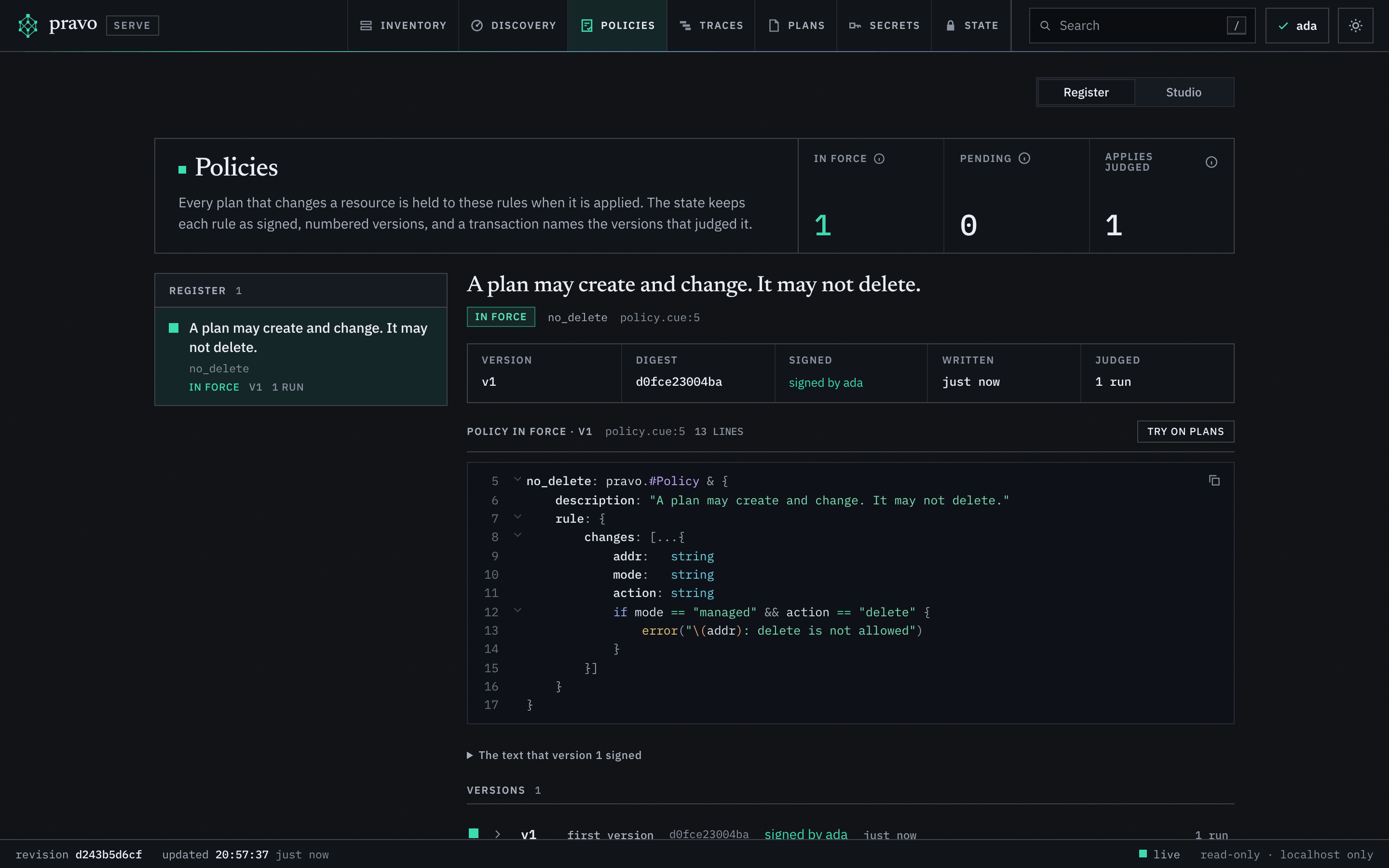
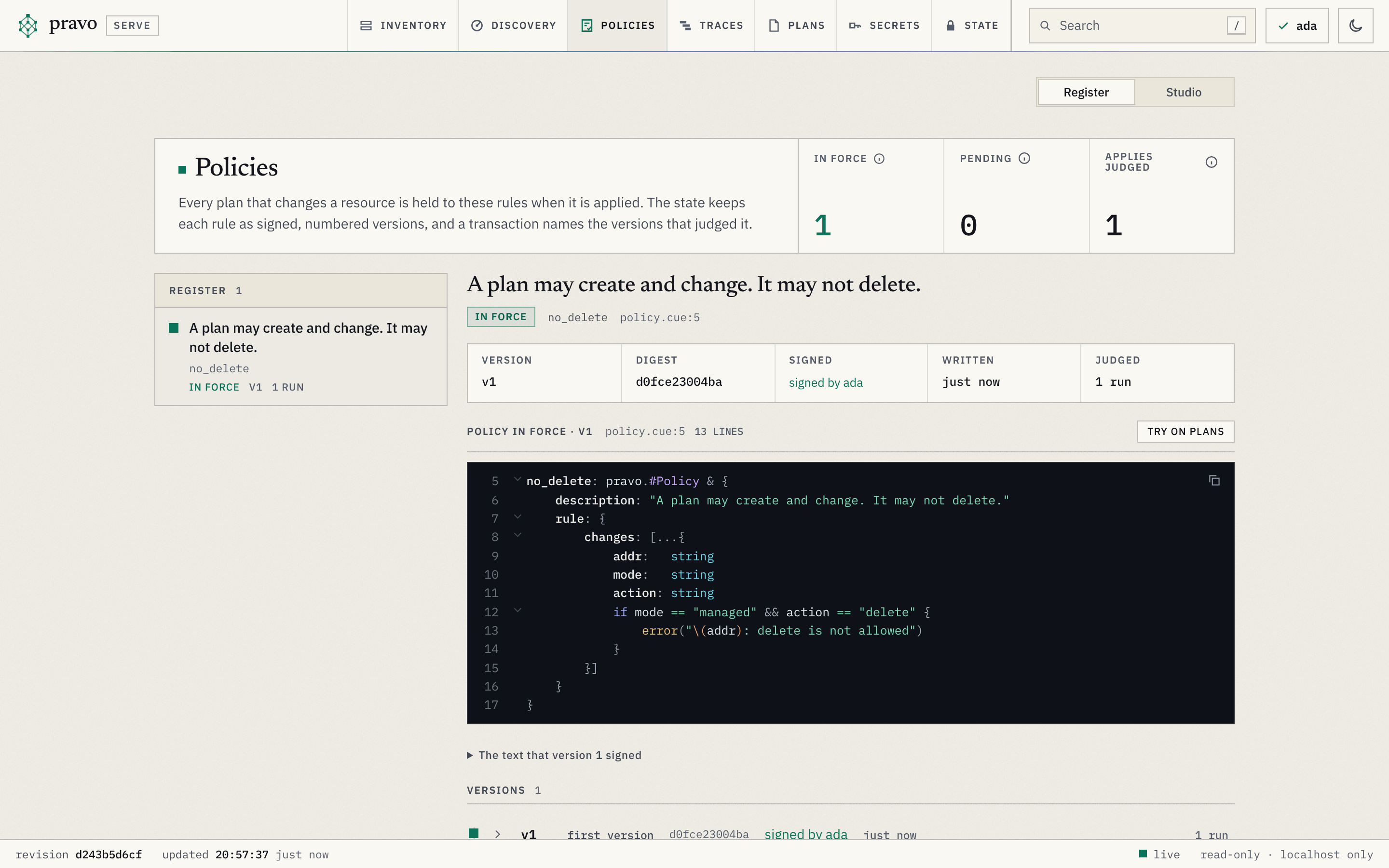
no_delete in force, in the Policies section: version 1, signed by Ada, one apply judged, and the text that was signed.Break it: a plan that deletes
Remove note from the root. The plan deletes it. The block carries status=unintended: the specification is valid, and the plan breaks the policy.
package main

import loc "pravo.dev/providers/hashicorp/local"

#Strict: loc.#Provider & {
	#Resource: local_file: file_permission: "0600"
}

$files: #Strict

key: $files.#Resource.local_file & {
	filename: "key.pem"
	content:  "secret\n"
}

log: $files.#Resource.local_file & {
	filename: "log.txt"
	content:  "log\n"
}
The specification is valid. Read what the plan does to note.
Predict Does the plan pass the policy? Which exit code does the run give?
The plan deletes note, so the policy refuses it. The exit code is 5, and the plan is not saved.
Plan: 0 to add, 0 to change, 1 to destroy.
Graph: planned 0 · skipped 2 · removed 1 · refreshed 1 · not read 2

Error: the plan violates the policy no_delete@1 (sha256:d0fce23004ba):
changes.0: note: delete is not allowed:
no_delete:6:3The plan is printed, then judged, and the run exits with code 5. The error has three parts.
- The version of the policy and the digest of its text.
- The path
changes.0. It is a position in the list of changes of the plan document, in the order the document holds them, which is not the order of the blocks above. - The message from
error(), and the line in the rule that wrote it.
A refused plan is not saved.
add.planThere is no delete.plan. An apply judges its plan too, under the locks, and records the refusal:
Error: the plan violates the policy no_delete@1 (sha256:d0fce23004ba):
changes.0: note: delete is not allowed:
    no_delete:6:3

{"kind":"apply","status":"rejected"}What a policy does not bind
A policy binds the applies of this state. The way to lift a rule is to remove it from the root. A change to a policy is not judged by the rule, so the apply that removes it passes, and the state keeps a signed removal. With roles in the readers file, removing a policy is an admin's apply, and a rule that asks for approvals cannot be changed without an admin's approval; C6 shows both. Here the state has one member, who is an admin. Restore note, remove policy.cue, and apply:
package main

import loc "pravo.dev/providers/hashicorp/local"

#Strict: loc.#Provider & {
	#Resource: local_file: file_permission: "0600"
}

$files: #Strict

key: $files.#Resource.local_file & {
	filename: "key.pem"
	content:  "secret\n"
}

note: $files.#Resource.local_file & {
	filename: "note.txt"
	content:  "note\n"
}

log: $files.#Resource.local_file & {
	filename: "log.txt"
	content:  "log\n"
}
Policies: +0 new, ~0 changed, -1 removed.
  - no_delete (version 1)
Graph: planned 0 · skipped 3 · not read 3
Policies: +0 new, ~0 changed, -1 removed.
Apply complete! Resources: 0 added, 0 changed, 0 destroyed. [txn <txn>]
Apply complete! Resources: 0 added, 0 changed, 0 destroyed. [txn <txn>]
no_delete@00000001.json
no_delete@00000002.jsonWith the rule gone, a plan that deletes note is applied:
Apply complete! Resources: 0 added, 0 changed, 1 destroyed. [txn <txn>]
key
logThe log of the removal names who applied it, and every apply names the versions that judged it. A policy does not stop a person who holds the state, who can write a new version or remove the policy, so the files that declare policies are reviewed like the rest of the root.
A constraint on a provider has its own limit. It binds the resources built through that provider. A root can declare another provider from loc.#Provider and build a resource through that one.
package main

import loc "pravo.dev/providers/hashicorp/local"

#Strict: loc.#Provider & {
	#Resource: local_file: file_permission: "0600"
}

$files: #Strict
$other: loc.#Provider

key: $files.#Resource.local_file & {
	filename: "key.pem"
	content:  "secret\n"
}

log: $files.#Resource.local_file & {
	filename: "log.txt"
	content:  "log\n"
}

probe: $other.#Resource.local_file & {filename: "probe.txt", content: "x\n", file_permission: "0644"}
Success! 3 resources, 0 data sources, 0 ephemeral, 0 function calls, 0 outputs across 1 providers.The mode 0644 passes, because $other carries no pin. The platform decides which provider structs a root is built from, for example by reviewing the files that declare them.
Take probe out again:
package main

import loc "pravo.dev/providers/hashicorp/local"

#Strict: loc.#Provider & {
	#Resource: local_file: file_permission: "0600"
}

$files: #Strict

key: $files.#Resource.local_file & {
	filename: "key.pem"
	content:  "secret\n"
}

log: $files.#Resource.local_file & {
	filename: "log.txt"
	content:  "log\n"
}
What a policy guarantees depends on four rights.
| Right | Whoever holds it can |
|---|---|
| Write the files that declare policies | Change a policy or remove it. The signed version names who applied it. |
| Write the job that runs pravo | Run something other than pravo. |
| Write the state | Change what pravo believes exists, with pravo state rm or pravo state mv. No plan is made, so no policy sees it. |
| Hold the cloud credentials | Change infrastructure without running pravo. |
Give the first two rights to the people who review policies. Nothing in pravo covers the last two.
The specification cannot exempt a resource
The $settings block takes state and refresh. Naming a policy there is an error. A policy is a node, and the block holds no rule.
Error: $settings.policy is not a setting (the block takes state and refresh)Exercise
Refuse replacements too
A change of a file's content replaces the file. The policy as written does not refuse a replacement. Extend it so that it does. Apply the new text, then change the content of key so that the plan replaces it.
Hint 1
The action of a replacement is replace. The guard already reads action. Combine the two names with ||.
Hint 2
A change to a policy is applied like any other change: the apply writes version 2. The plan that replaces key comes after it.
Solution
package main

import "pravo.dev/pravo"

no_delete: pravo.#Policy & {
	description: "A plan may create and change. It may not delete or replace."
	rule: {
		changes: [...{
			addr:   string
			mode:   string
			action: string
			if mode == "managed" && (action == "delete" || action == "replace") {
				error("\(addr): \(action) is not allowed")
			}
		}]
	}
}
Apply the new text of the policy, then change the content of key so that the plan replaces it.
Policies: +0 new, ~1 changed, -0 removed.
  ~ no_delete (version 2, sha256:5530c1a63699)
Graph: planned 0 · skipped 2 · not read 2
Policies: +0 new, ~1 changed, -0 removed.
Apply complete! Resources: 0 added, 0 changed, 0 destroyed. [txn <txn>]Error: the plan violates the policy no_delete@3 (sha256:5530c1a63699):
changes.0: key: replace is not allowed:
no_delete:6:3Clean up
Destroy needs the policy out of the way, because a destroy deletes. Remove the policy, then destroy:
Destroy complete! Resources: 0 added, 0 changed, 2 destroyed. [txn <txn>]Recap
- A constraint on a provider definition binds every resource built through it. A conflict is an error before any provider starts.
- A policy is a
pravo.#Policynode. The apply writes it to the state as a signed version, and later applies are judged by it. A violation exits with code 5, and a refused plan is not saved. - A policy binds the applies of the state. Editing the state, running something other than pravo and calling the cloud directly are outside it.
Check yourself
Which exit code means a plan violated a policy?
Exit code 5. The error names the policy version, the digest of its text, the path in the plan document and the line in the rule.
How do you lift a rule that refuses every plan?
Remove the policy from the root and apply. A change to a policy is not judged, and the apply writes a signed removal.
C5, Write a plan policy teaches the shapes of a rule and tries them on saved plans with pravo policy test, and C6 writes a rule that makes a plan wait for a second person. The how-to page Write and roll out policies rolls a rule out, and the reference describes the plan document.
The project combines every lesson of this track. Lab 1 breaks a root ten ways to show the exit codes.