
§ C6 · Track C · A team on one state
Ask for approvals
A rule that does not refuse a plan but makes it wait for a second person. Write it as a choice between two shapes, store the plan it catches, approve it with another key, apply it by its id, and see whose approval counts, what an admin may skip and what protects the rule itself.
On this page
A plan that destroys a database should not run on one person's say-so. In the OpenTofu world the second pair of eyes looks at the pull request, which is the code and not the plan, or a pipeline holds the apply behind a button that the tool knows nothing about. The plan the reviewer saw and the plan that runs are two different plans.
plan job → artifact → "approve" button in the CI tool → apply job
pravo puts the second pair of eyes in the rule. A policy can say that a plan which does a certain thing is applied only once other members have approved it, and an approval is a signature over the digest of the stored plan, by a key of the readers file, so the plan that was approved is the plan that runs. C4 gave the keys their roles; C5 wrote rules that refuse. This lesson writes one that waits.
Three people, one rule
Work in an empty directory: it is the root, with one resource, and its state is sealed to Ada, an admin, and to Dan and Eve, two writers, with the roles pinned as C4 did it. The setup runs those steps for you.
package team

import rnd "pravo.dev/providers/hashicorp/random"

$random: rnd.#Provider & {$version: "~> 3.6"}

pet: $random.#Resource.random_pet & {length: 2}
ada role:admin
dan role:writer
eve role:writer
Roles on · 1 admin · 2 writer · 0 reader · pinned, version 1 in the state · you are an adminA rule as a choice
C5's rules said what a plan may not do. This one says what a plan that destroys needs. It is written with |, which A6 used for a choice between values: here it is a choice between two shapes, and a plan fits the rule when it fits one of them.
package team

import "pravo.dev/pravo"

second_opinion: pravo.#Policy & {
	description: "A plan that destroys a resource is applied once another writer has approved it."
	rule: {
		{summary: destroy: 0} | {summary: destroy: >0, approvals: {min: 1}}
	}
}
The left shape fits a plan that destroys nothing and asks for nothing more. The right shape fits a plan that destroys one resource or more, and approvals: {min: 1} is what it asks for: one approval, by a key whose role is writer or above, other than the key that stored the plan. A replacement destroys the old object, so it counts. The rule is a choice because a rule cannot say if about the document as a whole; a guard lives inside a template, as in C5.
approvals has three fields, and the two that are left out take their defaults:
approvals: {
	min:  2       // how many distinct keys have to approve
	role: "admin" // the weakest role that counts: "writer", the default, or "admin"
	self: true    // whether the key that stored the plan may approve it; false by default
}
Ada applies. The plan that adds a policy is not judged by it, and the rule is in force from this apply on.
Policies: +1 new, ~0 changed, -0 removed.
Policies: +1 new, ~0 changed, -0 removed.
Apply complete! Resources: 0 added, 0 changed, 0 destroyed. [txn <txn>]A plan that waits
Dan removes the resource and stores the plan. The approvals belong to the stored plan, so a plan the rule catches is stored, as C2 stored one, and judged at the apply, so that the approvals can be given in between.
Policies: 1 satisfied.
Stored the plan as plan-<id>; unless it is applied it is removed after 7 days. To apply exactly these actions, run:The rule asks for one approval by a writer. Count the approvals the plan has, and ask whose would count.
Predict Dan applies his stored plan by its id. Nobody has looked at it. What does pravo say?
The apply is refused with exit code 5. The plan has no approval, and Dan's own key would not count: self is false by default, so the key that stored the plan is not one of the second pair of eyes.
exit=5
Error: the plan plan-<id> needs 1 approval by a writer or an admin (second_opinion@1) and has 0. The key that stored the plan does not count.ID in the shell stands for the id that pravo printed. The error says how many approvals the plan needs, of which role, under which rule, and how many it has.
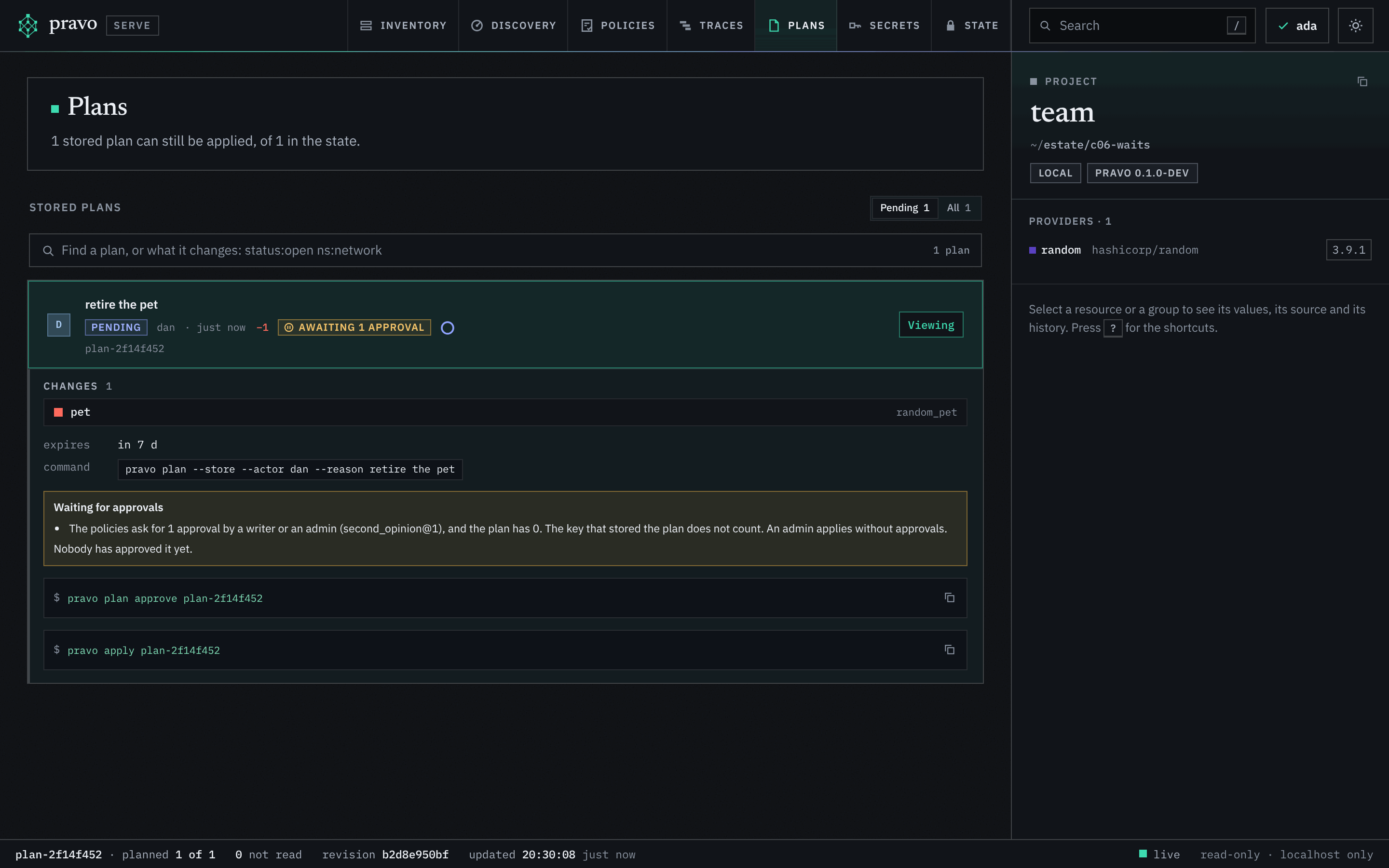
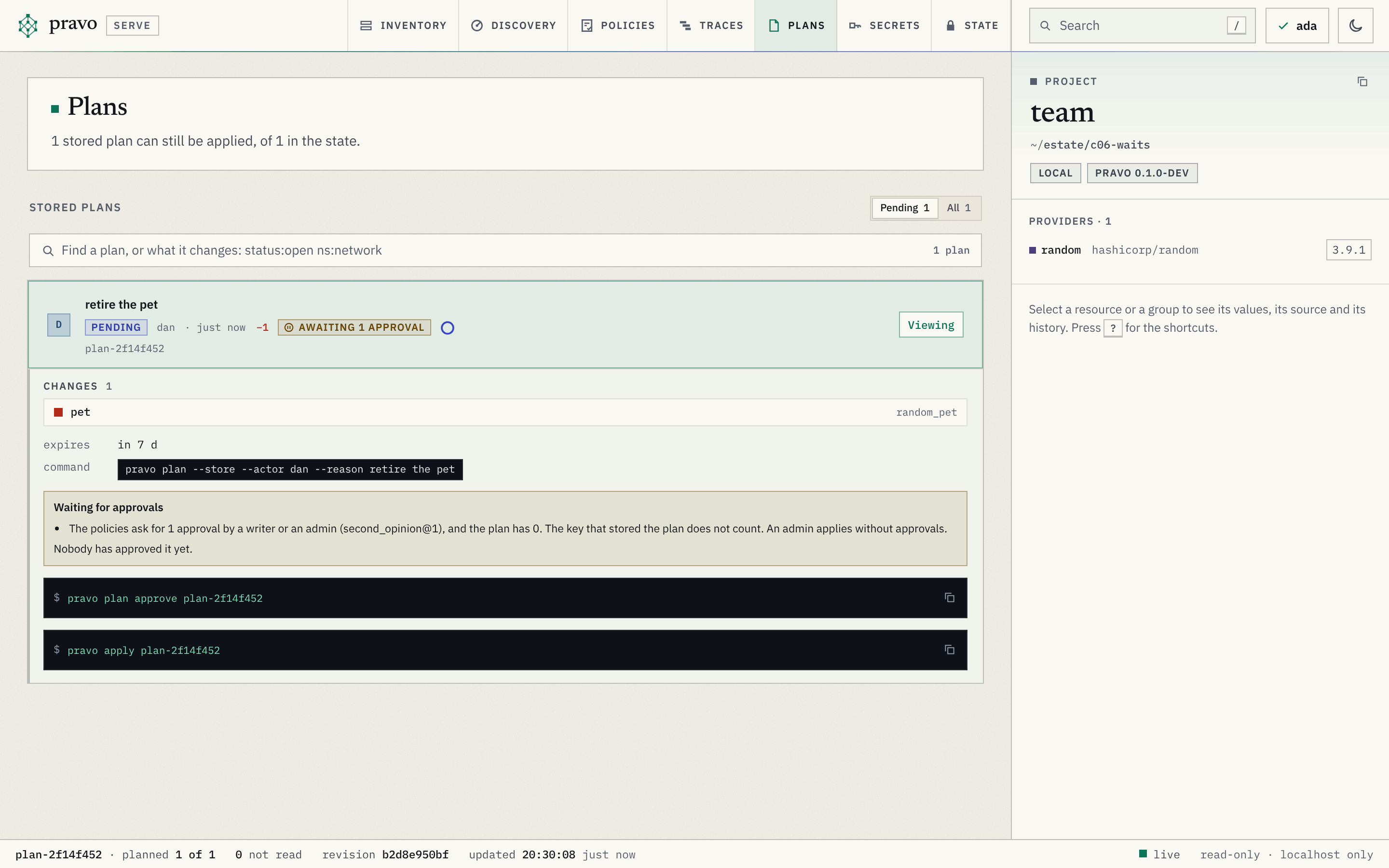
The Plans section of the viewer, pravo serve from the root and then p, says the same on the row of the plan and under it, with the command that approves the plan, to copy. The viewer approves nothing itself: an approval is a signature, by the key of the member who runs the command.
Break it: approve your own plan
Dan approves it himself. The command works, because an approval is a signature and any writer can sign. The apply counts it as nothing.
Approved plan-<id> as dan.
exit=5
and has 0The second pair of eyes
Eve reads the plan, with pravo plan show ID or in the Plans section of the viewer, and approves it. Then Dan applies.
Approved plan-<id> as eve.
Stored plan plan-<id> by dan, just now (pending)
  approved: dan (writer), eve (writer)
Apply complete! Resources: 0 added, 0 changed, 1 destroyed. [txn <txn>]
plan-<id> applied dan just now +0 ~0 -1 applied just nowplan show lists every approval in the order it was given, and the apply counts the ones that qualify. The transaction is signed by Dan, who applied, and the plan keeps Eve's approval, so the state says who asked, who agreed and who ran it. An approval holds for this plan alone: a plan made again from the same change needs approvals of its own, because the digest differs. Whether a key counts is decided at the apply, from the readers file of the checkout, so a key that was demoted or taken off the file stops counting.
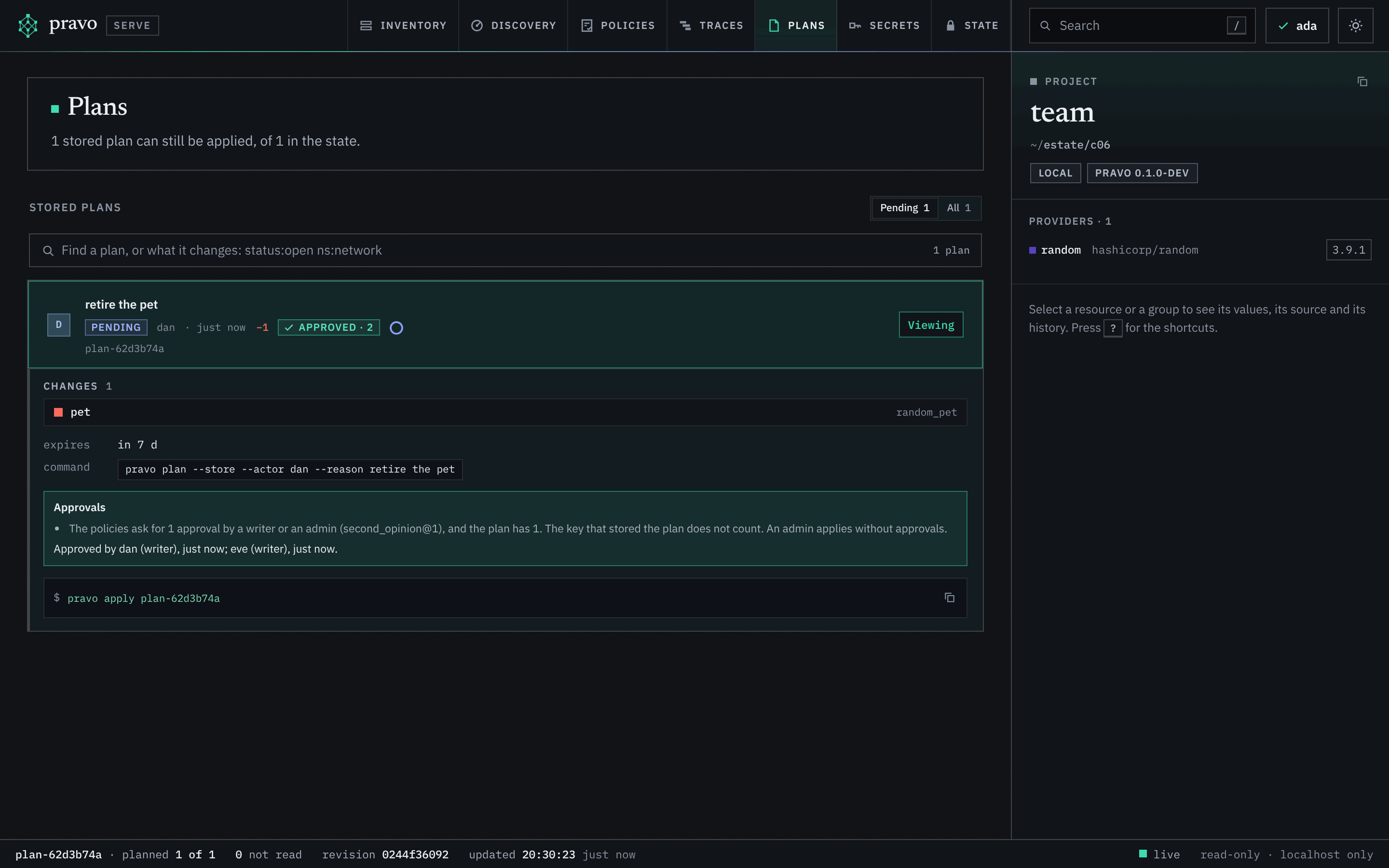
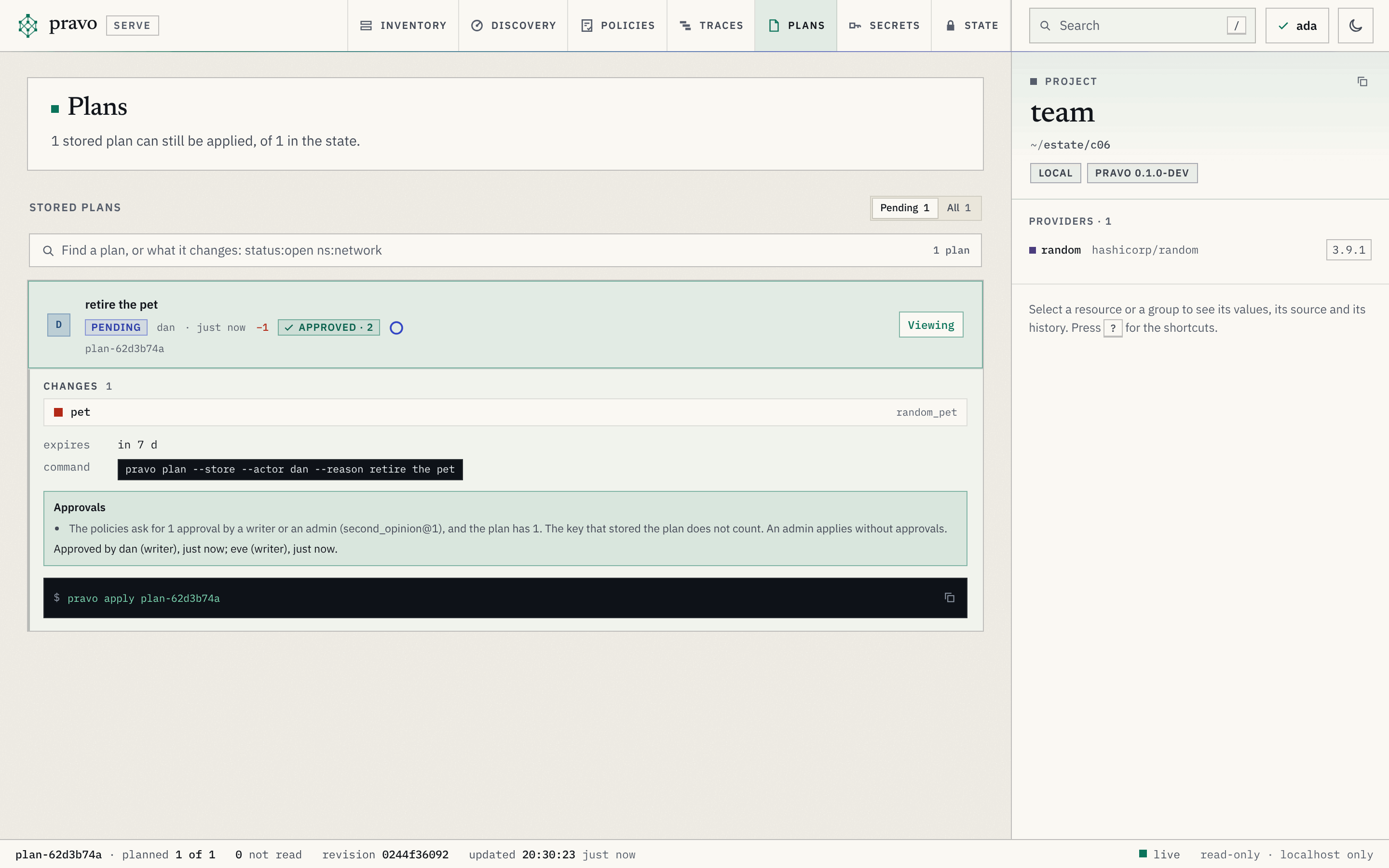
Between the approval and the apply, the row of the plan in the viewer carries Approved with the count of approvals, and the open row says that what the policies ask for is met, who approved and when, and the command that applies the plan.
What an admin may skip
An admin needs no approval, so a state with one member works as it did before the rule, and a readers file without roles makes every key an admin. Ada puts the resource back, and removes it again with a plain apply:
Apply complete! Resources: 1 added, 0 changed, 0 destroyed. [txn <txn>]
Apply complete! Resources: 0 added, 0 changed, 1 destroyed. [txn <txn>]That is the reason no CI job is an admin: a job that may apply without approvals is a job whose credentials end the rule.
What protects the rule
A writer may edit a policy, and the plan that carries the edit changes no resource, so no rule judges it. A rule that asks for approvals could be ended by the writer it is meant to hold, in one apply. So a change to a policy that asks for approvals needs one approval by an admin, from a key other than the one that stored the plan, and a plain apply of such a change is refused.
Dan rewrites the rule so that it asks for nothing:
package team

import "pravo.dev/pravo"

second_opinion: pravo.#Policy & {
	description: "A plan that destroys a resource is applied once another writer has approved it."
	rule: {
		summary: destroy: >=0
	}
}
Policies: +0 new, ~1 changed, -0 removed.
Stored the plan as plan-<id>; unless it is applied it is removed after 7 days. To apply exactly these actions, run:
exit=5
Error: the plan plan-<id> needs 1 approval by an admin (a change to second_opinion@1) and has 0. The key that stored the plan does not count.
Approved plan-<id> as eve.
exit=5
Error: the plan plan-<id> needs 1 approval by an admin (a change to second_opinion@1) and has 0. The key that stored the plan does not count.Eve's approval is recorded and does not count: the rule that is being changed asks for an admin. Removing the policy altogether is an admin's apply as well. Adding a policy needs nothing, since a new rule can only ask for more.
Exercise
Let the change through
Ada agrees with the change. Approve the stored plan as Ada and apply it as Dan, then show from plan show who approved and in which order.
Hint 1
pravo plan approve ID as Ada, who is an admin. The id is the one in ID, which pravo plan list prints first.
Hint 2
plan show prints approved: with every approval, the ones that did not count included, in the order they were given.
Solution
Approved plan-<id> as ada.
Policies: +0 new, ~1 changed, -0 removed.
Apply complete! Resources: 0 added, 0 changed, 0 destroyed. [txn <txn>]
approved: eve (writer), ada (admin)Eve's approval stays on the plan as a record of who agreed. Ada's is the one that counted.
Recap
approvals: {min: N}in a rule makes a plan wait instead of refusing it. The rule is a choice between two shapes, one that asks for nothing and one that asks for approvals.- An approval is a signature over the digest of the stored plan, by a key of the readers file, of the role the rule names, other than the key that stored the plan.
pravo plan approve IDgives one,pravo plan show IDlists them, and the apply counts the ones that qualify. - An admin needs no approval, which is why no job is one. A change to a rule that asks for approvals needs an admin's approval itself.
Check yourself
Dan stored a plan and approved it himself. Why was his apply still refused?
The key that stored the plan does not count, because self is false by default. The second pair of eyes has to be a second key.
Why could Dan not end the rule by rewriting it to ask for nothing?
A change to a policy that asks for approvals needs an approval by an admin, from a key other than the one that stored the change. Eve, a writer, approved and it did not count.
The how-to page Approve a plan puts the flow in a pipeline and lists what an approval does not do. Stored plans and approvals explains how the approvals are stored and checked. The last lesson of the track, Read a run, looks inside a command to see where its time went and where it stopped.